VectorStyler
    • Categories
    • Unread
    • Recent
    • Tags
    • Popular
    • Register
    • Login

    How to distribute objects with a precise distance between them ?
    Scheduled Pinned Locked Moved Questions and Support
    33 Posts 4 Posters 53.2k Views 3 Watching
    Loading More Posts
    • Oldest to Newest
    • Newest to Oldest
    • Most Votes
    Reply
    • Reply as topic
    Log in to reply
    This topic has been deleted. Only users with topic management privileges can see it.
    • S Offline
      Subpath @Boldline
      last edited by

      @Boldline

      yes i figure it out allready. It even keep his state
      when you close VS and open it again.
      Thats nice to have.

      Win 11
      CPU: AMD Ryzen 5 9600X, 6-core.
      GPU: Nvidia Geforce RTX 5070.

      1 Reply Last reply Reply Quote 0
      • S Offline
        Subpath
        last edited by Subpath

        @vectoradmin

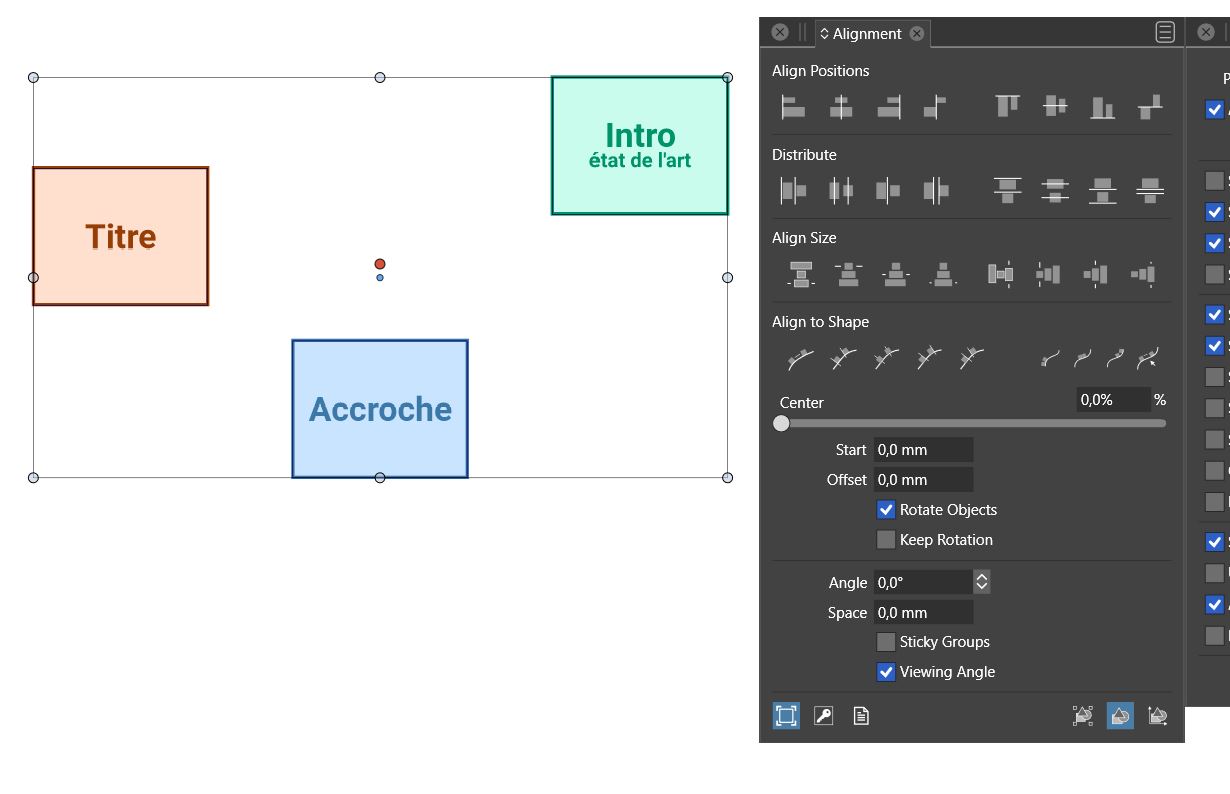
        The case about Aligment Option seems solved.
        I figure out that if i set the Panel in the State i wish
        then Vs keep it, even if i close VS and open it again.
        So no need to change things in this case.
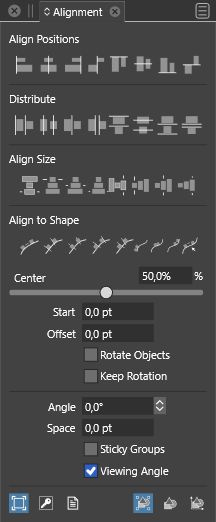
        0_1644246962664_Screenshot3.jpg

        But if those extra Steps could be reduced, would be nice.

        Win 11
        CPU: AMD Ryzen 5 9600X, 6-core.
        GPU: Nvidia Geforce RTX 5070.

        BoldlineB 1 Reply Last reply Reply Quote 0
        • BoldlineB Offline
          Boldline @Subpath
          last edited by

          @Subpath said in How to distribute objects with a precise distance between them ?:

          But if those extra Steps could be reduced, would be nice.

          using what Corel currently has that you demonstrated in part, how would you tell corel to align using the other align options with the specified amount?

          Right now you're showing how it can be done if Corel does not apply the spacing amount to the alignment. What if someone wants to use a specified alignment to space specifically within a selection?

          🍎 macOS Tahoe 26.2, Mac mini (M1, 2020), Chip Apple M1, Memory 16 GB
          Cintiq 27QHD Display and LG Ultra HD Display

          VectorStylerV S 2 Replies Last reply Reply Quote 0
          • VectorStylerV Offline
            VectorStyler @Boldline
            last edited by

            @Boldline I think (based on the video) that in Corel, the spacing is set for Distribute (not align) and it has a separate horizontal (H) and vertical (V) spacing.
            And the alignment is not affected by the distribute spacing.

            BoldlineB 1 Reply Last reply Reply Quote 1
            • BoldlineB Offline
              Boldline @VectorStyler
              last edited by

              @vectoradmin it's easy for me to get a little lost in the weeds with this one 🙂
              It sounds like you understand what @Subpath is wanting and you also understand my concerns. We all want the same thing really - I have no doubt we can leave it in your capable hands to modify if possible for easier use without compromising options

              🍎 macOS Tahoe 26.2, Mac mini (M1, 2020), Chip Apple M1, Memory 16 GB
              Cintiq 27QHD Display and LG Ultra HD Display

              1 Reply Last reply Reply Quote 0
              • S Offline
                Subpath @Boldline
                last edited by Subpath

                @Boldline said in How to distribute objects with a precise distance between them ?:

                @Subpath said in How to distribute objects with a precise distance between them ?:

                But if those extra Steps could be reduced, would be nice.

                using what Corel currently has that you demonstrated in part, how would you tell corel to align using the other align options with the specified amount?

                Right now you're showing how it can be done if Corel does not apply the spacing amount to the alignment. What if someone wants to use a specified alignment to space specifically within a selection?

                @Boldline if you could show me in a Video what aligment features/options
                you mean it would be easier for me to follow. Because english is not my
                native language, its sometimes hard to understand your topic. And Deepl
                Translator is also often not that helpful.

                I can then look how Corel do that, if they has this option.

                Win 11
                CPU: AMD Ryzen 5 9600X, 6-core.
                GPU: Nvidia Geforce RTX 5070.

                1 Reply Last reply Reply Quote 0
                • S Offline
                  Subpath
                  last edited by

                  @vectoradmin
                  If my wish to reduce these extra steps clashes too much with existing functions, then it doesn't have to.

                  Win 11
                  CPU: AMD Ryzen 5 9600X, 6-core.
                  GPU: Nvidia Geforce RTX 5070.

                  VectorStylerV 1 Reply Last reply Reply Quote 0
                  • VectorStylerV Offline
                    VectorStyler @Subpath
                    last edited by VectorStyler

                    @Subpath I will try to reduce the extra steps, but probably no new UI element can be added for now.

                    S 1 Reply Last reply Reply Quote 1
                    • S Offline
                      Subpath @VectorStyler
                      last edited by

                      @vectoradmin

                      ...I will try to reduce the extract steps,...
                      Thats fine

                      ... but probably no new UI element can be added for now...
                      This was not my intention, so no need for that from my side.

                      Win 11
                      CPU: AMD Ryzen 5 9600X, 6-core.
                      GPU: Nvidia Geforce RTX 5070.

                      1 Reply Last reply Reply Quote 0
                      • B Offline
                        B-Vs-V
                        last edited by

                        I often use alignment in my schemes because I can have a lot of objects per artboard. Nice I can keep alignment options on, thanks for the tip @Boldline

                        Why not just make the "Align selected objects..." functions independent of other parameters (e.g., space)
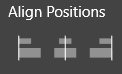
                        0_1644306971166_fb002e19-9443-40a3-bb6a-eebc2f8b2a01-image.png
                        0_1644306986070_f3fd6525-c754-4f1e-914a-e78d2d984104-image.png

                        since when we want to space the objects by a specific distance, @vectoradmin has implemented adhoc functions?
                        0_1644307049710_63b03ac1-17be-49b0-8fbb-810ac7d53f4c-image.png
                        0_1644307061774_38414459-2789-4ed1-8ae9-97a7b93de535-image.png
                        So, with two clicks, the objects are at the right distance from each other and aligned. Isn't this redundant or am I missing something?


                        W11 Pro 25H2 - 12th Gen Intel(R) i7-12700K 3.61 GHz - RAM 64 Go - NVIDIA GF GTX 4070 Ti - Intuos - Dell UP3216Q / Eizo ColorEdge
                        W11 Pro 25H2 - 12th Gen Intel(R) i7-12700KF 3.60 GHz -RAM 64 Go - NVIDIA GF GTX 3080 - IntuosPro- ProArt PA329C

                        1 Reply Last reply Reply Quote 0
                        • First post
                          Last post