VectorStyler
    • Categories
    • Unread
    • Recent
    • Tags
    • Popular
    • Register
    • Login

    Usability issue when drawing gradents (.054)

    Scheduled Pinned Locked Moved Features and Ideas
    34 Posts 6 Posters 51.2k Views 5 Watching
    Loading More Posts
    • Oldest to Newest
    • Newest to Oldest
    • Most Votes
    Reply
    • Reply as topic
    Log in to reply
    This topic has been deleted. Only users with topic management privileges can see it.
    • VectorStylerV Offline
      VectorStyler @Ingolf
      last edited by

      @Ingolf I added this to the features backlog. I will try to figure out a good solution.

      1 Reply Last reply Reply Quote 1
      • b77B Offline
        b77 @Ingolf
        last edited by

        @VectorStyler Can you just make the handles different? Smaller than the color stops and squared would help with visual differentiation.

        MacBook Pro (Intel) running Monterey 12.6.4

        VectorStylerV IngolfI 2 Replies Last reply Reply Quote 0
        • VectorStylerV Offline
          VectorStyler @b77
          last edited by

          @b77 said in Usability issue when drawing gradents (.054):

          Can you just make the handles different? Smaller than the color stops and squared would help with visual differentiation

          Yes, this can be done easily, added it to the backlog.

          1 Reply Last reply Reply Quote 0
          • IngolfI Offline
            Ingolf @b77
            last edited by

            @VectorStyler Invisible and non-existant please! πŸ˜‰

            Modern programs don't use this model, it is from the era before usability. Even the fugly gradient tool in CorelDRAW doesn't have it.

            In Illustrator these end points are smaller and it looks like shit. And I don't need them. Bigger or smaller and rectangular would also look like shit.

            Please, please, nuke them.

            CorelDRAW, Affinity, Gravit Designer, Figma, whatever don't use them. I don't see why we need them in VS. πŸ™‚

            🍏 macOS Sequoia Apple Silicon

            BoldlineB b77B 2 Replies Last reply Reply Quote 0
            • BoldlineB Offline
              Boldline @Ingolf
              last edited by

              @Ingolf Tell him how you really feel about gradients! lol

              🍎 macOS Tahoe 26.2, Mac mini (M1, 2020), Chip Apple M1, Memory 16 GB
              Cintiq 27QHD Display and LG Ultra HD Display

              1 Reply Last reply Reply Quote 0
              • IngolfI Offline
                Ingolf
                last edited by Ingolf

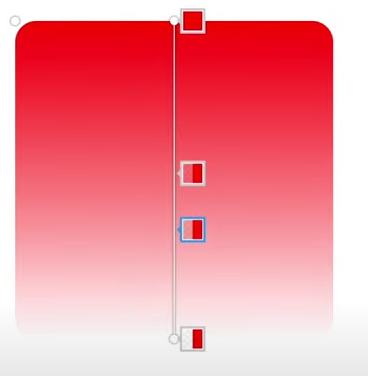
                Figma (Ugly but modern)

                0_1661189642914_f15fdffb-b426-475c-b942-c09916409504-image.png

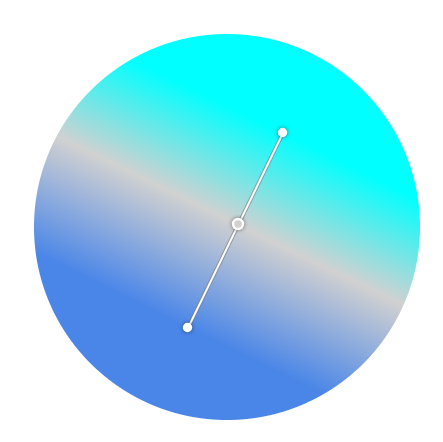
                CorelDRAW (Ugly but modern)

                0_1661189671973_5d209e60-99cd-4854-816c-657eab5e8126-image.png

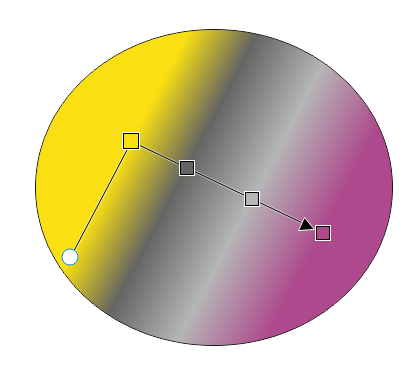
                Affinity:

                0_1661189818540_8f8a38d6-626a-4bf7-b29e-5613e59c80e5-image.png

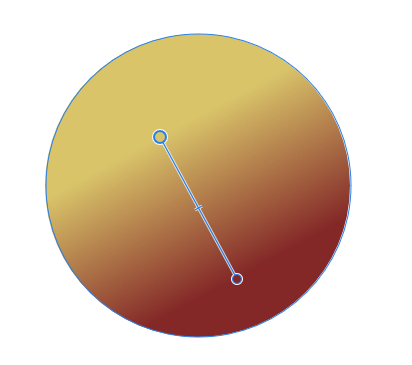
                Corel Vector / Gravit Designer:

                0_1661189742943_cb1a96a8-39c7-4a1b-a487-845041f3317d-image.png

                Inkscape:

                0_1661189867581_3f141dbb-2599-4aca-be91-79ccada188be-image.png

                Easy to understand, works exactly how the Joe Average or expert expects it to work.

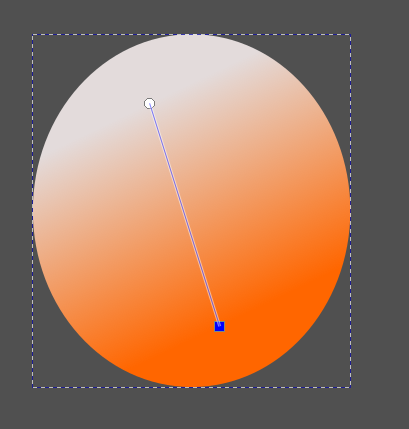
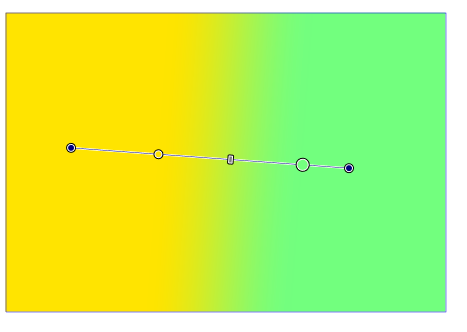
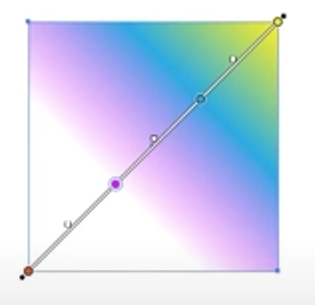
                And then two programs, Vectorstyler and Illustrator, have to stand out like this: 😒

                0_1661189941624_5a90473f-6fec-47b7-b5d1-657a4116d755-image.png

                0_1661189974927_6c305f34-f9f6-422c-9dd9-33302ae4f779-image.png

                It is by reducing unnecessary complexity and visual elements that Vectorstyler can compete on more than just raw features.

                πŸ™‚

                🍏 macOS Sequoia Apple Silicon

                1 Reply Last reply Reply Quote 1
                • b77B Offline
                  b77 @Ingolf
                  last edited by b77

                  @Ingolf Thanks for the screenshots β€” will upvote your post. πŸ™‚

                  But!

                  Handles are needed anyway β€” think about the case where the start or end color stop doesn't coincide with the start or end of a gradient. You do need a visible handle to grab and adjust the gradient angle, isn't it?

                  And if handles are not displayed separately for "normal" gradients (those with the both start and end stops at the start and end), I guess the poll I made last week missed an important fifth possibility β€” Option-drag to "unglue" a color stop from the start or end of the gradient? Because you need this.

                  How do these apps do that on the canvas? I mean: how do you move a start or end color stop from its location?

                  MacBook Pro (Intel) running Monterey 12.6.4

                  IngolfI S 2 Replies Last reply Reply Quote 2
                  • IngolfI Offline
                    Ingolf @b77
                    last edited by Ingolf

                    @b77 You have to try one of those programs, it is impossible to explain the action and experience in a post.

                    Let's just say it works great in all these programs, and no one has ever requested the Illustrator model ever in any context I've witnessed.

                    🍏 macOS Sequoia Apple Silicon

                    b77B 2 Replies Last reply Reply Quote 0
                    • b77B Offline
                      b77 @Ingolf
                      last edited by b77

                      @Ingolf You should be able to find and write how is the action I described done in CDR, AD and the others. It was an honest question β€” I'm genuinely curious.

                      MacBook Pro (Intel) running Monterey 12.6.4

                      IngolfI 1 Reply Last reply Reply Quote 1
                      • IngolfI Offline
                        Ingolf @b77
                        last edited by

                        @b77 said in Usability issue when drawing gradents (.054):

                        @Ingolf You should be able to find and write how is the action I described done in CDR, AD and the others. It was an honest question β€” I'm genuinely curious.

                        I know πŸ™‚

                        🍏 macOS Sequoia Apple Silicon

                        1 Reply Last reply Reply Quote 0
                        • b77B Offline
                          b77 @Ingolf
                          last edited by

                          @Ingolf said in Usability issue when drawing gradents (.054):

                          Let's just say it works great in all these programs, and no one has ever requested the Illustrator model ever in any context I've witnessed.

                          Not satisfied with 'Let's just say it works great in all these programs' and with bandwagon arguments ('CorelDRAW, Affinity, Gravit Designer, Figma, etc don't use handles).

                          If they don't use handles, how do they do that necessary operation? With a modifier key?

                          MacBook Pro (Intel) running Monterey 12.6.4

                          1 Reply Last reply Reply Quote 0
                          • IngolfI Offline
                            Ingolf
                            last edited by Ingolf

                            All inside shape

                            Also outside

                            No modifiers or complexity. Just moving gradient stops.

                            🍏 macOS Sequoia Apple Silicon

                            1 Reply Last reply Reply Quote 0
                            • IngolfI Offline
                              Ingolf
                              last edited by Ingolf

                              See how easy it is to work with (and understand), plus how easy it is to switch between gradient types in the context toolbar.

                              That's the kind of thing that makes you effective. And happy with your tool.

                              Quick demo of gradients

                              EDIT: New video

                              🍏 macOS Sequoia Apple Silicon

                              1 Reply Last reply Reply Quote 1
                              • S Offline
                                Subpath @b77
                                last edited by

                                @b77 said in Usability issue when drawing gradents (.054):

                                Handles are needed anyway β€” think about the case where the start or end color stop doesn't coincide with the start or end of a gradient. You do need a visible handle to grab and adjust the gradient angle, isn't it?

                                And if handles are not displayed separately for "normal" gradients (those with the both start and end stops at the start and end), I guess the poll I made last week missed an important fifth possibility β€” Option-drag to "unglue" a color stop from the start or end of the gradient? Because you need this.

                                @b77

                                I'm with you, even though gradients in Vector programs I used don't have such handles.

                                The way VS does it has never bothered me much, even if it was a bit unusual at the beginning.

                                Win 11
                                CPU: AMD Ryzen 5 9600X, 6-core.
                                GPU: Nvidia Geforce RTX 5070.

                                1 Reply Last reply Reply Quote 0
                                • IngolfI Offline
                                  Ingolf
                                  last edited by

                                  Aha. I hear no arguments or business case for the extra handles being there. On the contrary. πŸ™‚

                                  🍏 macOS Sequoia Apple Silicon

                                  S 1 Reply Last reply Reply Quote 0
                                  • IngolfI Offline
                                    Ingolf
                                    last edited by Ingolf

                                    Let me make it easier for you. You are a product owner at Corel, Serif or Figma, and need to write a user story explaining to the development team what needs to be developed and why (this is done so that the programmers fully understand the value to be added, which in turn helps to achieve a better common understanding between customer and developer of the 'Definition of Done'):

                                    Template:
                                    As a <type of user> I want <feature> implemented to achieve <business value>

                                    Finish this:
                                    "As a designer I want handles a'la Illustrator/vectorstyler added to gradients to achieve" <business value>

                                    ?? Exactly what?

                                    This is how I work daily with our software engineering team as a product owner. πŸ™‚

                                    🍏 macOS Sequoia Apple Silicon

                                    1 Reply Last reply Reply Quote 1
                                    • S Offline
                                      Subpath @Ingolf
                                      last edited by

                                      @Ingolf said in Usability issue when drawing gradents (.054):

                                      Aha. I hear no arguments or business case for the extra handles being there. On the contrary. πŸ™‚

                                      I wondered if the question was meant for me or @b77 ?

                                      Win 11
                                      CPU: AMD Ryzen 5 9600X, 6-core.
                                      GPU: Nvidia Geforce RTX 5070.

                                      1 Reply Last reply Reply Quote 1
                                      • IngolfI Offline
                                        Ingolf
                                        last edited by

                                        Anyone may have a go at it.

                                        🍏 macOS Sequoia Apple Silicon

                                        1 Reply Last reply Reply Quote 0
                                        • b77B Offline
                                          b77
                                          last edited by b77

                                          @Ingolf said in Usability issue when drawing gradents (.054):

                                          Aha. I hear no arguments or business case for the extra handles being there. On the contrary. πŸ™‚

                                          Uh… πŸ™‚ I did mention the limitation that arises from having the gradient handles "under" the start and end color stops β€” you wouldn't be able to move any of these two stops away from the gradient ends with the gradient tool.

                                          Unless a keyboard modifier is assigned for this, the user has to go to the Appearance or Gradient panel to do it.

                                          You might say: "Please no more shortcuts, it's OK to do this operation only from the panels β€” most people won't mind". And you might be right.

                                          But the app still needs visually different handles for these cases β€” both with the current detached handles and with "hidden" handles (your suggestion).

                                          ……… . .

                                          Btw, my CDR 2021 trial expired last week, so I could test moving start or end color stops only in Inkscape v1.2.1, and… I don't see any such possibility with its gradient tool β€” it can be done only from its 'Fill and Stoke' panel, and the gradient tool displays no detached handle at that end after you do that… this last part is terrible if you ask me.

                                          I also tried to do this in AD on iPad, and… I couldn't even find a Gradient panel equivalent, so I guess it's not possible.

                                          ……… . .

                                          @VectorStyler Are combinations of dragging + two keyboard modifiers possible/allowed?

                                          MacBook Pro (Intel) running Monterey 12.6.4

                                          IngolfI 1 Reply Last reply Reply Quote 0
                                          • IngolfI Offline
                                            Ingolf @b77
                                            last edited by

                                            @b77 said in Usability issue when drawing gradents (.054):

                                            @Ingolf said in Usability issue when drawing gradents (.054):

                                            Aha. I hear no arguments or business case for the extra handles being there. On the contrary. πŸ™‚

                                            Uh… πŸ™‚ I did mention the limitation that arises from having the gradient handles "under" the start and end color stops β€” you wouldn't be able to move any of these two stops away from the gradient ends with the gradient tool.

                                            You did but I am not sure what limitation that would be.

                                            Could you demonstrate with a side by side example from one program like VS and one like the others what you can achive with these gradient ends that will be missing if they are removed?

                                            🍏 macOS Sequoia Apple Silicon

                                            b77B 1 Reply Last reply Reply Quote 0
                                            • First post
                                              Last post