VectorStyler
    • Categories
    • Unread
    • Recent
    • Tags
    • Popular
    • Register
    • Login

    Adding white noise to a specific color in a color gradient
    Scheduled Pinned Locked Moved Questions and Support
    22 Posts 2 Posters 28.7k Views 2 Watching
    Loading More Posts
    • Oldest to Newest
    • Newest to Oldest
    • Most Votes
    Reply
    • Reply as topic
    Log in to reply
    This topic has been deleted. Only users with topic management privileges can see it.
    • VectorStylerV Offline
      VectorStyler @B-Vs-V
      last edited by

      @Pat The "preset" can be updated by selecting the object and the preset in the list.

      B 3 Replies Last reply Reply Quote 0
      • B Offline
        B-Vs-V @VectorStyler
        last edited by

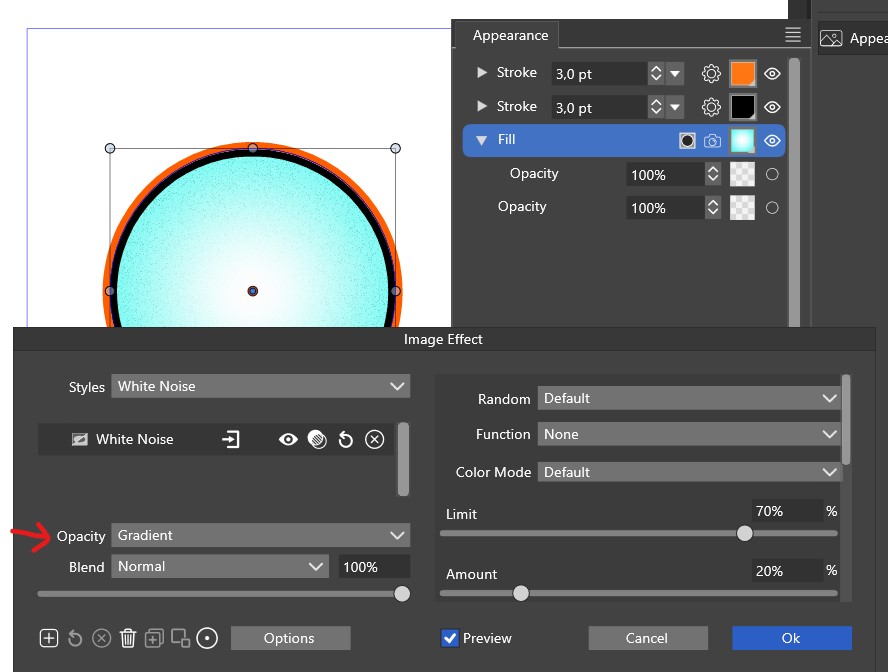
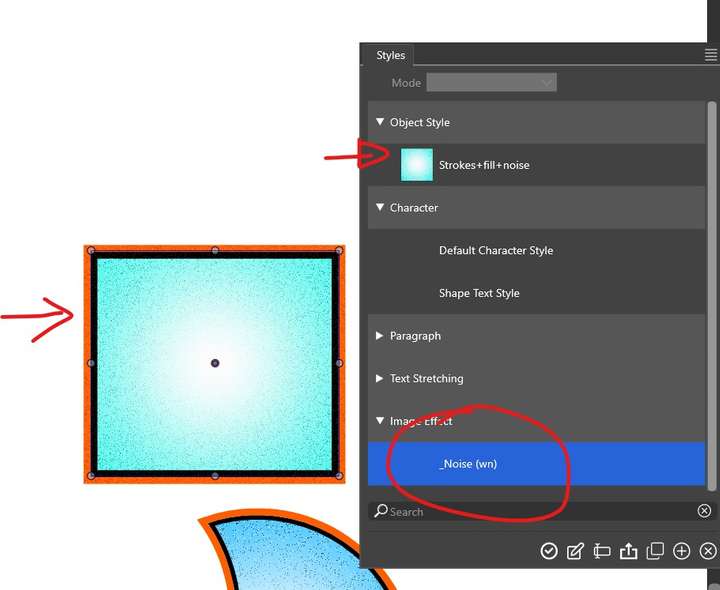
        @VectorStyler no, I don't see how it works and when I select an object with the object style, in the style list, what becomes selected is the image effect (noise), impossible to maintain the selected object style:
        0_1710867301939_os.jpg

        W11 Pro 25H2 - 12th Gen Intel(R) i7-12700K 3.61 GHz - RAM 64 Go - NVIDIA GF GTX 4070 Ti - Intuos - Dell UP3216Q / Eizo ColorEdge
        W11 Pro 25H2 - 12th Gen Intel(R) i7-12700KF 3.60 GHz -RAM 64 Go - NVIDIA GF GTX 3080 - IntuosPro- ProArt PA329C

        VectorStylerV 1 Reply Last reply Reply Quote 1
        • B Offline
          B-Vs-V @VectorStyler
          last edited by

          @VectorStyler I'll sent you the file to get help on this 😇 Thanks ☺

          W11 Pro 25H2 - 12th Gen Intel(R) i7-12700K 3.61 GHz - RAM 64 Go - NVIDIA GF GTX 4070 Ti - Intuos - Dell UP3216Q / Eizo ColorEdge
          W11 Pro 25H2 - 12th Gen Intel(R) i7-12700KF 3.60 GHz -RAM 64 Go - NVIDIA GF GTX 3080 - IntuosPro- ProArt PA329C

          1 Reply Last reply Reply Quote 0
          • B Offline
            B-Vs-V @VectorStyler
            last edited by

            @VectorStyler Got a bug I think:

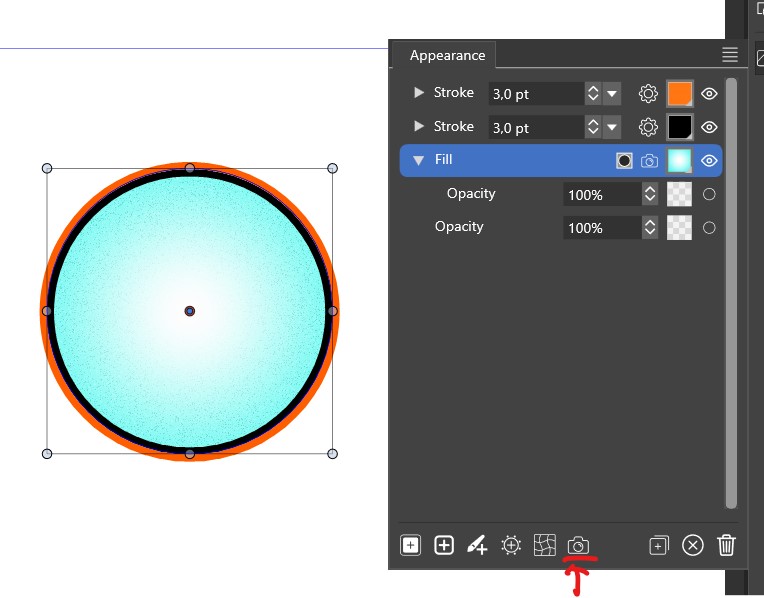
            Ok:
            0_1710867559907_ok.jpg

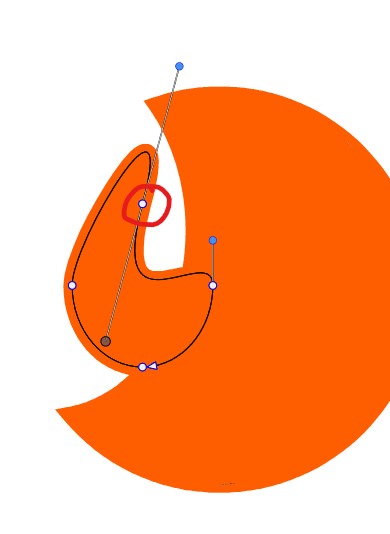
            Not ok:
            0_1710867570678_notok.jpg

            W11 Pro 25H2 - 12th Gen Intel(R) i7-12700K 3.61 GHz - RAM 64 Go - NVIDIA GF GTX 4070 Ti - Intuos - Dell UP3216Q / Eizo ColorEdge
            W11 Pro 25H2 - 12th Gen Intel(R) i7-12700KF 3.60 GHz -RAM 64 Go - NVIDIA GF GTX 3080 - IntuosPro- ProArt PA329C

            1 Reply Last reply Reply Quote 0
            • VectorStylerV Offline
              VectorStyler @B-Vs-V
              last edited by

              @Pat This is the Styles panel: the "Styles" are linked, so when an object is selected its used styles are highlighted in the panel.
              To update styles here, the selection in the panel must be changed after the object is selected.

              I got the file, and it seems there is an offset path error with the stroke alignment. I opened a bug on this.

              B 1 Reply Last reply Reply Quote 1
              • B Offline
                B-Vs-V @VectorStyler
                last edited by B-Vs-V

                @VectorStyler Sorry, these are "words" but I can't visualize the issue here. It seems that it is what I do.

                Could you please make a few print screens to help... ? I don't see what I do wrong or is it the bug that's blocking me doing this?...

                W11 Pro 25H2 - 12th Gen Intel(R) i7-12700K 3.61 GHz - RAM 64 Go - NVIDIA GF GTX 4070 Ti - Intuos - Dell UP3216Q / Eizo ColorEdge
                W11 Pro 25H2 - 12th Gen Intel(R) i7-12700KF 3.60 GHz -RAM 64 Go - NVIDIA GF GTX 3080 - IntuosPro- ProArt PA329C

                VectorStylerV 2 Replies Last reply Reply Quote 0
                • VectorStylerV Offline
                  VectorStyler @B-Vs-V
                  last edited by

                  @Pat I will try to create a better explanation, but in the document I got in the Styles list there is no Object Style or Image Effect style, probably was not saved.

                  1 Reply Last reply Reply Quote 1
                  • VectorStylerV Offline
                    VectorStyler @B-Vs-V
                    last edited by

                    @Pat Found the image effect, here is a recording of how to update the Object Style: https://recordit.co/grpBAFqEso

                    B 3 Replies Last reply Reply Quote 1
                    • B Offline
                      B-Vs-V @VectorStyler
                      last edited by

                      @VectorStyler Many thanks for your time ☺

                      W11 Pro 25H2 - 12th Gen Intel(R) i7-12700K 3.61 GHz - RAM 64 Go - NVIDIA GF GTX 4070 Ti - Intuos - Dell UP3216Q / Eizo ColorEdge
                      W11 Pro 25H2 - 12th Gen Intel(R) i7-12700KF 3.60 GHz -RAM 64 Go - NVIDIA GF GTX 3080 - IntuosPro- ProArt PA329C

                      1 Reply Last reply Reply Quote 0
                      • B Offline
                        B-Vs-V @VectorStyler
                        last edited by

                        @VectorStyler No, I can't get it. I did watch carefully your video: I first select the object and then the object style in order to update the style... but doing so, I do change the object style before I can even change the style. Well, I'll try with another new file later.

                        W11 Pro 25H2 - 12th Gen Intel(R) i7-12700K 3.61 GHz - RAM 64 Go - NVIDIA GF GTX 4070 Ti - Intuos - Dell UP3216Q / Eizo ColorEdge
                        W11 Pro 25H2 - 12th Gen Intel(R) i7-12700KF 3.60 GHz -RAM 64 Go - NVIDIA GF GTX 3080 - IntuosPro- ProArt PA329C

                        VectorStylerV 1 Reply Last reply Reply Quote 1
                        • B Offline
                          B-Vs-V @VectorStyler
                          last edited by

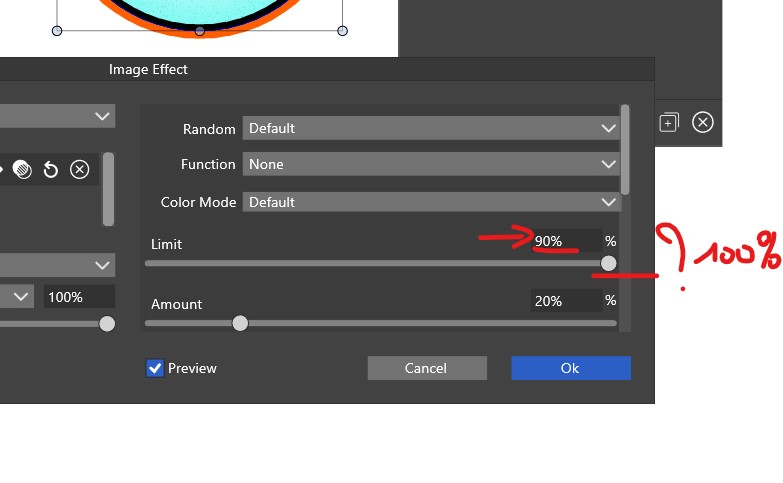
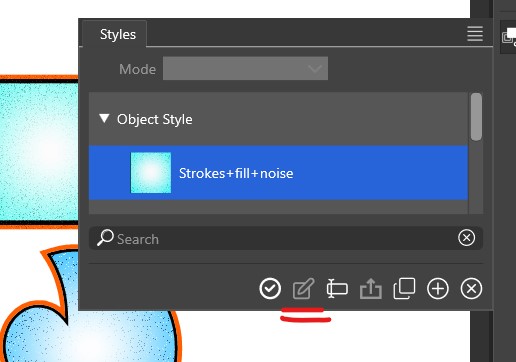
                          @VectorStyler Also, why can't I edit the style:
                          0_1710882569333_es.jpg

                          W11 Pro 25H2 - 12th Gen Intel(R) i7-12700K 3.61 GHz - RAM 64 Go - NVIDIA GF GTX 4070 Ti - Intuos - Dell UP3216Q / Eizo ColorEdge
                          W11 Pro 25H2 - 12th Gen Intel(R) i7-12700KF 3.60 GHz -RAM 64 Go - NVIDIA GF GTX 3080 - IntuosPro- ProArt PA329C

                          VectorStylerV 1 Reply Last reply Reply Quote 0
                          • VectorStylerV Offline
                            VectorStyler @B-Vs-V
                            last edited by

                            @Pat said in Adding white noise to a specific color in a color gradient:

                            but doing so, I do change the object style before I can even change the style

                            Yes, it means that in the panel menu "Listing Mode" the "Edit on Double Click" is enabled and apply is done on single click.
                            In which case, updating will not work (conflicting settings). Enable "Apply on Double Click".

                            There is also "Update from Selection" in the Panel Options, that can be used to disable automatic highlight on object selection.

                            B 1 Reply Last reply Reply Quote 0
                            • VectorStylerV Offline
                              VectorStyler @B-Vs-V
                              last edited by

                              @Pat said in Adding white noise to a specific color in a color gradient:

                              Also, why can't I edit the style

                              Object styles contain all sorts of attributes of an object and they cannot be edited in a separate modal view.

                              1 Reply Last reply Reply Quote 0
                              • B Offline
                                B-Vs-V @VectorStyler
                                last edited by B-Vs-V

                                @VectorStyler Thank you ☺
                                That's what I was doing but had forgotten about this single/double click... hence my lack of understanding.

                                W11 Pro 25H2 - 12th Gen Intel(R) i7-12700K 3.61 GHz - RAM 64 Go - NVIDIA GF GTX 4070 Ti - Intuos - Dell UP3216Q / Eizo ColorEdge
                                W11 Pro 25H2 - 12th Gen Intel(R) i7-12700KF 3.60 GHz -RAM 64 Go - NVIDIA GF GTX 3080 - IntuosPro- ProArt PA329C

                                1 Reply Last reply Reply Quote 1
                                • First post
                                  Last post