<title>
<![CDATA[ Pucker tool like functionality. ]]>
</title>
<description>
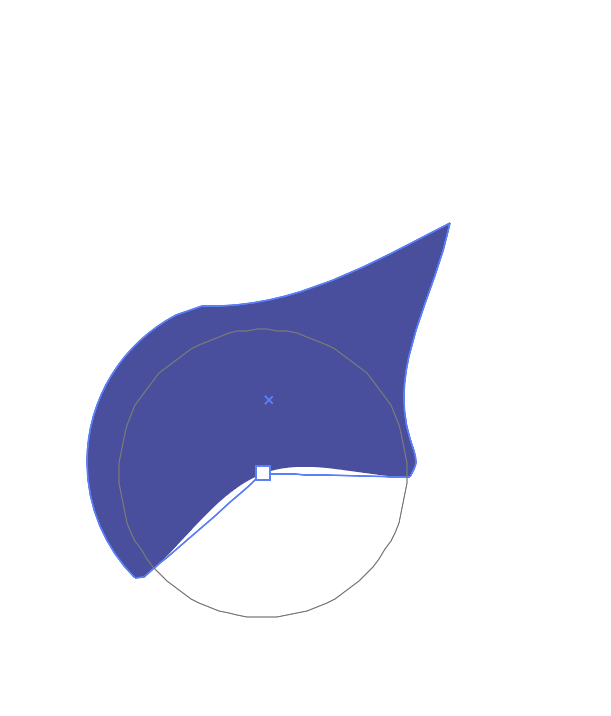
<![CDATA[ <p>Is it possible to have tool or functionality similar to pucker tool (deflates objects shape by moving control points towards the cursor, kinda opposite to circular bump tool) in illustrator? It's helpful in illustration works. May be it's possible to achieve the same with already existing tools by changing some settings and I havent figured it how.</p>
<p><img src="/forum/assets/uploads/files/1722702651076-screenshot-2024-08-03-at-10.00.00-pm.png" alt="0_1722702650058_Screenshot 2024-08-03 at 10.00.00 PM.png" class="img-responsive img-markdown" /></p>
]]>
</description>
<link>https://www.vectorstyler.com/forum//topic/4567/pucker-tool-like-functionality</link>
<generator>RSS for Node</generator>
<lastBuildDate>Wed, 04 Jun 2025 03:18:10 GMT</lastBuildDate>
<atom:link href="https://www.vectorstyler.com/forum//topic/4567.rss" rel="self" type="application/rss+xml"/>
<pubDate>Sat, 03 Aug 2024 16:30:55 GMT</pubDate>
<ttl>60</ttl>
<item>
<title>
<![CDATA[ Reply to Pucker tool like functionality. on Invalid Date ]]>
</title>
<description>
<![CDATA[ <p>Is it possible to have tool or functionality similar to pucker tool (deflates objects shape by moving control points towards the cursor, kinda opposite to circular bump tool) in illustrator? It's helpful in illustration works. May be it's possible to achieve the same with already existing tools by changing some settings and I havent figured it how.</p>
<p><img src="/forum/assets/uploads/files/1722702651076-screenshot-2024-08-03-at-10.00.00-pm.png" alt="0_1722702650058_Screenshot 2024-08-03 at 10.00.00 PM.png" class="img-responsive img-markdown" /></p>
]]>
</description>
<link>https://www.vectorstyler.com/forum//post/26687</link>
<guid isPermaLink="true">https://www.vectorstyler.com/forum//post/26687</guid>
<dc:creator>
...</dc:creator>
<pubDate>Invalid Date</pubDate>
</item>
<item>
<title>
<![CDATA[ Reply to Pucker tool like functionality. on Invalid Date ]]>
</title>
<description>
<![CDATA[ <p><a class="plugin-mentions-user plugin-mentions-a" href="https://www.vectorstyler.com/forum//uid/287">@Kumr</a></p>
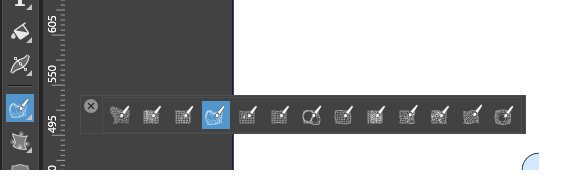
<p>look here, double click on the Tool<br />
to change the size and to get further settings<br />
<img src="/forum/assets/uploads/files/1722711006222-pucker-tool.png" alt="0_1722710915600_Pucker Tool.png" class="img-responsive img-markdown" /></p>
]]>
</description>
<link>https://www.vectorstyler.com/forum//post/26688</link>
<guid isPermaLink="true">https://www.vectorstyler.com/forum//post/26688</guid>
<dc:creator>
...</dc:creator>
<pubDate>Invalid Date</pubDate>
</item>
<item>
<title>
<![CDATA[ Reply to Pucker tool like functionality. on Invalid Date ]]>
</title>
<description>
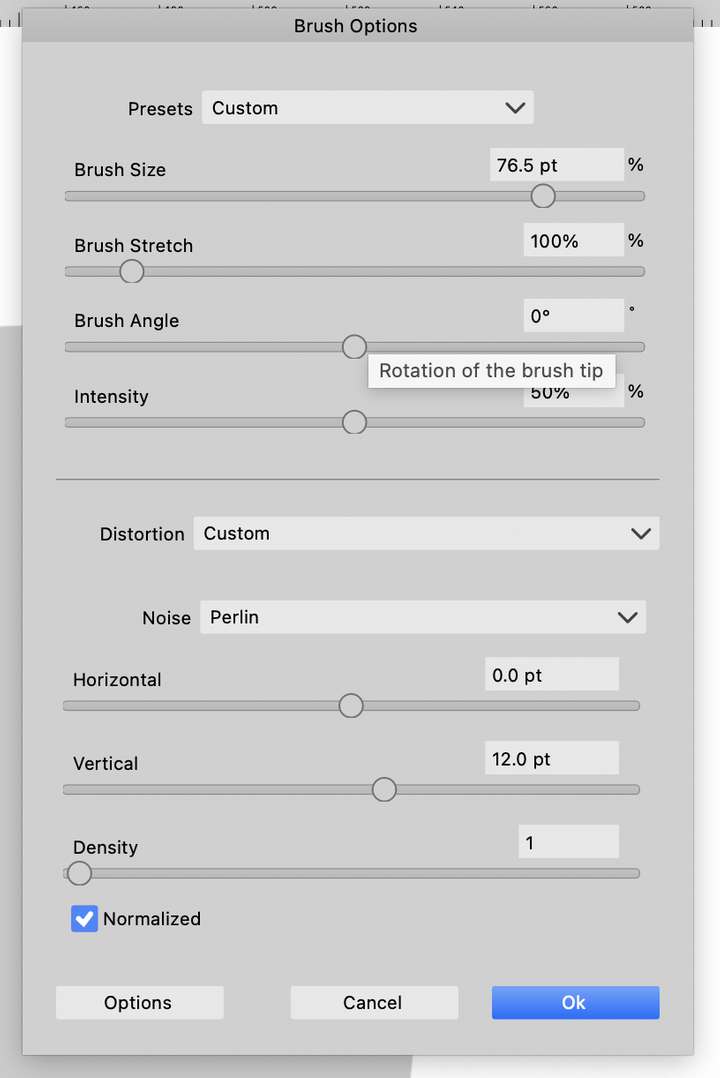
<![CDATA[ <p><a class="plugin-mentions-user plugin-mentions-a" href="https://www.vectorstyler.com/forum//uid/138">@Subpath</a> <a class="plugin-mentions-user plugin-mentions-a" href="https://www.vectorstyler.com/forum//uid/1">@vectorstyler</a> Thanks for the reply. I couldn't figure out settings to get similar functionality of the pucker tool. ( eg <a href="https://www.youtube.com/shorts/I0J5roYfHLQ" rel="nofollow">https://www.youtube.com/shorts/I0J5roYfHLQ</a>)</p>
<p>Options in VS brush tool .</p>
<p><img src="/forum/assets/uploads/files/1722732492928-03cec1a5-7c4b-46d4-891c-835f2ef602c5-image-resized.png" alt="0_1722732490987_03cec1a5-7c4b-46d4-891c-835f2ef602c5-image.png" class="img-responsive img-markdown" /></p>
<p>Any help appreciated, Thanks</p>
]]>
</description>
<link>https://www.vectorstyler.com/forum//post/26689</link>
<guid isPermaLink="true">https://www.vectorstyler.com/forum//post/26689</guid>
<dc:creator>
...</dc:creator>
<pubDate>Invalid Date</pubDate>
</item>
<item>
<title>
<![CDATA[ Reply to Pucker tool like functionality. on Invalid Date ]]>
</title>
<description>
<![CDATA[ <p><a class="plugin-mentions-user plugin-mentions-a" href="https://www.vectorstyler.com/forum//uid/287">@Kumr</a> Try the Circular Bump tool (last one in the distortion tools). And set the Amount to -100.</p>
]]>
</description>
<link>https://www.vectorstyler.com/forum//post/26690</link>
<guid isPermaLink="true">https://www.vectorstyler.com/forum//post/26690</guid>
<dc:creator>
<![CDATA[ VectorStyler ]]>
</dc:creator>
<pubDate>Invalid Date</pubDate>
</item>
<item>
<title>
<![CDATA[ Reply to Pucker tool like functionality. on Sun, 04 Aug 2024 08:35:17 GMT ]]>
</title>
<description>
<![CDATA[ <p><a class="plugin-mentions-user plugin-mentions-a" href="https://www.vectorstyler.com/forum//uid/287">@Kumr</a></p>
<p>Made a video that also shows also the settings.<br />
In my tries i am using the "Liquify Tool" instead of<br />
the "Circular Bump Tool" but i show both in the Video.</p>
<p>In general don't move too fast, if a brush seems to don't work<br />
try to move a bit slower. VS Distortion Tools are not as fluid<br />
as the Plucker Tool in Illustrator, at least in my attempts.</p>
<p>I forgot, save a preset as soon as you have found a good setting<br />
and use the name of the Tool you used in the preset name.</p>
<p><a href="https://go.screenpal.com/watch/cZjfj1VPWyO" rel="nofollow">Here the Video - Distortion Tools and Settings</a></p>
]]>
</description>
<link>https://www.vectorstyler.com/forum//post/26691</link>
<guid isPermaLink="true">https://www.vectorstyler.com/forum//post/26691</guid>
<dc:creator>
...</dc:creator>
<pubDate>Sun, 04 Aug 2024 08:35:17 GMT</pubDate>
</item>
<item>
<title>
<![CDATA[ Reply to Pucker tool like functionality. on Invalid Date ]]>
</title>
<description>
<![CDATA[ <p><a class="plugin-mentions-user plugin-mentions-a" href="https://www.vectorstyler.com/forum//uid/1">@VectorStyler</a></p>
<p>On Monday I post a few things that I noticed<br />
when using the distortion tools.</p>
]]>
</description>
<link>https://www.vectorstyler.com/forum//post/26692</link>
<guid isPermaLink="true">https://www.vectorstyler.com/forum//post/26692</guid>
<dc:creator>
...</dc:creator>
<pubDate>Invalid Date</pubDate>
</item>
<item>
<title>
<![CDATA[ Reply to Pucker tool like functionality. on Invalid Date ]]>
</title>
<description>
<![CDATA[ <p><a class="plugin-mentions-user plugin-mentions-a" href="https://www.vectorstyler.com/forum//uid/138">@Subpath</a> <a class="plugin-mentions-user plugin-mentions-a" href="https://www.vectorstyler.com/forum//uid/1">@VectorStyler</a> Thank you very much for the help. Needed this function for a project work. I can use both the circular and liquify brush settings shared here. I agree illustrator tools are very fluid over VS brushes, may to find the right settings and speed as you pointed out.</p>
]]>
</description>
<link>https://www.vectorstyler.com/forum//post/26693</link>
<guid isPermaLink="true">https://www.vectorstyler.com/forum//post/26693</guid>
<dc:creator>
...</dc:creator>
<pubDate>Invalid Date</pubDate>
</item>