VectorStyler
    • Categories
    • Unread
    • Recent
    • Tags
    • Popular
    • Register
    • Login

    How do I get equal spacing on pattern brush result?
    Scheduled Pinned Locked Moved Questions and Support
    6 Posts 2 Posters 6.0k Views 1 Watching
    Loading More Posts
    • Oldest to Newest
    • Newest to Oldest
    • Most Votes
    Reply
    • Reply as topic
    Log in to reply
    This topic has been deleted. Only users with topic management privileges can see it.
    • BoldlineB Offline
      Boldline
      last edited by

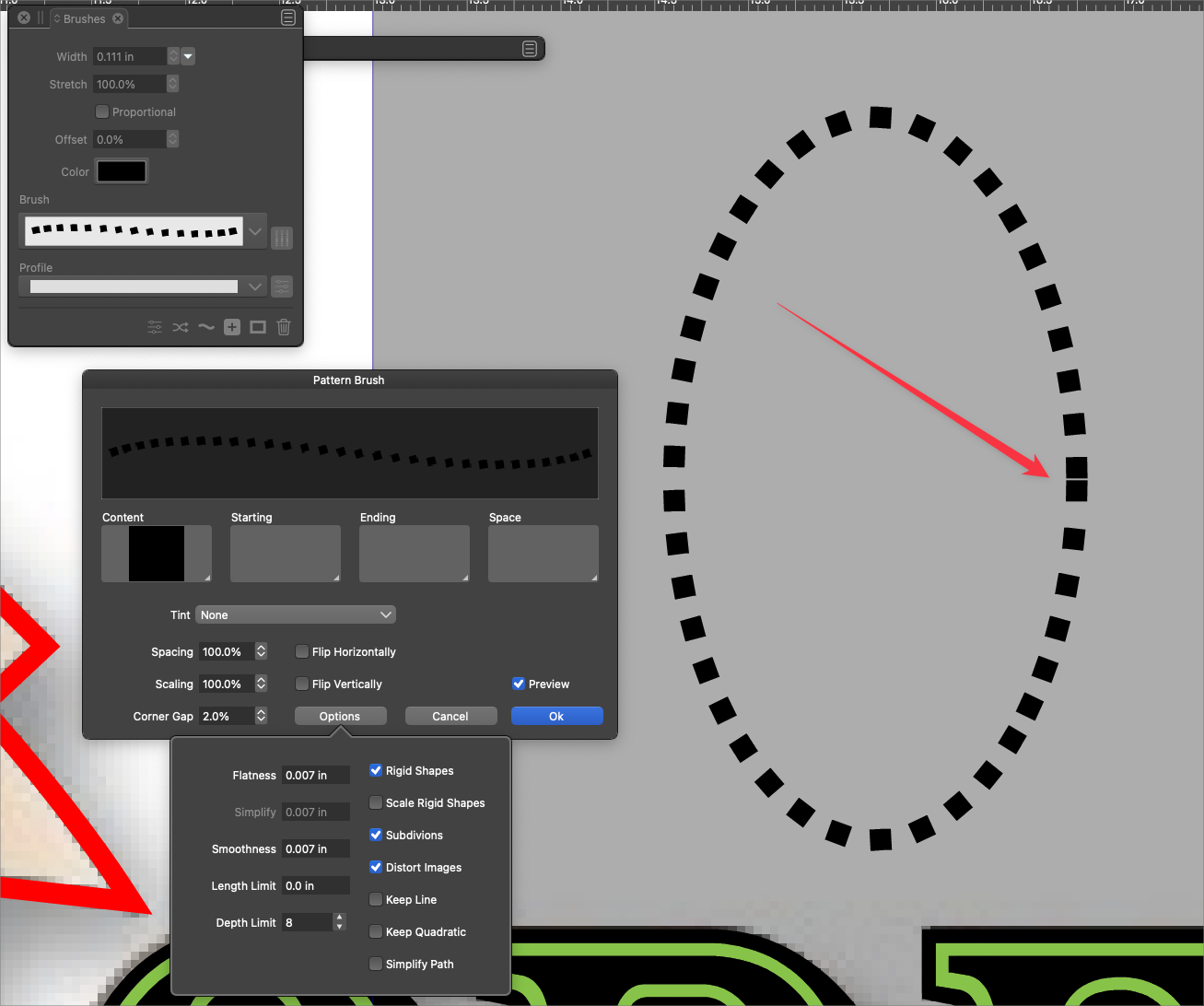
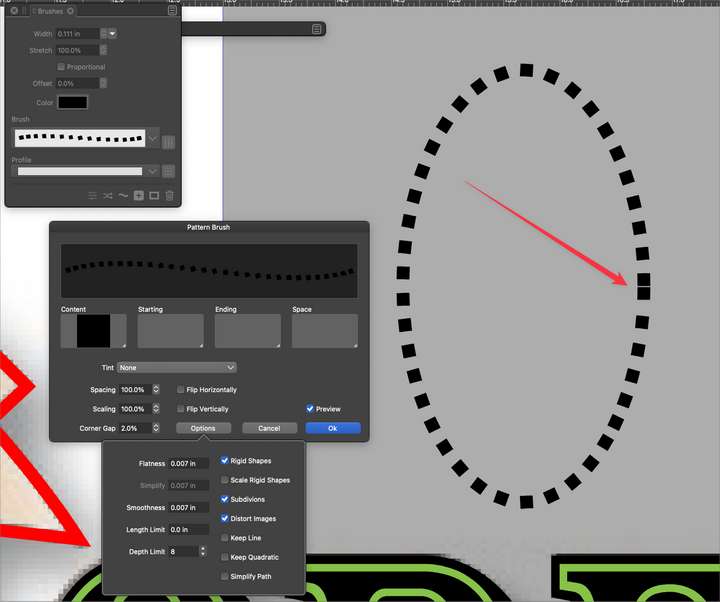
      How do I get all the shapes in my pattern brush to be spaced perfectly?
      I know in illustrator there was an option involving the spine of the path.
      0_1649433550064_95391953-a7bb-44ed-b3a9-3a79097a0f15-BLD 2022-04-08 at 11.57.30.png

      🍎 macOS Tahoe 26.2, Mac mini (M1, 2020), Chip Apple M1, Memory 16 GB
      Cintiq 27QHD Display and LG Ultra HD Display

      VectorStylerV 1 Reply Last reply Reply Quote 0
      • VectorStylerV Offline
        VectorStyler @Boldline
        last edited by

        @Boldline This looks like a missing feature, I added it to the backlog.

        BoldlineB 1 Reply Last reply Reply Quote 1
        • BoldlineB Offline
          Boldline @VectorStyler
          last edited by

          @vectoradmin terrific! thanks - that is an important feature for sure

          🍎 macOS Tahoe 26.2, Mac mini (M1, 2020), Chip Apple M1, Memory 16 GB
          Cintiq 27QHD Display and LG Ultra HD Display

          VectorStylerV 1 Reply Last reply Reply Quote 0
          • VectorStylerV Offline
            VectorStyler @Boldline
            last edited by

            @Boldline This will be done in the next feature release (not the next release), I think it is not a big issue, just has to consider spacing is at the end of closed paths.

            BoldlineB 2 Replies Last reply Reply Quote 1
            • BoldlineB Offline
              Boldline @VectorStyler
              last edited by

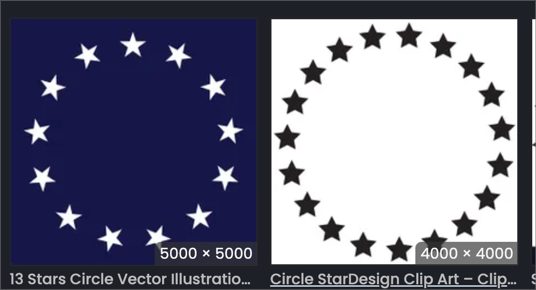
              @vectoradmin It's been a little while since I last researched it in Illustrator, but I remember the ability have objects remain straight up and down while still being in a circle was part of this process as well. I haven't had a chance to see if VS offers this option as shown below in my screen shot:
              0_1649435212218_15491cf4-cc57-41c7-b032-cba8d6a433d9-BLD 2022-04-08 at 12.24.10.png

              The stars on the left side example all roate slightly around the circle and the stars in the right side example remain straight up and down all the way around the circle

              🍎 macOS Tahoe 26.2, Mac mini (M1, 2020), Chip Apple M1, Memory 16 GB
              Cintiq 27QHD Display and LG Ultra HD Display

              1 Reply Last reply Reply Quote 1
              • BoldlineB Offline
                Boldline @VectorStyler
                last edited by

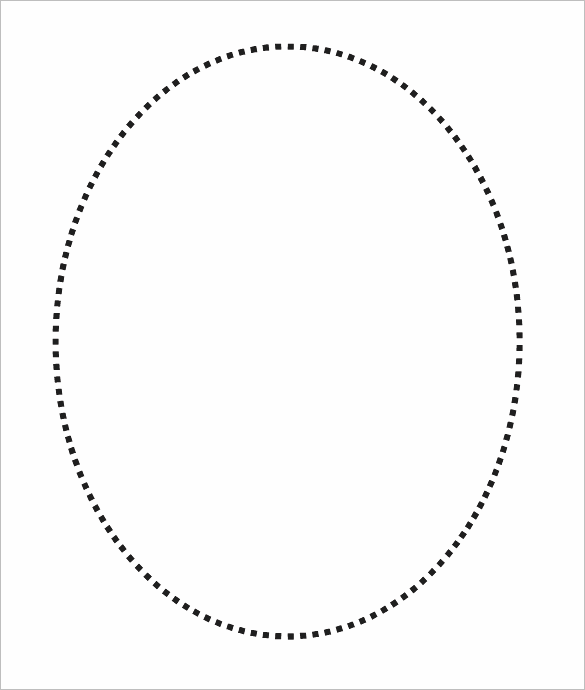
                @vectoradmin - love it! thank you for adding that in there
                0_1649973507790_706b1b4f-2333-4b95-83ff-33ab86965dcf-BLD 2022-04-14 at 17.50.39.png

                🍎 macOS Tahoe 26.2, Mac mini (M1, 2020), Chip Apple M1, Memory 16 GB
                Cintiq 27QHD Display and LG Ultra HD Display

                1 Reply Last reply Reply Quote 1
                • First post
                  Last post
