Node selection tool sometimes selects unwanted hidden node handles
-
I love the ability to select nodes and/or their handles and delete them to get a cusp node or eliminate that node from a selected path.
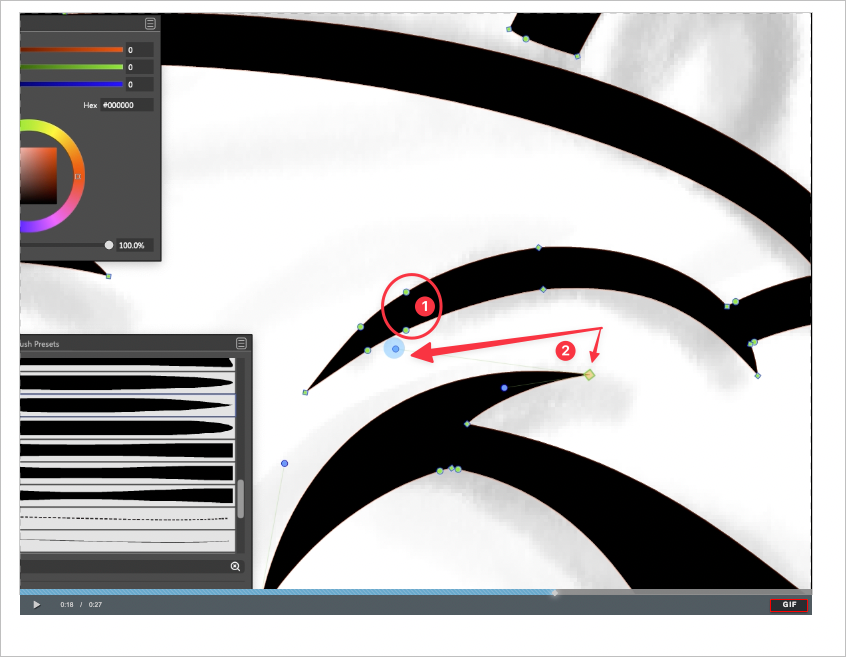
That said, I've noticed as I am editing my designs, sometimes the node selector will select a hidden node handle without me intending for it to do so (because it was not visible)Referencing the image taken from the video below, In this video, you can see where I was trying to select the two nodes contained within the circle by the number 1. The node handle connected to the node located at the #2 marked location was not visible when I made the selection but was added to the selection unintentionally.
When you look at the video, my first attempt to just grab the two nodes I wanted worked perfectly, but when I made a bigger selection in the second attempt and the following attempts, you see how the hidden handle also gets selected.
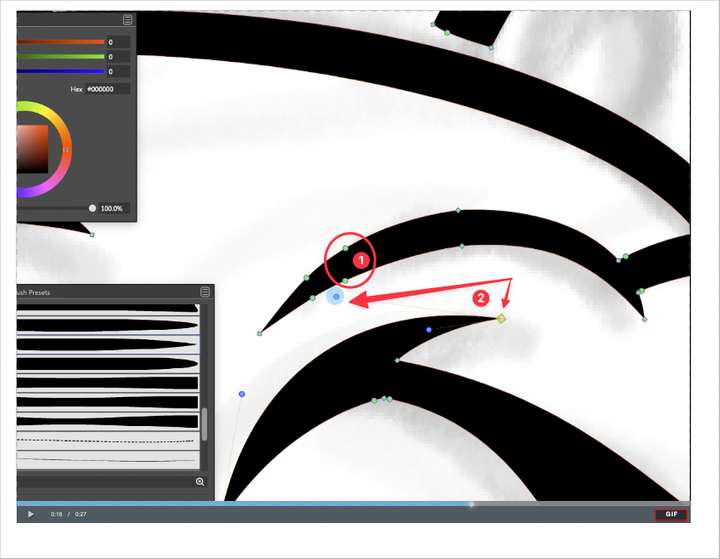
So I am wondering if there should be an option to only include node handles in the selection if they are already visible. Would this solve the problem or make the editing work harder?
-
@Boldline Looks like a control handle is selected, but it should not. This might be a bug.
What is the "Control Handle Mode" in preferences? -
@vectoradmin ok I think that solved it. I did not fully understand what that "Control Handle Mode" choice would give me. I had it set to "all" and that explains why it grabbed even the invisible. Thank you for explaining.

