VectorStyler
    • Categories
    • Unread
    • Recent
    • Tags
    • Popular
    • Register
    • Login

    Copy color, size and tracking of one text example to another
    Scheduled Pinned Locked Moved Questions and Support
    9 Posts 4 Posters 7.5k Views 3 Watching
    Loading More Posts
    • Oldest to Newest
    • Newest to Oldest
    • Most Votes
    Reply
    • Reply as topic
    Log in to reply
    This topic has been deleted. Only users with topic management privileges can see it.
    • BoldlineB Offline
      Boldline
      last edited by

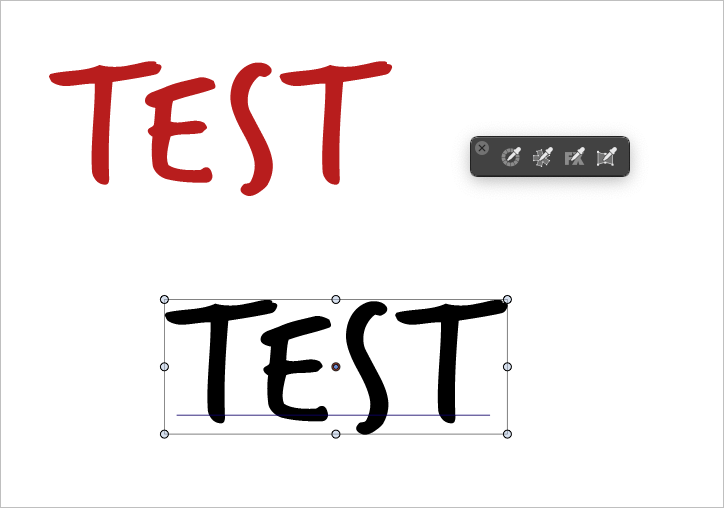
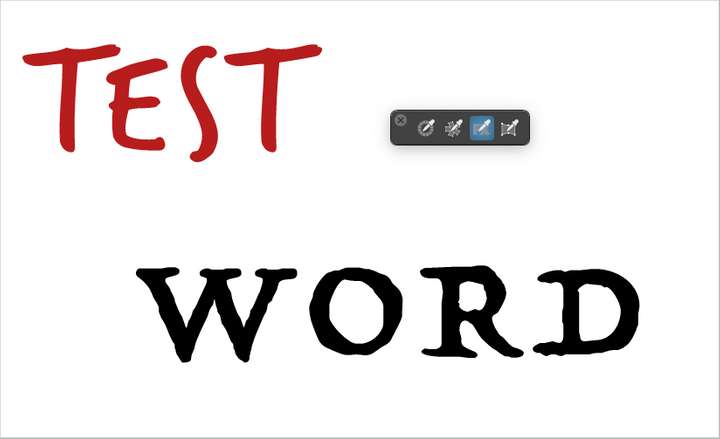
      If I want to copy the size and color of an example piece of live text to another live text with different lettering, how would I best accomplish this? I appreciate the deep level of control I have with the pickers, but from what I see, there's a lack of an easy way to quickly copy and paste the look and size and color and not replace the word itself.

      I'd also love to see a way to retain live text color and size and tracking when I cut part of it and paste it as its own entity. Let's say for example, I have a two word piece of live text that is red... if I highlight and cut the second word and then deselect the live text and paste it, it reverts back to the original settings of the font itself.

      0_1654183346672_0b39743b-257f-4112-9d21-1a3def030f70-BLD 2022-06-02 at 11.20.11.png

      0_1654183444338_c3195ef2-f169-46d8-85bf-3aa5e8740c5e-BLD 2022-06-02 at 11.22.57.png

      🍎 macOS Tahoe 26.2, Mac mini (M1, 2020), Chip Apple M1, Memory 16 GB
      Cintiq 27QHD Display and LG Ultra HD Display

      S 1 Reply Last reply Reply Quote 0
      • S Offline
        Subpath @Boldline
        last edited by

        @Boldline

        Not shure if i understand your Question right.

        But, does Menu -> Edit -> Attributes -> Character Style help for that?

        Win 11
        CPU: AMD Ryzen 5 9600X, 6-core.
        GPU: Nvidia Geforce RTX 5070.

        1 Reply Last reply Reply Quote 2
        • BoldlineB Offline
          Boldline
          last edited by

          @Subpath yes thank you, that is indeed what I am looking for. I need to test this out more in detail with shapes as well because there is the style picker option. I'm not always getting the results I want, so I need to investigate further and report back in more detail. thanks for your help

          🍎 macOS Tahoe 26.2, Mac mini (M1, 2020), Chip Apple M1, Memory 16 GB
          Cintiq 27QHD Display and LG Ultra HD Display

          S 1 Reply Last reply Reply Quote 1
          • S Offline
            Subpath @Boldline
            last edited by Subpath

            @Boldline
            gladly, this option came to my mind because I saw a while ago
            that VS offers a lot of possibilities to copy and past attributes

            Win 11
            CPU: AMD Ryzen 5 9600X, 6-core.
            GPU: Nvidia Geforce RTX 5070.

            b77B 1 Reply Last reply Reply Quote 1
            • b77B Offline
              b77 @Subpath
              last edited by

              @VectorStyler I think 'Copy/Paste Appearance' from the Edit menu should include the font when used for text.

              MacBook Pro (Intel) running Monterey 12.6.4

              VectorStylerV 1 Reply Last reply Reply Quote 2
              • VectorStylerV Offline
                VectorStyler @b77
                last edited by

                @b77 said in Copy color, size and tracking of one text example to another:

                @VectorStyler I think 'Copy/Paste Appearance' from the Edit menu should include the font when used for text.

                This is a bit difficult, as it does not fit into the existing model very well. But I try to combine the two.

                b77B 1 Reply Last reply Reply Quote 2
                • b77B Offline
                  b77 @VectorStyler
                  last edited by b77

                  @VectorStyler I think the font used should be included because it is a major part of the appearance of text.

                  Not sure about the font size though… Opinions?

                  MacBook Pro (Intel) running Monterey 12.6.4

                  BoldlineB 1 Reply Last reply Reply Quote 0
                  • BoldlineB Offline
                    Boldline @b77
                    last edited by

                    @b77 I would say yes... not that illustrator is the best - it's just what I am most accustomed to aside from VS, but that is the default selection with the eyedropper it copies everything aside from the letters themselves. meaning if the wording itself is different - that stays different

                    As I had mentioned, it would be great if when I cut part of a word in live text and then paste it - that retains the font, size, color, etc

                    At the risk of having TOO many preferences, perhaps that needs to be one?

                    🍎 macOS Tahoe 26.2, Mac mini (M1, 2020), Chip Apple M1, Memory 16 GB
                    Cintiq 27QHD Display and LG Ultra HD Display

                    b77B 1 Reply Last reply Reply Quote 1
                    • b77B Offline
                      b77 @Boldline
                      last edited by

                      @Boldline Regarding the pasting of styled text:

                      A separate 'Paste and Match Style' command in the Edit menu might be better than another entry in Preferences.

                      MacBook Pro (Intel) running Monterey 12.6.4

                      1 Reply Last reply Reply Quote 1
                      • First post
                        Last post
