Blend mode made easier?
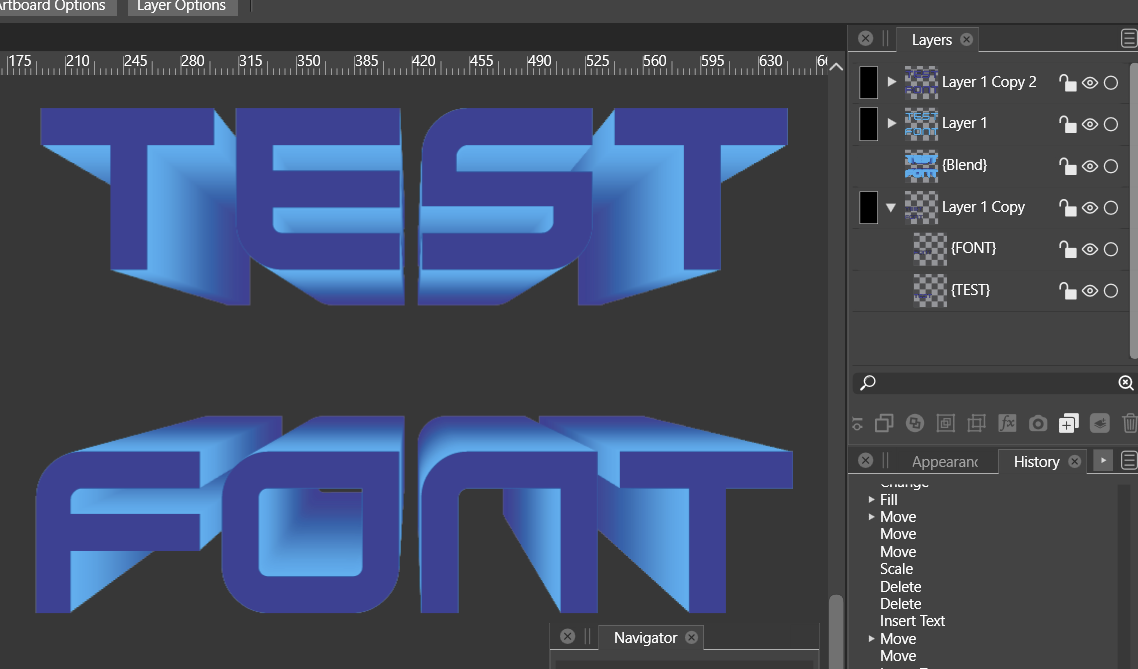
-
@plrang do you need references and clones for what you were doing (I saw your original screen shot)? I've made similar things without
-
Keeps crashing while I'm trying to make some simple changes, like the CLONE color or TEXT color etc. Impossible to work with that.
0_1657140966416_BLEND-CLONES-CRASH-1.vstyler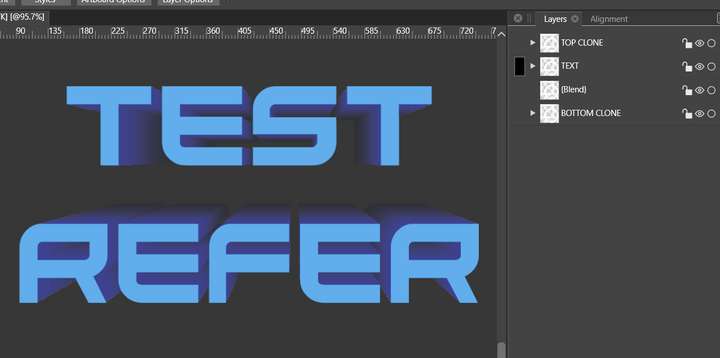
-
@plrang I'll test your file out in a little bit. Are you also filling in the crash report when it pops up? As I am sure you know, that helps the developer narrow in on what exactly is causing the crash - also recording your screen while doing it so he can see the steps taken right before it crashes helps a lot. Wherever possible I try to overshare information on the forum, or it's it's more private I email him directly with the files, etc.
I know it can be frustrating dealing with the shutdowns and all - hopefully the info you share with him will help him diagnose and fix it quickly. -
@Boldline
Yes I sent 1 report, the crash repeated just with the described operation.Cloning is cool but unfortunately Blend doesn't seem to consider clones or references, references don't consider changing object parameters, like colors.
And cloned groups of text don't seem to pass on text changes. But I can't test that because the program crashes all the time.
In general it is too complicated, in Blender it would take me a minute. -
@plrang I'm just now beginning to learn blender - can you export 3D style text like that in a vector form from blender? That would help things for me immensely.
If you are willing, send the developer an email with some screen videos of how things are done in blender with clones and references and what you see going wrong in as much detail as you can (I know the crashes stop you from exploring further with it)
What you are envisioning for VS to be able to do in blend mode with clones and references, it's very possible Csaba can fix it if he has a clear understanding of what you are thinking.
I'm not trying to be a broken record - just appreciate every opportunity we have to make VS the program that beats out all the rest -
@Boldline No problem, I already understand somewhat your approach to these issues.
In Blender I would just extrude a flat text to a solid 3D and would add some material in less than a minute (still editable). No need for clones or references, because it's just a single piece of a text.
The problem is that I don't want the raster image, because I would have to go back to Blender after noticing a mistake or I would like to change something.You can export an outline/fill of 3D objects as SVG and I'm loving it. BUT it's a flat outline, just simulating 3D. And sometimes it's not as accurate as you'd like.
Also results of setting up the outline don't always look as you would thought.For example in that first image above you can not export the middle gradient. You can export a flat fill of that middle part, then you'd have to make some tricks in VS or Affinity to simulate that gradient. That's unacceptable. In this case I'd use a rasterized render.
In VS would be enough if these clones or references would work without crashing. Also I've read in some older threads you were discussing some simple 3D extrusions. That would make it.
Otherwise I need a front part in color 1 + a blend in colors 2 to 3. That makes 3 text objects instead of 1. -
@plrang said in Blend mode made easier?:
Also I've read in some older threads you were discussing some simple 3D extrusions. That would make it.
Yes! I was requesting something simple and also more complex be added - an easy option to add depth like what Astute Graphics has now for a quick and dirty 3D look and then I like the 3D engine idea from Illustrator (though I'd prefer many improvements to what Adobe offered there)- but an option to do more fine tuning with the 3D look.
As shirt designers, I know you can relate to the need to be able to make 3D text and the like on a regular basis. I am not 100% sure, but I remember hearing that Illustrator was losing the 3d option in the creative cloud. I use CS6, so I still have it there- but it's one more thing VS will have as a competitive advantage against the other vector options
Thanks for explaining in more detail what you were seeing work in Blender and the issues in VS - I can understand what you mean.
-
@plrang
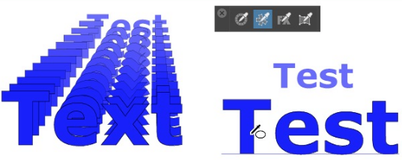
It is also possible to change your Text using the Shape Picker Tool.
(also more then one Text)This way you dont need Clone or Reference and Blend could stay as it is.
Note:
If Shape Picker Tool is selected, to hold the Ctrl-key
will bring the Transform Tool up for faster selection
.
.Your new Text should have the right size for the Front and Back Line.
-
@plrang Shape references are the best for this.
There are also text variables, they can be inserted when editing text:
- open the Styles panel.
- select a text and in the Styles panel click the [+] icon (fifth icon in the panel bottom).
- select "Create Plain Text" or "Create Styled Text"
- set the style name and confirm.
Now the created "text style" can be inserted into edited text.
-
@Subpath But I would like to change the TEXT to ANOTHER TEXT while keeping all the transformations and not having to change the string a few times.
-
@VectorStyler Thanks, just tried that and it works, but I don't understand why is that so complicated.
-
@plrang said in Blend mode made easier?:
@Subpath But I would like to change the TEXT to ANOTHER TEXT while keeping all the transformations and not having to change the string a few times.
Understand
-
@plrang said in Blend mode made easier?:
@VectorStyler Thanks, just tried that and it works, but I don't understand why is that so complicated.
The Shape Reference or the Styles approach?
For the styles approach, obviously we need to create, apply and then if want change the style, so this will incur some steps.
For the shape reference approach, again we need to setup (define) the reference shape and then use it.
If there are fewer steps to achieve this, suggestions are welcome.
-
@VectorStyler Thank you, I wanted to describe the problem and was trying to create a simple graphics for it in VS, but it won't let me do it. I have to wait for an update.

