VectorStyler
    • Categories
    • Unread
    • Recent
    • Tags
    • Popular
    • Register
    • Login

    Draw tool sticky settings?

    Scheduled Pinned Locked Moved Questions and Support
    68 Posts 7 Posters 193.9k Views 6 Watching
    Loading More Posts
    • Oldest to Newest
    • Newest to Oldest
    • Most Votes
    Reply
    • Reply as topic
    Log in to reply
    This topic has been deleted. Only users with topic management privileges can see it.
    • DazmondoD Offline
      Dazmondo
      last edited by

      Thanks Boldline & SubpathšŸ‘

      Just been messing around with repeater and I'm blown away with what can be achieved now I've got my head around it -- for dot halftones it's ACE --- initially when I first used it, I found it would slow to a crawl and just thought it was for making fills similar to the pattern fill tool, and had no idea how well it works on raster art or photos even gradient meshes or when using raster effects on vectors - once expanded and unified this is great for t-shirts --- I know Boldline does a lot of t-shirt work and has probably mastered the repeater, but had no idea how powerful this is - this is now part of my workflow for this kind of stuff rather than using Clip Studio Paint / VectorRaster /or the halftone options built into Image Vectorizer ------ACE

      1 Reply Last reply Reply Quote 2
      • IngolfI Offline
        Ingolf @VectorStyler
        last edited by

        @VectorStyler said in Draw tool sticky settings?:

        @Subpath said in Draw tool sticky settings?:

        would it not a little more helpful if we could use the Pen Tool direct also for Vector Brushes ?

        Yes, this could be easy to enable. But, it might result in confusion as all other apps differentiate between the Pen and brush tools.

        It's a bad, bad, bad idea to mix the two!!!! For this reason and many other reasons. It is an absolutely bad idea. And a pen tool is a science in itself with lots of complexity - more than you think. It should be kept completely isolated from other tools. It is a discipline unto itself and a tool unto itself.

        I strongly recommend that instead you can easily switch between pen and brush visibly, easily and intuitively without the two ever getting mixed up.

        Just as easy as switching between black and white color in fill and stroke with X in Photoshop. One press of a key - or an icon in the context bar.

        šŸ macOS Sequoia Apple Silicon

        b77B S 2 Replies Last reply Reply Quote 2
        • b77B Offline
          b77 @Ingolf
          last edited by b77

          In continuation to what @Ingolf said:

          If the Brush contours dropdown would be available in the context bar when you pick the Pen tool, this would allow those who want to draw brush strokes directly with the Pen tool to simply switch to a brush contour and get to work. Would this not be acceptable for everybody?

          MacBook Pro (Intel) running Monterey 12.6.4

          1 Reply Last reply Reply Quote 1
          • S Offline
            Subpath @Ingolf
            last edited by Subpath

            @Ingolf

            Sorry, I don't understand these concerns.

            Why on earth should this not be possible.
            Just for the reason of keeping a Pen-Tool pure?
            Should a user stick to program design standards rather than have creatively usable tools ?

            As Vectorstyler said, it would be an option. After that you could still use the Pen Tool
            in the way you are used to.

            For now, nothing has changed about the Pen Tool, after all.
            And we have already two Methods where you can already use the Pen Tool with a Vector Brush.

            As this Video proves (VS 1.1.049)
            (And this Methodes are build in long before.)

            The only difference would be that we could use a Vector Brush a little bit more direct with the Pen Tool.
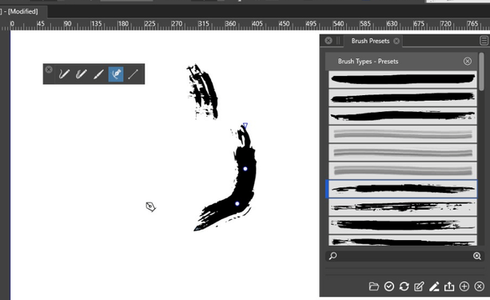
            0_1658407864468_Pen-Tool-uses.png

            Win 11
            CPU: AMD Ryzen 5 9600X, 6-core.
            GPU: Nvidia Geforce RTX 5070.

            VectorStylerV 1 Reply Last reply Reply Quote 0
            • VectorStylerV Offline
              VectorStyler @Subpath
              last edited by

              @Subpath said in Draw tool sticky settings?:

              Just for the reason of keeping a Pen-Tool pure?

              I think the primary (and good) reason for this is to have the Pencil and Brush tools behave as in other apps, according to expectations.
              But this does not exclude the possibility to have an option (preferences) for these to work in new ways.

              S IngolfI 2 Replies Last reply Reply Quote 1
              • S Offline
                Subpath @VectorStyler
                last edited by

                @VectorStyler said in Draw tool sticky settings?:

                @Subpath said in Draw tool sticky settings?:

                Just for the reason of keeping a Pen-Tool pure?

                I think the primary (and good) reason for this is to have the Pencil and Brush tools behave as in other apps, according to expectations.
                But this does not exclude the possibility to have an option (preferences) for these to work in new ways.

                I can live very well with such an option.

                Win 11
                CPU: AMD Ryzen 5 9600X, 6-core.
                GPU: Nvidia Geforce RTX 5070.

                1 Reply Last reply Reply Quote 0
                • IngolfI Offline
                  Ingolf @VectorStyler
                  last edited by Ingolf

                  @VectorStyler said in Draw tool sticky settings?:

                  @Subpath said in Draw tool sticky settings?:

                  Just for the reason of keeping a Pen-Tool pure?

                  Just for the reason of keeping things simple. Especially the user interface. VS is the most complex program in my collection - and by far - it simply can't stand any more complexity.

                  There is no need to join GIMP and Inkscape like interfaces.

                  šŸ macOS Sequoia Apple Silicon

                  S 1 Reply Last reply Reply Quote 1
                  • b77B Offline
                    b77
                    last edited by b77

                    I'm sure nobody bothered to consider my idea because I didn't bother to post a mockup. šŸ‘

                    There you go — show the Brush dropdown in the context bar when picking the Pen tool, before even placing the first node:

                    0_1658410717945_Br.png

                    MacBook Pro (Intel) running Monterey 12.6.4

                    S VectorStylerV 2 Replies Last reply Reply Quote 2
                    • S Offline
                      Subpath @Ingolf
                      last edited by

                      @Ingolf

                      I don't understand that instead of weighing things
                      up and conceding the other side their interests too.

                      Why you create threat scenarios with Inkscape and Gimp
                      and talk down the Idea this way.

                      Win 11
                      CPU: AMD Ryzen 5 9600X, 6-core.
                      GPU: Nvidia Geforce RTX 5070.

                      b77B 1 Reply Last reply Reply Quote 0
                      • S Offline
                        Subpath @b77
                        last edited by Subpath

                        @b77

                        appreciate your Idea, but i am not really shure
                        if i get it right.

                        If i use the Brush Tool it looks already that way
                        like in your Picture.

                        And your Idea seems that the same should show up
                        when we use the Pen Tool, its fine for me

                        Win 11
                        CPU: AMD Ryzen 5 9600X, 6-core.
                        GPU: Nvidia Geforce RTX 5070.

                        1 Reply Last reply Reply Quote 1
                        • b77B Offline
                          b77 @Subpath
                          last edited by b77

                          @Subpath Conflict of ideas are inevitable because we have different priorities — scales with different weights.

                          Time permitting, I would also like for @Ingolf to expand a bit the part about GiMP and Inkscape.
                          Is it the way things are organized or just the general look of the UI (which I dislike as well)?

                          MacBook Pro (Intel) running Monterey 12.6.4

                          S 1 Reply Last reply Reply Quote 2
                          • VectorStylerV Offline
                            VectorStyler @b77
                            last edited by

                            @b77 said in Draw tool sticky settings?:

                            There you go — show the Brush dropdown in the context bar when picking the Pen tool, before even placing the first node:

                            I added this to the backlog.

                            1 Reply Last reply Reply Quote 0
                            • S Offline
                              Subpath @b77
                              last edited by Subpath

                              @b77

                              ...Conflict of ideas are inevitable because we have different priorities
                              — scales with different weights....

                              I totally understand that and i appreciate @Ingolf Ideas
                              and Knowledge about Ui Interfaces.

                              But should we really stay on one point, just for the sake of a Paradigma ?
                              Sometimes it makes more sense, in my eyes, to overthink Rules and Paradigmen
                              or put them aside for while.

                              I must say that I am very open to unusual / creative UIs.
                              as long as they are useful for creativity.
                              I have seen and used many programs that would make
                              UI designers pull their hair out. But I appreciate all of them.

                              Win 11
                              CPU: AMD Ryzen 5 9600X, 6-core.
                              GPU: Nvidia Geforce RTX 5070.

                              b77B 1 Reply Last reply Reply Quote 0
                              • b77B Offline
                                b77 @Subpath
                                last edited by

                                I have seen and used many programs that would make
                                UI designers pull their hair out. But I appreciate all of them.

                                Tell us which was the worst. šŸ™‚

                                MacBook Pro (Intel) running Monterey 12.6.4

                                S 1 Reply Last reply Reply Quote 1
                                • S Offline
                                  Subpath @b77
                                  last edited by Subpath

                                  @b77

                                  You won't believe that I never liked the Adobe Illustrator UI.
                                  (Well, I don't use Illustrator since version 8, that was a while ago).

                                  Liked Corel Draw UI from the beginning because of its configurable UI and other features.

                                  Kai Krause plugins back then, was nice from a creative point of view.
                                  But the UI was so tiny and not scalable, it was terrible.

                                  Corel Painter could also be mentioned - I would say
                                  it gets the award for the worst UI

                                  Paintstorm Studio gets a positive special mention
                                  because of his resizeable and very configurable UI
                                  and thats in a App for 20 $

                                  Win 11
                                  CPU: AMD Ryzen 5 9600X, 6-core.
                                  GPU: Nvidia Geforce RTX 5070.

                                  1 Reply Last reply Reply Quote 0
                                  • S Offline
                                    Subpath
                                    last edited by Subpath

                                    @b77

                                    A very interesting Vector Graphics App
                                    ( apart from VS of course šŸ™‚ )

                                    Is "Cavalry" very unique UI, because of the animation capabilities.
                                    but you can also create still images with it.
                                    Kind of Mograph (Cinema 4D) for Vector Graphics.

                                    There is a free Version where you could render (save) your
                                    Result as SVG. You need to create a Account.

                                    Here a short but impressive Video Example:
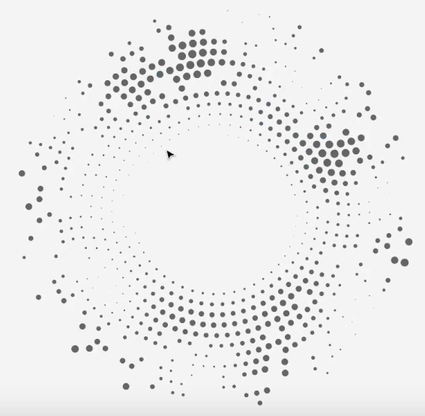
                                    0_1658422566712_Cavalry-1.png

                                    Some of this would be doable in VS but not all šŸ™‚

                                    Win 11
                                    CPU: AMD Ryzen 5 9600X, 6-core.
                                    GPU: Nvidia Geforce RTX 5070.

                                    1 Reply Last reply Reply Quote 1
                                    • IngolfI Offline
                                      Ingolf
                                      last edited by Ingolf

                                      This is seriously the worst idea in a long time.

                                      With the brush enabled in pencil and pen mode - How exactly would you explain the difference between

                                      • the pencil tool
                                      • the brush tool

                                      in the documentation? They look identical to me.

                                      And why mix and confuse the Pen tool with those instead of merging them and adding a bit of pen control options as well?

                                      UX assistance is seriously needed in this project - and more than ever. I've just had a professional one at my screen to reality check my own claims (he's an Illustrator user). Not disagreeing with me.

                                      šŸ macOS Sequoia Apple Silicon

                                      b77B VectorStylerV 2 Replies Last reply Reply Quote 1
                                      • b77B Offline
                                        b77 @Ingolf
                                        last edited by b77

                                        @Ingolf Just to clarify my opinion:

                                        I don't like the Pencil-as-a-brush idea either — it's confusing because these tools share the same drawing method (drawing strokes with the mouse/trackpad/stylus), so where is the differentiation then?

                                        However, since the Pen tool works differently than the Brush and Pencil tools, I don't see where is the problem (the confusing overlap) in being able to draw with a brush contour directly.

                                        It's a long thread now, so I'm re-including the context bar mockup for the Pen (not Pencil) tool, just so it's clear what I'm referring to:

                                        0_1658485711359_Br.png

                                        (The idea is to display the Brush dropdown in the context bar when picking the Pen tool, before even placing the first node, so you can choose a brush contour if you want to).

                                        MacBook Pro (Intel) running Monterey 12.6.4

                                        1 Reply Last reply Reply Quote 3
                                        • VectorStylerV Offline
                                          VectorStyler @Ingolf
                                          last edited by

                                          @Ingolf said in Draw tool sticky settings?:

                                          This is seriously the worst idea in a long time.
                                          With the brush enabled in pencil and pen mode - How exactly would you explain the difference between

                                          I respectfully have to disagree. I would say it is an experimental idea.
                                          The thing is that the VS is complex and one way to tackle complexity is customization.

                                          In the future there will be much better workspace management features and it will be possible to easily switch between various working modes.

                                          This would be a bad idea if it would be the default mode of operation, but it will not be and there will be settings to control these tools.

                                          b77B 1 Reply Last reply Reply Quote 2
                                          • S Offline
                                            Subpath
                                            last edited by Subpath

                                            Its seems a bit absurd to me.

                                            As I already wrote, the Pen Tool could already be used
                                            with Vector Brushes long before this Discussion.
                                            As i show in a Video above.

                                            In the End I'm just arguing for easier use. So that one
                                            can instead of having to adjust the size of the vector brush.
                                            Someone could start right away with the right size.

                                            Win 11
                                            CPU: AMD Ryzen 5 9600X, 6-core.
                                            GPU: Nvidia Geforce RTX 5070.

                                            1 Reply Last reply Reply Quote 0
                                            • First post
                                              Last post
