VectorStyler
    • Categories
    • Unread
    • Recent
    • Tags
    • Popular
    • Register
    • Login

    Copy dimensions option

    Scheduled Pinned Locked Moved Features and Ideas
    2 Posts 2 Posters 2.9k Views 1 Watching
    Loading More Posts
    • Oldest to Newest
    • Newest to Oldest
    • Most Votes
    Reply
    • Reply as topic
    Log in to reply
    This topic has been deleted. Only users with topic management privileges can see it.
    • BoldlineB Offline
      Boldline
      last edited by

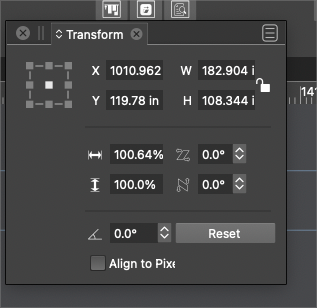
      Is there a way we could copy the height and width of a selected vector and then when we select a new one, open the transform panel and click to auto paste it in?
      Or is there a better way to do this? Can it be done with the eyedropper for example?
      Here is the situation where I would use it:
      I have a shape that is already clipped with another fill inside. I want to make a background fill behind it that is equal in size. I could make a copy of the clipped fill and take it apart, but that seems complex.
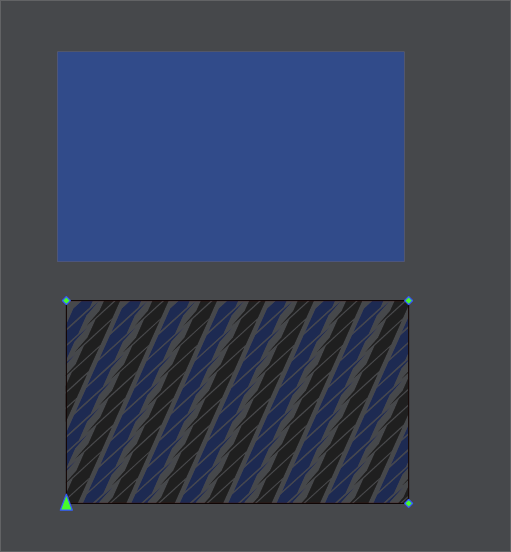
      0_1658503546406_06a9731e-2138-4e9e-b2d8-af0b3c2c5b6d-BLD 2022-07-22 at 11.24.39.png

      0_1658503385287_72b0084c-b0ba-467f-b88e-b54076a2762e-BLD 2022-07-22 at 11.21.15.png

      🍎 macOS Tahoe 26.2, Mac mini (M1, 2020), Chip Apple M1, Memory 16 GB
      Cintiq 27QHD Display and LG Ultra HD Display

      VectorStylerV 1 Reply Last reply Reply Quote 0
      • VectorStylerV Offline
        VectorStyler @Boldline
        last edited by VectorStyler

        @Boldline Use the Alignment panel size alignment options.

        1 Reply Last reply Reply Quote 0
        • First post
          Last post