Mac/Win Preferences and Workspaces
-
Is it acceptable to use prefs/workspaces created on Mac within the Windows environment ?
I used to run AI on Mac then switch to AI in the Parallels Windows emulator on the same Mac (I know, ridiculous that Universal Laser doesn't do a Mac driver for their very expensive lasers - it's the 21st century after all /rant
 ) I've been using VS on the emulator - which works just fine - although the printer interface is a bit tedious with the laser, but no doubt I'll get that sorted.
I was thinking to simply opening the Mac versions from the Win version would be OK and save some editing.
Neil
-
@Igull Yes, it should work. Some things might need to be changed, like theme, display and compute modes.
-
@VectorStyler said in Mac/Win Preferences and Workspaces:
@Igull Yes, it should work. Some things might need to be changed, like theme, display and compute modes.
Just tried it, yes, apart from a few minor interface tweaks, all works just fine, thanks !
It even defaulted to the "software" compute mode for the emulator tooNeil
-
How does this look on your Win?
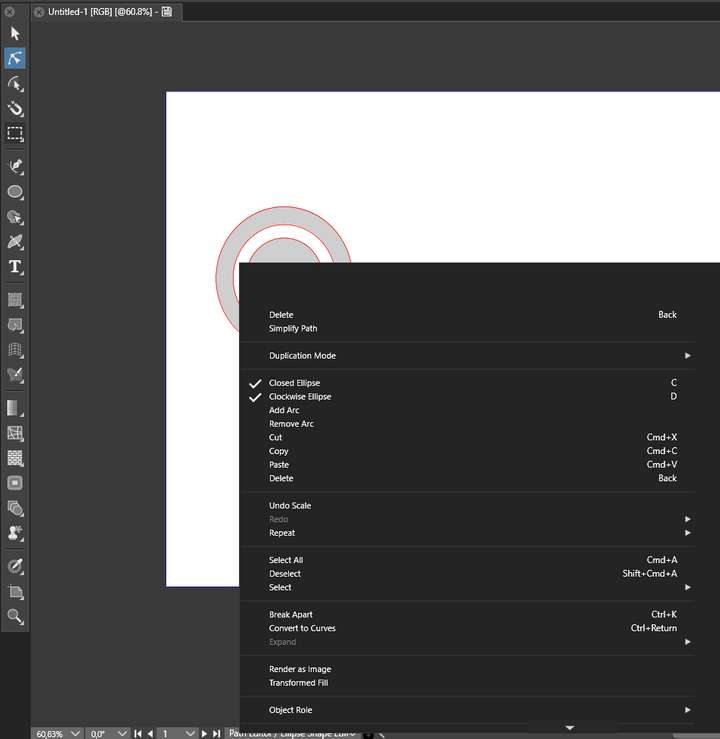
Here I loaded my macOS:
*.vsmenu
*.workspace
*.settingsRight clicking with transform tool looks normal - but I see macOS cmd references
Right clicking with shape editor looks abnormal - but I see macOS cmd referencesAnd shortcuts are indeed broken
🍏 macOS Sequoia Apple Silicon
-
@Ingolf Yes, the shortcuts are not portable between MacOS and Windows.
I will try to replicate the menu issues. -
@VectorStyler Ah, I remember now, yes.
I restored the default workspace and then saved the default Windows shortcuts, loaded the macOS workspace again, loaded the default Windows shortcuts.
-
My windoze is on Mac
I use Parallels to emulate win10 home. Parallels automatically uses command keys to do win functions anyway, so this isn't a true representation of what win should look like. Anything that doesn't work, I just fix. Also, my contextual menus are stripped to the bare bones of what I need so again, won't look like yours.
FWIW, I've attached a pic ...
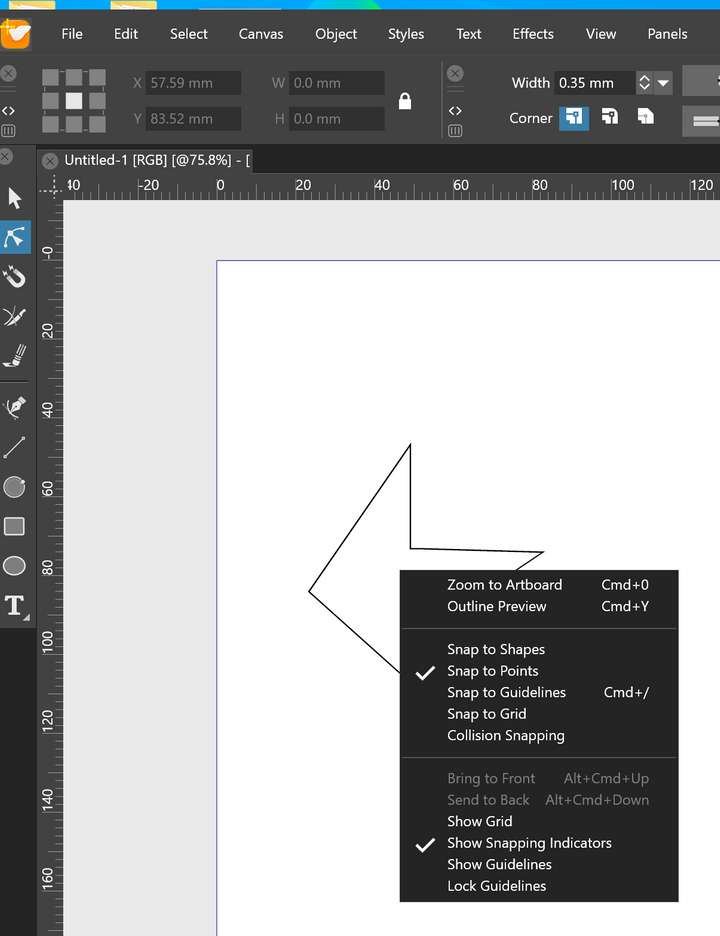
Neil
Edit: seems my mac screenshots are too big, so this is a clipped 27" retina pic.


