Transform/Shape Editor Tools
-
@Igull When you press the Command+A shortcut, which one you release first Command or A?
-
@VectorStyler said in Transform/Shape Editor Tools:
@Igull When you press the Command+A shortcut, which one you release first Command or A?
Mmm, did you mean press or release - I'll assume press
 ?
?If I have the Shape Editor tool selected, click on the artboard, press and hold command first then A.
On the press of the command key, the tool changes to the Transform tool - on release of command, it changes back to the Shape Editor tool - so if you are pressing Command and A, the A has no effect. The command key doesn't toggle the tools like the A key.If you meant release, I release the A key then the command key
Neil
-
@Igull Here when I press Command (first) and then press A (without releasing Command), it goes back to the Shape Editor (without releasing anything) and does a select all.
-
@VectorStyler said in Transform/Shape Editor Tools:
@Igull Here when I press Command (first) and then press A (without releasing Command), it goes back to the Shape Editor (without releasing anything) and does a select all.
Not here, if I am using either tool, pressing command will immediately switch to the other tool.
iMac 27" 2015 Catalina 32Gb, MacBook Pro 13" 2016 Monterey 8Gb, Mac Mini M2 2023 8Gb
-
@VectorStyler
I just did a restore defaults for the preferences and this issue has disappeared. However, when the app restarted , this (looks to be XML) text was on the front of the document I opened ...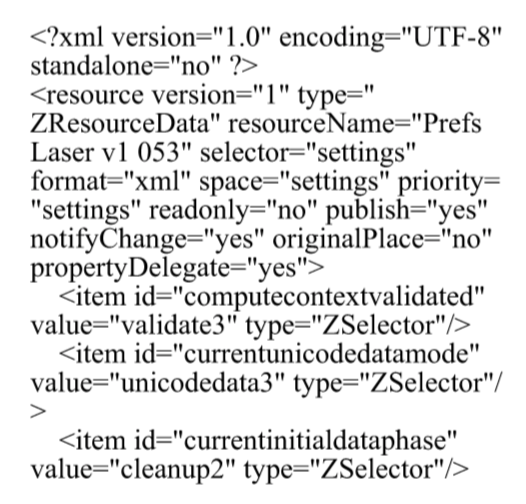
When I reload my preferences from file, the issue appears again. I can email my prefs file if you want.
Neil
iMac 27" 2015 Catalina 32Gb, MacBook Pro 13" 2016 Monterey 8Gb, Mac Mini M2 2023 8Gb
-
@Igull said in Transform/Shape Editor Tools:
Not here, if I am using either tool, pressing command will immediately switch to the other tool
Yes, pressing Command will switch here too. But then pressing another key (while holding Command) will switch back, before the shortcut is executed.
-
@Igull said in Transform/Shape Editor Tools:
However, when the app restarted , this (looks to be XML) text was on the front of the document I opened
What document was opened. Send it to me by email. This looks like the starting of the preferences file.
-
I know we've been here before, but is there not some simple way to turn off the extremely annoying toggling of the two tools when hitting the A key repeatedly ?
Is there some way around this "feature", it's really becoming an issue for me ?
Neil
-
@Igull said in Transform/Shape Editor Tools:
I know we've been here before, but is there not some simple way to turn off the extremely annoying toggling of the two tools when hitting the A key repeatedly ?
Is there some way around this "feature", it's really becoming an issue for me ?
I think the only way is to edit the Keyboard Shortcuts. But make sure to also edit the contextual shortcuts, by selecting a context in the Context drop down.
In this case, the "A" is a shortcut to the "Shape Editor" tool in the main context and for the "Transform" tool in the "Shape Editing" context. -
@VectorStyler said in Transform/Shape Editor Tools:
In this case, the "A" is a shortcut to the "Shape Editor" tool in the main context and for the "Transform" tool in the "Shape Editing" context.
Solved - thank you. I wasn't particularly aware of all the other contexts TBH, I need to look more at that. I simply removed the A applied to the Transform tool in the shape editing option and it's now fixed.
I wonder if this kind of issue isn't related to the fact that there is some underlying conflict in the default keyboard setups when switching between certain tools ?
I know we all like our favourite keyboard prefs, but apart from a bunch of basic ones, any "oddball" ones, I assign to the contextual menu as I can then just see at a glance. I may be inclined to start off with an empty prefs set and just add what I need to the shortcuts rather than taking everything and removing what I don't want.
Still five stars for VS 'though - none of which is available at this level in other graphics apps - even though it can cause "issues" - all eminently fixable 'though
Neil
-
@Igull said in Transform/Shape Editor Tools:
I wonder if this kind of issue isn't related to the fact that there is some underlying conflict in the default keyboard setups when switching between certain tools ?
Yes, this could be the case. I thing better defaults might help.

