VectorStyler
    • Categories
    • Unread
    • Recent
    • Tags
    • Popular
    • Register
    • Login

    Perspective tool

    Scheduled Pinned Locked Moved Features and Ideas
    20 Posts 5 Posters 20.9k Views 4 Watching
    Loading More Posts
    • Oldest to Newest
    • Newest to Oldest
    • Most Votes
    Reply
    • Reply as topic
    Log in to reply
    This topic has been deleted. Only users with topic management privileges can see it.
    • DazmondoD Offline
      Dazmondo @Devil Dinosaur
      last edited by

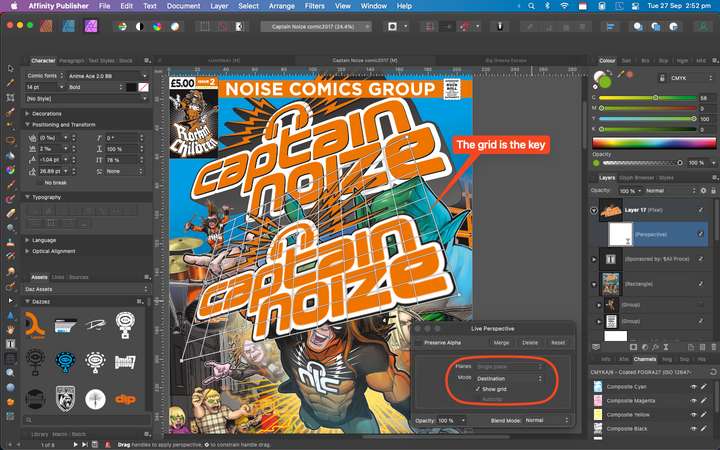
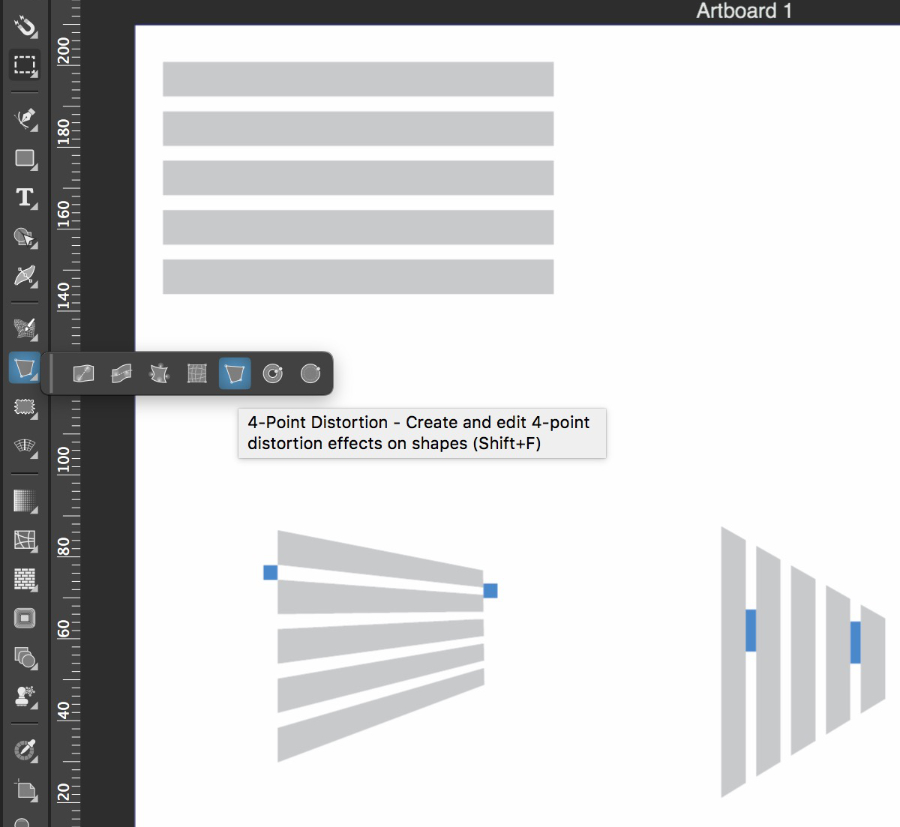
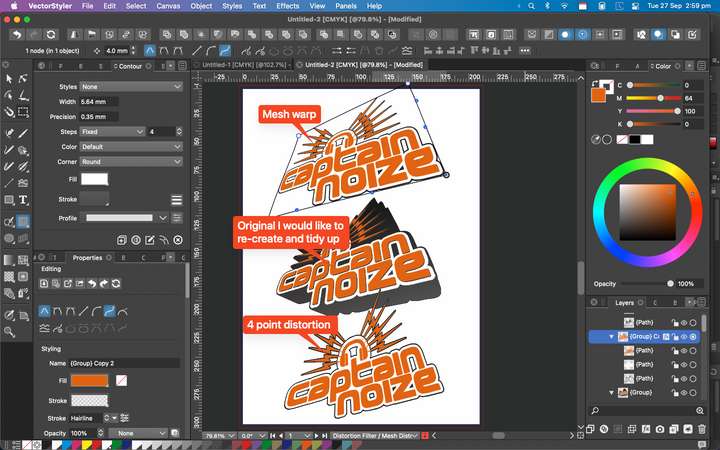
      @Devil-Dinosaur I thought I'd have a go re-creating a better comic cover logo for the attached but didn't realise that VS can't do this easily using the four point distortion tool - I managed to get something vaguely similar by using the mesh distortion tool, with quite a bit of messing around, but not really close enough to complete the task I was aiming for so really look forward to a perspective tool - interesting that Affinity has a decent, easy yo use perspective distortion tool that can nail what I'm trying to achieve super quick, but no good to me as its Raster only
      1_1664287831117_Screen Grab 2.png
      0_1664287831116_Screen Grab 1.png

      VectorStylerV 1 Reply Last reply Reply Quote 2
      • VectorStylerV Offline
        VectorStyler @Dazmondo
        last edited by

        @Dazmondo There will be a real perspective tool in VS also, before version 2 🙂

        DazmondoD S 2 Replies Last reply Reply Quote 5
        • DazmondoD Offline
          Dazmondo @VectorStyler
          last edited by

          @VectorStyler BRILLLIANT STUFF!!!!

          BoldlineB 1 Reply Last reply Reply Quote 1
          • BoldlineB Offline
            Boldline @Dazmondo
            last edited by

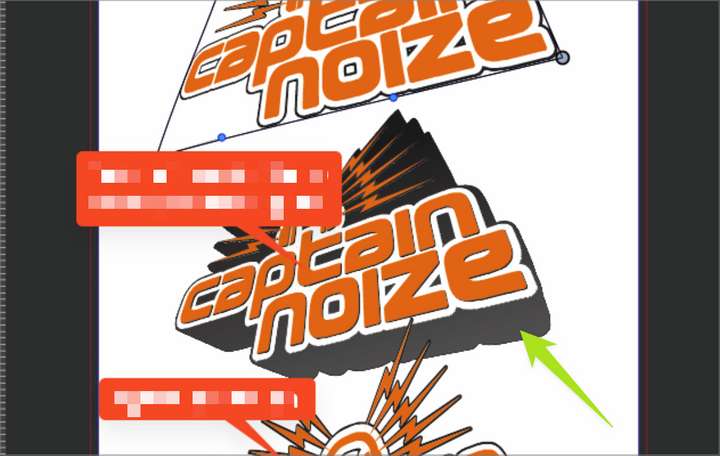
            Imagine how amazing it will be when we not only have the perspective tool working in this way but also have the 3-D text pullout option to easily create volume in the shapes as well! Its going to be dynamite! #thingsI'mlookingforwardto
            0_1664297186166_3f5b46bd-892d-4c2e-b70d-188024cadbd8-BLD 2022-09-27 at 12.43.44@2x.png things

            🍎 macOS Tahoe 26.2, Mac mini (M1, 2020), Chip Apple M1, Memory 16 GB
            Cintiq 27QHD Display and LG Ultra HD Display

            S DazmondoD 2 Replies Last reply Reply Quote 4
            • S Offline
              Subpath @Boldline
              last edited by

              @Boldline

              i can imagine even more 🙂
              but anyway that are good news

              Win 11
              CPU: AMD Ryzen 5 9600X, 6-core.
              GPU: Nvidia Geforce RTX 5070.

              1 Reply Last reply Reply Quote 1
              • S Offline
                Subpath @VectorStyler
                last edited by

                @VectorStyler

                great to hear

                Win 11
                CPU: AMD Ryzen 5 9600X, 6-core.
                GPU: Nvidia Geforce RTX 5070.

                1 Reply Last reply Reply Quote 0
                • DazmondoD Offline
                  Dazmondo @Boldline
                  last edited by

                  @Boldline said in Perspective tool:

                  Imagine how amazing it will be when we not only have the perspective tool working in this way but also have the 3-D text pullout option to easily create volume in the shapes as well! Its going to be dynamite!

                  Definitely👍

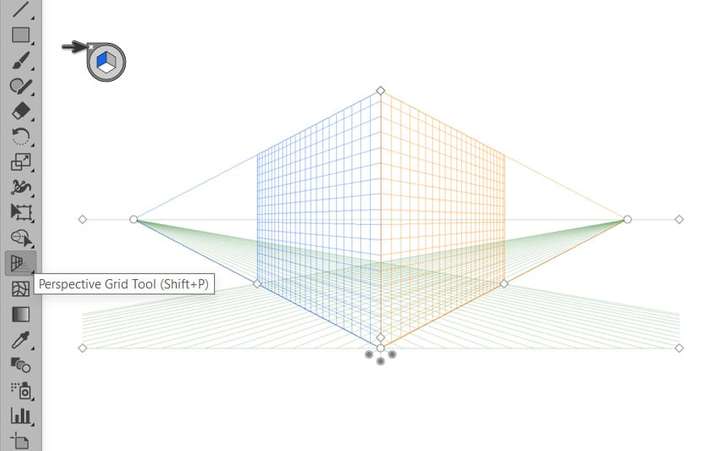
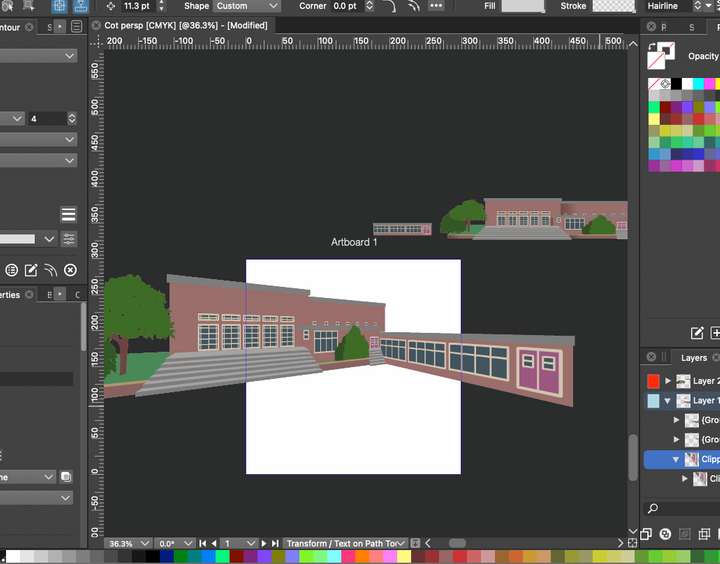
                  Could also really use a perspective grid similar to Illustrators, which is super handy, great time saver when working on a children's book and would be a massive Plus to be able to set up a perspective grid and just drag vector groups into a perspective layer and have them map to the grid, plus still let you resize within the grid - and would be amazing if you could reposition the grids perspective and vanishing point, and retain mapping, which I think is achievable in a recent version of CoralDraw - may well also be achievable in a more recent version of Illustrator (I'm stuck with CS5 which slows to a crawl when working on a grid)
                  2_1664903444052_Screen Grab.png 1_1664903444052_Screen Grab 1.png 0_1664903444051_PerspectiveGrid1.jpg

                  BoldlineB 1 Reply Last reply Reply Quote 2
                  • BoldlineB Offline
                    Boldline @Dazmondo
                    last edited by

                    @Dazmondo that sounds awesome - I never really got far with the perspective grid in Illustrator CS6. Usually it got turned on for no reason and was almost impossible to find the way to get it to turn off again!

                    🍎 macOS Tahoe 26.2, Mac mini (M1, 2020), Chip Apple M1, Memory 16 GB
                    Cintiq 27QHD Display and LG Ultra HD Display

                    DazmondoD 1 Reply Last reply Reply Quote 0
                    • DazmondoD Offline
                      Dazmondo @Boldline
                      last edited by

                      @Boldline Yes I've done that many a time

                      1 Reply Last reply Reply Quote 0
                      • S Offline
                        Subpath
                        last edited by Subpath

                        @Boldline, @Dazmondo

                        Would not promise that it is helpful in every case. The vector tools are a bit
                        too unusual for that.

                        But like to mention "Clip Studio Paint Pro" (about 50 euros) here at least.
                        There are among other things Perspective Layer and Vector Layer.

                        The reason why I mention it is that vector objects from CSP can be copied
                        as SVG into the clipboard and then simply be pasted into VectorStyler !
                        VectorStyler to ClipStudio Paint works unfortunately only via import.

                        I think this would be the cheapest Alternative. By the way, to display
                        3D Objects there is also a 3D Layer in CSP.

                        Here is an example video
                        CSP UI in German, but I think it is clear

                        Win 11
                        CPU: AMD Ryzen 5 9600X, 6-core.
                        GPU: Nvidia Geforce RTX 5070.

                        1 Reply Last reply Reply Quote 1
                        • DazmondoD Offline
                          Dazmondo
                          last edited by

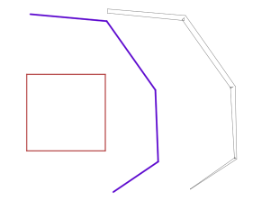
                          @Subpath I'm not massively keen on CSP's perspective tools - pretty good for line work but I could never figure out a way to drag and map say a building front, to the grid, although the distortion tools will allow this.
                          0_1664956315290_Screen Grab.png

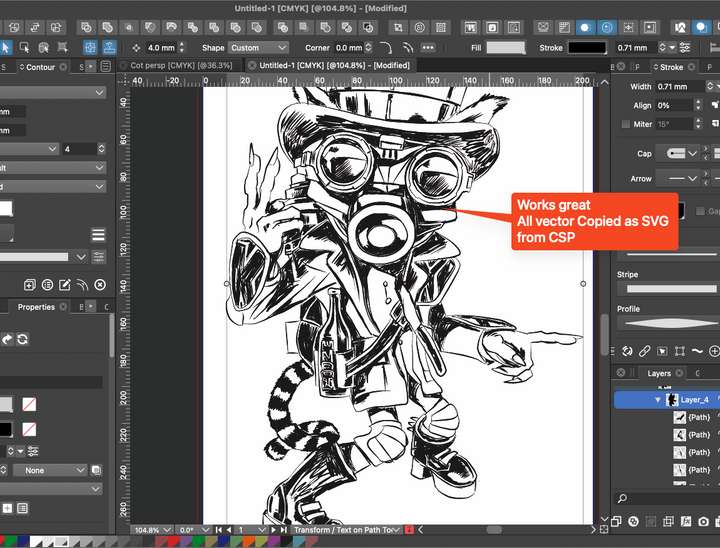
                          Wow --- Thank's Subpath for the heads-up on the 'Copy vectors as SVG' tip, I think it was maybe 2020 when they announced that you could export vectors but I could never get anything usable by exporting as SVG, the Copy feature works great - how long has that been an option?

                          S 1 Reply Last reply Reply Quote 2
                          • S Offline
                            Subpath @Dazmondo
                            last edited by Subpath

                            @Dazmondo said in Perspective tool:

                            the Copy feature works great - how long has that been an option?

                            Do not know that either.

                            I bought CSP a long time a go on sale and tried the different tools.
                            Since then it was more or less on the hard disk.

                            Because of the possibility to load 3D-Objects I never lost it completely
                            out of sight.

                            Some time ago I dealt again with vector objects in CSP and found out
                            that vector objects can now be copied via clipboard into other
                            vector graphic programs e.g. VS (which was not possible before).
                            But it is strange that vector objects can not be filled in CSP.

                            I think I will have a closer look at CSP again.

                            Win 11
                            CPU: AMD Ryzen 5 9600X, 6-core.
                            GPU: Nvidia Geforce RTX 5070.

                            DazmondoD 1 Reply Last reply Reply Quote 1
                            • DazmondoD Offline
                              Dazmondo @Subpath
                              last edited by

                              @Subpath I first started using CSP around 2012 it was called Manga Studio back then, and I think they'd just added the paint capability, as the previous version only did mono halftones - I think I got it in a sale for something like £12.99 if I remember right - then slowly started to transition some comic art type of jobs over from PS.

                              Real shame they are pushing users into a subscription model with V2 - I'm happy sticking with V1 for my needs, although I've moved more over to VectorStyler for a lot of the comic type stuff

                              S BoldlineB 2 Replies Last reply Reply Quote 2
                              • S Offline
                                Subpath @Dazmondo
                                last edited by Subpath

                                @Dazmondo said in Perspective tool:

                                2012 it was called Manga Studio back then

                                🙂

                                Yes, I forgot about that, I bought it also as Manga Studio.

                                Today I took another look at the 3D options. It now even has
                                3D primitives, cube, sphere and others, will keep looking.

                                As far as I know V2 is not "only" available as a subscription.
                                You can also buy it. But then you have to pay for the updates.
                                I think that would not hurd so much at around 50 euros.

                                Win 11
                                CPU: AMD Ryzen 5 9600X, 6-core.
                                GPU: Nvidia Geforce RTX 5070.

                                1 Reply Last reply Reply Quote 0
                                • BoldlineB Offline
                                  Boldline @Dazmondo
                                  last edited by

                                  @Dazmondo said in Perspective tool:

                                  Real shame they are pushing users into a subscription model with V2 - I'm happy sticking with V1 for my needs, although I've moved more over to VectorStyler for a lot of the comic type stuff

                                  There's been a real uprising amongst CSP users about the way they are structuring V2. They made the mistake of saying they would NEVER charge for a new update and that was part of the selling point. Now they've gone back on that. The silver lining in this is that version 1 will be supported a bit longer, you can buy vs2 and then wait for version 3 to come out and never have to mess with the subscription option at all.

                                  🍎 macOS Tahoe 26.2, Mac mini (M1, 2020), Chip Apple M1, Memory 16 GB
                                  Cintiq 27QHD Display and LG Ultra HD Display

                                  1 Reply Last reply Reply Quote 1
                                  • S Offline
                                    Subpath
                                    last edited by Subpath

                                    @Dazmondo

                                    In my post above I wrote that Copy and Past is only
                                    possible from ClipStudioPaint to VectorStyler.

                                    Need to correct that. Found an option in VS
                                    Preferences > Performance > Copy as SVG

                                    If you set this Option, then it is also possible to copy
                                    Vector Objects from VS to CSP.

                                    But only lines, because CSP has no vector fill
                                    also lines profiles from VS do not work.

                                    Here an example of copying from VS to CSP

                                    VS
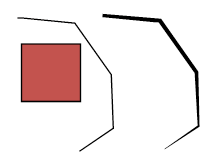
                                    0_1665561177967_Bildschirminhalt erfassen-1.png

                                    CSP
                                    0_1665561187172_Bildschirminhalt erfassen-2.png

                                    Win 11
                                    CPU: AMD Ryzen 5 9600X, 6-core.
                                    GPU: Nvidia Geforce RTX 5070.

                                    1 Reply Last reply Reply Quote 1
                                    • First post
                                      Last post