Can it be made more difficult to select clipped objects not in view?
-
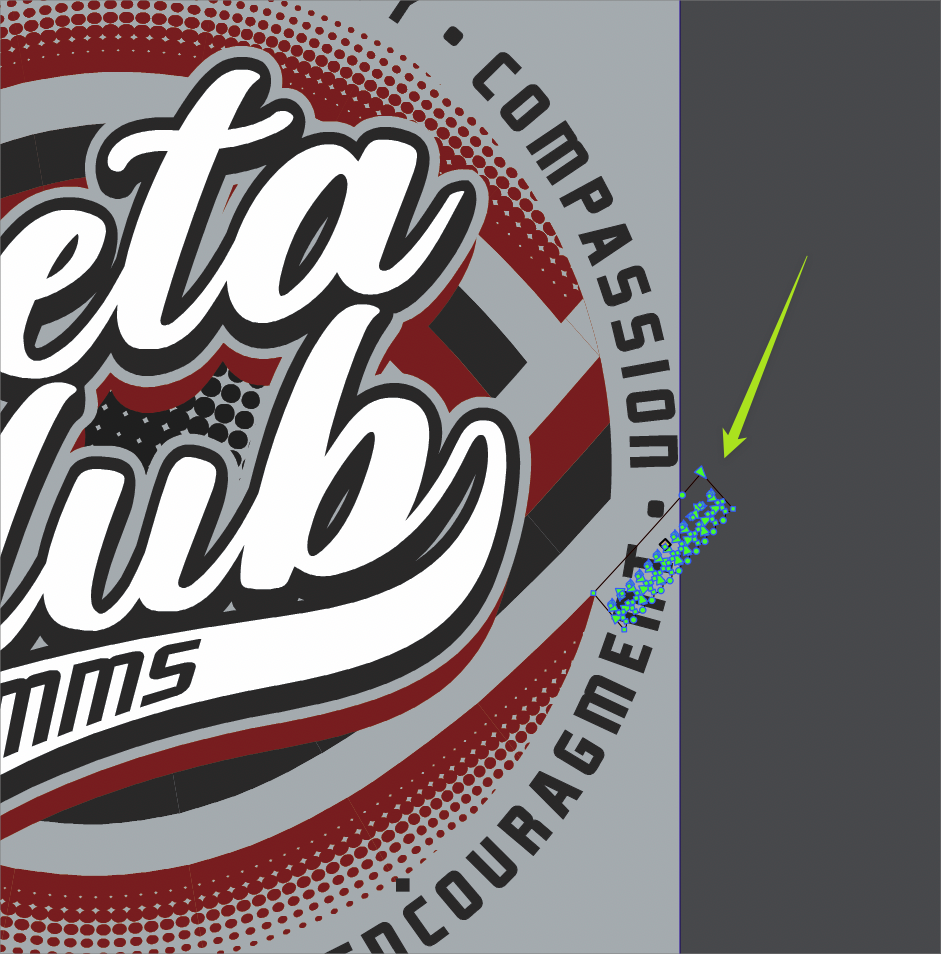
I wish it were harder to select objects that are clipped and hidden away from view. In this example, I often inadvertently select objects that are clipped and not in view when trying to click on something overtop - in this case letter shapes.
I don't know what the balance needs to be because I also want to be able to access and edit clipped items without too much difficulty. I think if we're using the secondary option for the transform tool, or if we use the layer system to select that sublayer within a clipped group, that would suffice.

On a side note, could we try putting these three tools back inside the transform tool set in the vertical toolbar and leave it as an option to have on in the contextual toolbar? much like we did already with the information box in the upper left corner? I know there are other opinions on this, but it seems odd that they are not available in the toolbar since they are related aspects of the transform tool itself.

-
@Boldline The node tool will select any path / shape inside a group (including clipped), for editing. I'm not sure yet if there is a safe way of not doing this (these shapes must also be selectable somehow).
As for the transform tool variants, yes those have been changed in the past. The actions are still available when customizing, but the context panel will stay for now, until customization of that is available.
-
@VectorStyler said in Can it be made more difficult to select clipped objects not in view?:
The actions are still available when customizing, but the context panel will stay for now, until customization of that is available.
I understand that - I wasn't asking for the contextual menu to necessarily change right now I was wondering if they can also be added back to the transform tool as well. It's not a major deal right now
-
@VectorStyler said in Can it be made more difficult to select clipped objects not in view?:
The node tool will select any path / shape inside a group (including clipped), for editing. I'm not sure yet if there is a safe way of not doing this (these shapes must also be selectable somehow).
I was thinking if the main selection - the transform tool itself would not but choosing one of the alternative transform options would - because it would be a deliberate thing to want to select objects hidden/clipped. - this does not take into account a solution for the node editing tool itself however
-
@Boldline said in Can it be made more difficult to select clipped objects not in view?:
I was thinking if the main selection - the transform tool itself would not
I think the main transform tool is not be able to select into clipped groups. If it does so, then it is a bug.
-
@VectorStyler said in Can it be made more difficult to select clipped objects not in view?:
@Boldline said in Can it be made more difficult to select clipped objects not in view?:
I was thinking if the main selection - the transform tool itself would not
I think the main transform tool is not be able to select into clipped groups. If it does so, then it is a bug.
My fault - I was not thinking of it clearly - the transform tool does not select clipped/hidden individual items. So the transform tool is not relevant to this.

