Arbitrary pen nib shape
-
I am looking for a way to set the pen nib shape.
The Stroke Selector gives control over nib scale and angle, but the shape is always circular/elliptical.
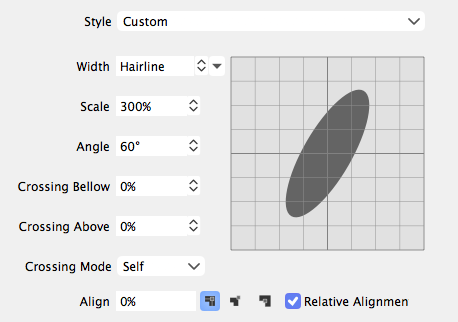
Is it possible to use an arbitrary closed shape for the nib?It seems like a calligraphic brush type would be a way to do it, but the available brushes either stretch a shape along the path or repeat shapes along it.
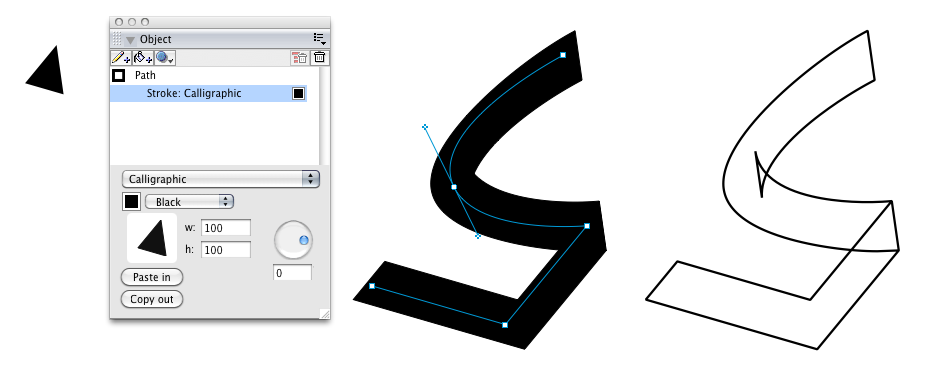
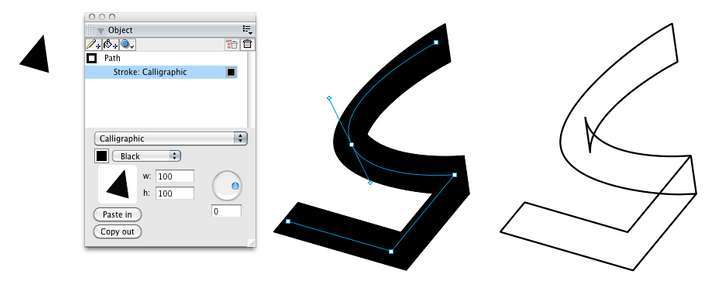
In the past I have done this in FreeHand as below.
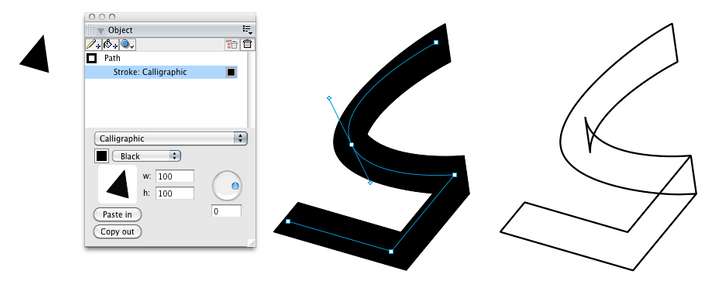
The shape is pasted into a Calligraphic Stroke type, with controls for the colour, scaling and angle.
Triangles and rectangles work well.
It is a live effect (can be saved in a Style), but can be expanded, as shown at right in outline.In VS this might be done:
- by with a dedicated Calligraphic type of Brush, choosing from objects tagged with the Shape role.
- in the existing Stroke Attributes modals by adding a Shape chooser to the calligraphic Width and Angle section.
- using an Outline Shape Effect, similar to Overlay.
VS can get close by extensive fiddling with custom cap shapes and custom corner shapes, but I can't see a direct way to do it.
-
@Raven I remember this feature of Freehand, and the problem is it would be very difficult to properly implement with some other stroke requirement (including that inner intersection part when expanded).
And I think it would also have limited impact, besides the endings.
So for the endings, we have custom cap shapes in VS, of course it is not the same, as the cap is rotated to the path direction.
-
Did you know that you can also use VS Vector Brushes with the Pen tool?
Maybe this is a way to build what you want.
-
@Raven i was also going to ask for this feature
@Raven said in Arbitrary pen nib shape:
VS can get close by extensive fiddling with custom cap shapes and custom corner shapes, but I can't see a direct way to do it.
I tried this a lot - it's time and work consuming and in my opinion - it is not the same as calligraphic stroke should be.
@Raven said in Arbitrary pen nib shape:
in the existing Stroke Attributes modals by adding a Shape chooser to the calligraphic Width and Angle section.
I think this would be the simplest and most efficient solution.
@VectorStyler said in Arbitrary pen nib shape:
I remember this feature of Freehand, and the problem is it would be very difficult to properly implement with some other stroke requirement (including that inner intersection part when expanded).
Inkscape has the option to remove "inner holes" - maybe something like that would help?
@VectorStyler said in Arbitrary pen nib shape:
And I think it would also have limited impact, besides the endings.
With all due respect, I have to disagree. You can't draw such a stroke with circular/elliptical nib / brush:
@Raven said in Arbitrary pen nib shape:
In the past I have done this in FreeHand as below.
I can't imagine such a powerful software as VS without "FreeHand style" calligraphic stroke.
-
@Harry said in Arbitrary pen nib shape:
Inkscape has the option to remove "inner holes" - maybe something like that would help?
VS also has this option: "Winding Fill" in the Appearance panel, Fill row.
It does not help in this case.I add this feature to the long term feature list (v2 and after), some issues to solve:
- must result in an editable path when expanded.
- must work with stripes and dashes.
- must work with profiles.
There are solutions for these, but it has to be fast enough for rendering also.
-
@VectorStyler said in Arbitrary pen nib shape:
I add this feature to the long term feature list (v2 and after), some issues to solve:
Thanks for the feedback and the prospect of this down the road.
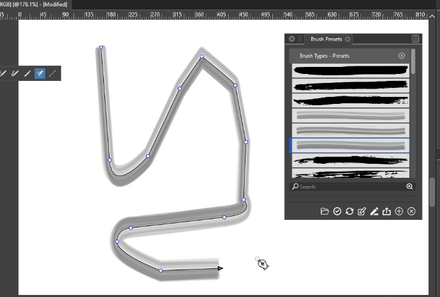
@Subpath - Thanks for the video. I've experimented with the Bristle brush you show, and it does give a calligraphic effect to the path width, but I can't see how to control the shape of the cap and corner beyond simple flat/round options. And for some reason it won't let me edit the shape in the Bristle Brush Shape window. The profile area is unresponsive and there is no preview, as shown here.
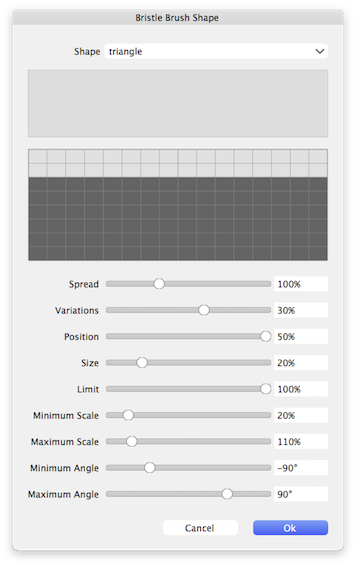
The underlying code is seemingly capable of sweeping a shape along a path, so the beginnings may be there.@Harry - Thinking further, I suspect the easier way to implement it would be as a type of vector brush, instead of modifying the basic stroke setting modal and having to deal with awkward interactions with stripe and dash, etc.
Users already understand that brushes can't be combined with dash, stripe, cap, mitre, arrow, etc. It's only Profile that would, if possible but not essential, be available like the other Brushes.<joke alert> The existing Pattern brush allows for shape overlap up to 90%, which is very close to the 100% overlap needed

-
@Raven The bristle brush shape editor has a bug, fix will be in the next build.
