VectorStyler
    • Categories
    • Unread
    • Recent
    • Tags
    • Popular
    • Register
    • Login

    Live paint/shape paint

    Scheduled Pinned Locked Moved Questions and Support
    16 Posts 3 Posters 12.7k Views 3 Watching
    Loading More Posts
    • Oldest to Newest
    • Newest to Oldest
    • Most Votes
    Reply
    • Reply as topic
    Log in to reply
    This topic has been deleted. Only users with topic management privileges can see it.
    • S Offline
      Sarah Austen @Subpath
      last edited by

      @Subpath It's still acting weird, would it be easier if I sent it to you so you could have a fiddle and then show me what to do?

      VectorStylerV 1 Reply Last reply Reply Quote 0
      • S Offline
        Subpath
        last edited by Subpath

        To show your Problem. You can use "Recordit" (Mac, Win) to record
        your steps. There is a free version that allows 5 minute recordings.
        Recordit creates gif animations and uploads them to their cloud.
        You can then post the link to this gif animation here to show your
        Problem.

        Here the Link to the RecordIt Website.
        https://recordit.co/

        If you still have problems with the "Shape Paint Tool".
        you must ask @vectorstyler (admin and developer)
        he has a much deeper knowledge than me.

        Win 11
        CPU: AMD Ryzen 5 9600X, 6-core.
        GPU: Nvidia Geforce RTX 5070.

        1 Reply Last reply Reply Quote 0
        • VectorStylerV Offline
          VectorStyler @Sarah Austen
          last edited by

          @Sarah-Austen Also: you can upload a file / example that is not working for you here to the forum, or send it by email to csraba at vectorstyler.com
          And I will try to figure out what could go wrong there.

          S 1 Reply Last reply Reply Quote 0
          • S Offline
            Sarah Austen @VectorStyler
            last edited by

            @VectorStyler 0_1676489935143_funny hummingbird.vstyler

            if this doesnt work let me know and i will email it

            thank you

            VectorStylerV 1 Reply Last reply Reply Quote 0
            • VectorStylerV Offline
              VectorStyler @Sarah Austen
              last edited by

              @Sarah-Austen yes, this seems to cause some problems with both the shape builder and the shape paint.

              I opened a bug on this one.

              S 2 Replies Last reply Reply Quote 0
              • S Offline
                Sarah Austen @VectorStyler
                last edited by

                @VectorStyler ok thanks for all your help. If I need to do anything else just let me know. Thanks again

                1 Reply Last reply Reply Quote 1
                • S Offline
                  Sarah Austen @VectorStyler
                  last edited by

                  @VectorStyler will I get informed when the bug gets fixed?

                  VectorStylerV 1 Reply Last reply Reply Quote 0
                  • VectorStylerV Offline
                    VectorStyler @Sarah Austen
                    last edited by

                    @Sarah-Austen I will post updates on this forum.

                    The main issue is that currently the shape builder tool (similar to shape paint) does not handle well cases where there are no intersections, just very close nodes to another curve.

                    Clearly there are some bugs here, and this is of the highest priority.

                    1 Reply Last reply Reply Quote 0
                    • S Offline
                      Subpath
                      last edited by Subpath

                      @Sarah-Austen

                      As @VectorStyler wrote, "Shape Paint" has difficulties
                      with "...cases where there are no intersections..."

                      When I read this, I had a thought. Until this is fixed.
                      It might help, perhaps, if you change your approach
                      a little when you draw your outline.

                      So that you draw your outline a little over the other outline.
                      At the end you can correct these overhangs with the "Trim Tool".

                      I don't know if that is helpful with complex drawings.
                      But wanted to share the thought at least

                      The Steps in the Video:
                      Select your Outlines,
                      select Styles > Shape Paint > "Create Shape Paint"
                      Fill your Shapes

                      Select your creation and choose
                      Styles > Shape Paint > "Expand Shape Paint"
                      then trim the overhangs with the "Trim Tool"
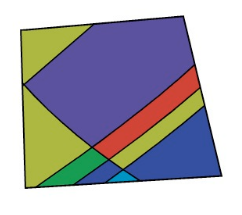
                      Here the Video

                      0_1676551678945_Trim-Tool.png

                      Win 11
                      CPU: AMD Ryzen 5 9600X, 6-core.
                      GPU: Nvidia Geforce RTX 5070.

                      S 1 Reply Last reply Reply Quote 0
                      • S Offline
                        Sarah Austen @Subpath
                        last edited by

                        @Subpath thank you for the advice. It helps a bit

                        S 1 Reply Last reply Reply Quote 2
                        • S Offline
                          Subpath @Sarah Austen
                          last edited by

                          @Sarah-Austen

                          your welcome
                          fine that it is helpful

                          Win 11
                          CPU: AMD Ryzen 5 9600X, 6-core.
                          GPU: Nvidia Geforce RTX 5070.

                          S 1 Reply Last reply Reply Quote 0
                          • S Offline
                            Sarah Austen @Subpath
                            last edited by

                            @Subpath any news/progress on the bug?

                            VectorStylerV S 2 Replies Last reply Reply Quote 0
                            • VectorStylerV Offline
                              VectorStyler @Sarah Austen
                              last edited by

                              @Sarah-Austen said in Live paint/shape paint:

                              any news/progress on the bug?

                              It is the next task, working on it now, but this one might take some time.
                              This one also requires some improvements to union/intersection/merge operators, so it is a big one 🙂

                              I will post updates here.

                              1 Reply Last reply Reply Quote 0
                              • S Offline
                                Subpath @Sarah Austen
                                last edited by

                                @Sarah-Austen said in Live paint/shape paint:

                                @Subpath any news/progress on the bug?

                                these are questions for @VectorStyler (he already answered 🙂 )
                                I am just a normal user like you

                                Win 11
                                CPU: AMD Ryzen 5 9600X, 6-core.
                                GPU: Nvidia Geforce RTX 5070.

                                1 Reply Last reply Reply Quote 0
                                • First post
                                  Last post
