VectorStyler
    • Categories
    • Unread
    • Recent
    • Tags
    • Popular
    • Register
    • Login

    Custom Palette and colour groups - how does this work?
    Scheduled Pinned Locked Moved Questions and Support
    6 Posts 2 Posters 5.2k Views 1 Watching
    Loading More Posts
    • Oldest to Newest
    • Newest to Oldest
    • Most Votes
    Reply
    • Reply as topic
    Log in to reply
    This topic has been deleted. Only users with topic management privileges can see it.
    • syllieS Offline
      syllie
      last edited by syllie

      I have created a custom palette, which has 7 named colour groups. The palette loads fine from its saved version, and I also have it as a preset palette.

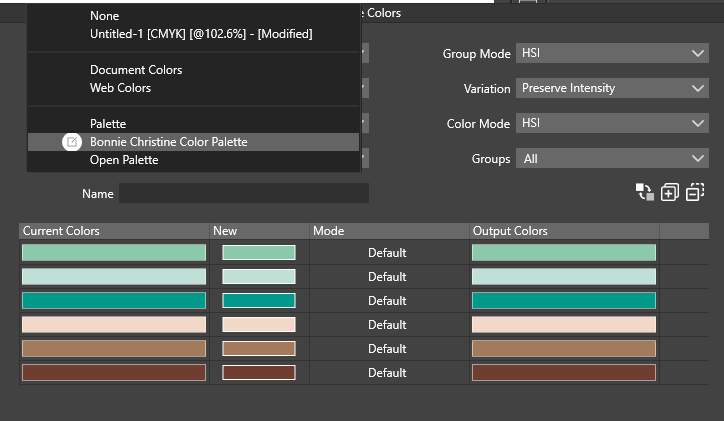
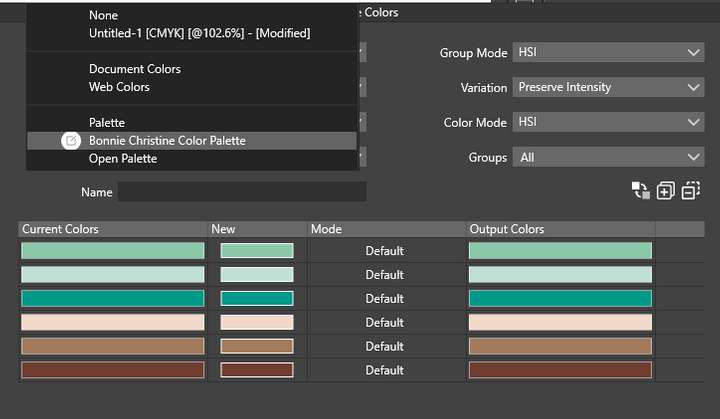
      When I use an effect like Effects > Replace Colors > Replace Colors I can see the palette for selection:
      0_1681113787700_c437fce2-e70b-4724-b54c-573f0b5bfc65-image.png

      However, picking it from the dropdown does not 'set it' and the colour groups show 'the full palette'.
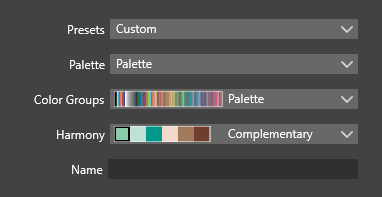
      0_1681113937917_da9d8024-e739-4341-ae42-a60dc37e3c11-image.png

      I think I simply do not understand how this is supposed to work - but what I am after is colour substitution within the 'same colour group' of the custom palette. Any hints and tips?
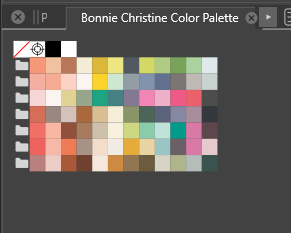
      0_1681113973249_e35a6374-d735-4db4-b45c-c6bf8716a194-image.png

      Also am wondering if there is a quick way to add an external colour group to the document palette. In AI you simply click on the folder in front of the group to achieve this.

      Windows 10 Pro | 22H2

      VectorStylerV 1 Reply Last reply Reply Quote 1
      • VectorStylerV Offline
        VectorStyler @syllie
        last edited by

        @syllie Replicated here also, could be a bug in the Replace Color.
        Will be fixed ASAP.

        syllieS 1 Reply Last reply Reply Quote 1
        • syllieS Offline
          syllie @VectorStyler
          last edited by

          @VectorStyler Wondering if this is added to the backlog as it was not in today's release?

          Windows 10 Pro | 22H2

          VectorStylerV 1 Reply Last reply Reply Quote 0
          • VectorStylerV Offline
            VectorStyler @syllie
            last edited by

            @syllie said in Custom Palette and colour groups - how does this work?:

            @VectorStyler Wondering if this is added to the backlog as it was not in today's release?

            It is still in the backlog.

            Palettes can be renamed now, but the replace color view is a bit too complex and requires some redesign.

            It is working now as expected, except the selected palette colors do not show up in the Output Colors column, but they are used only after confirming the change.
            Also the Palette and Color Group fields are still not updated correctly.

            syllieS 1 Reply Last reply Reply Quote 0
            • syllieS Offline
              syllie @VectorStyler
              last edited by

              @VectorStyler No worries, just wanted to make sure it had not dropped from your list as this topic sits in the questions and support section. Thanks for your feedback!

              Windows 10 Pro | 22H2

              VectorStylerV 1 Reply Last reply Reply Quote 1
              • VectorStylerV Offline
                VectorStyler @syllie
                last edited by

                @syllie Not dropped, just requires a bit more thinking 🙂

                But it is working now, as expected except the preview in the Output column.

                1 Reply Last reply Reply Quote 0
                • First post
                  Last post
