VectorStyler
    • Categories
    • Unread
    • Recent
    • Tags
    • Popular
    • Register
    • Login

    Layer Lock Icon in Colour

    Scheduled Pinned Locked Moved Features and Ideas
    13 Posts 6 Posters 10.1k Views 5 Watching
    Loading More Posts
    • Oldest to Newest
    • Newest to Oldest
    • Most Votes
    Reply
    • Reply as topic
    Log in to reply
    This topic has been deleted. Only users with topic management privileges can see it.
    • b77B Offline
      b77 @Igull
      last edited by

      @Igull Not possible at this time, AFAIK.

      Btw, you have 'Select All Locked' in the Select menu β€” maybe it helps?

      MacBook Pro (Intel) running Monterey 12.6.4

      IgullI 1 Reply Last reply Reply Quote 1
      • VectorStylerV Offline
        VectorStyler @Igull
        last edited by

        @Igull I'm trying to avoid using color in the UI elements as much as possible. I will think of a solution for this one (maybe more contrast for the locked icons?)

        b77B S 2 Replies Last reply Reply Quote 1
        • b77B Offline
          b77 @VectorStyler
          last edited by

          @VectorStyler said in Layer Lock Icon in Colour:

          maybe more contrast for the locked icons?

          A darker circle under the closed padlock icon would help, IMO. πŸ‘

          MacBook Pro (Intel) running Monterey 12.6.4

          1 Reply Last reply Reply Quote 0
          • S Offline
            Subpath @VectorStyler
            last edited by

            @VectorStyler

            How about to make the Unlocked hollow ?

            0_1684569790334_Locked.png

            Win 11
            CPU: AMD Ryzen 5 9600X, 6-core.
            GPU: Nvidia Geforce RTX 5070.

            VectorStylerV 1 Reply Last reply Reply Quote 4
            • VectorStylerV Offline
              VectorStyler @Subpath
              last edited by

              @Subpath said in Layer Lock Icon in Colour:

              How about to make the Unlocked hollow ?

              That could solve the issue.

              IgullI 1 Reply Last reply Reply Quote 1
              • BoldlineB Online
                Boldline
                last edited by

                I like the outline for the unlock symbol. Maybe just have the lock hinge not swing outward but show a gap that it’s not closed. That plus the outline mode would work

                🍎 macOS Tahoe 26.2, Mac mini (M1, 2020), Chip Apple M1, Memory 16 GB
                Cintiq 27QHD Display and LG Ultra HD Display

                1 Reply Last reply Reply Quote 0
                • encartE Offline
                  encart
                  last edited by encart

                  When scrolling the list, small details are difficult to pick up. Since @Subpath's suggestion appealed to us, how about doing an inversion of the eye icon, or strong gray out when is inactive?

                  0_1684599253393_screenshot_20230520_181159.png

                  Windows 11 Home 10.0.22621

                  S 1 Reply Last reply Reply Quote 1
                  • S Offline
                    Subpath @encart
                    last edited by

                    @encart

                    played i bit with your idea
                    and came up with this variants

                    Both stand for the closed/hidden Version

                    1
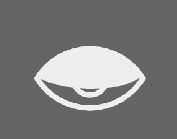
                    0_1684601373419_Hidden-1.png

                    2
                    0_1684601384291_Hidden-2.png

                    Win 11
                    CPU: AMD Ryzen 5 9600X, 6-core.
                    GPU: Nvidia Geforce RTX 5070.

                    1 Reply Last reply Reply Quote 0
                    • IgullI Offline
                      Igull @b77
                      last edited by

                      @b77

                      Yes, I can do that, but I want to just pick individual locked layers.

                      Neil

                      iMac 27" 2015 Catalina 32Gb, MacBook Pro 13" 2016 Monterey 8Gb, Mac Mini M2 2023 8Gb

                      1 Reply Last reply Reply Quote 0
                      • IgullI Offline
                        Igull @VectorStyler
                        last edited by

                        @VectorStyler said in Layer Lock Icon in Colour:

                        @Subpath said in Layer Lock Icon in Colour:

                        How about to make the Unlocked hollow ?

                        That could solve the issue.

                        Yes, that seems a sensible suggestion if colour isn't an option - I'm assuming the colour thing is purely an aesthetic and nothing to do with the ergonomics πŸ™‚

                        Neil

                        iMac 27" 2015 Catalina 32Gb, MacBook Pro 13" 2016 Monterey 8Gb, Mac Mini M2 2023 8Gb

                        VectorStylerV 1 Reply Last reply Reply Quote 0
                        • VectorStylerV Offline
                          VectorStyler @Igull
                          last edited by

                          @Igull said in Layer Lock Icon in Colour:

                          I'm assuming the colour thing is purely an aesthetic and nothing to do with the ergonomics

                          I think it is kind of both. It is of course aesthetic, I think that having a grey tone UI theme is better.
                          For the ergonomics aspect (if it belongs here): I think that having (too much) color in the UI might distract from and influence how the colors of the design are perceived, and it is more efficient to avoid colors.

                          IgullI 1 Reply Last reply Reply Quote 1
                          • IgullI Offline
                            Igull @VectorStyler
                            last edited by

                            @VectorStyler

                            Yes, no problem with that, I bow to your OCD πŸ™‚ πŸ™‚ πŸ™‚

                            Neil

                            iMac 27" 2015 Catalina 32Gb, MacBook Pro 13" 2016 Monterey 8Gb, Mac Mini M2 2023 8Gb

                            1 Reply Last reply Reply Quote 1
                            • First post
                              Last post