Text on Path: what is happening here?
-
Hi,
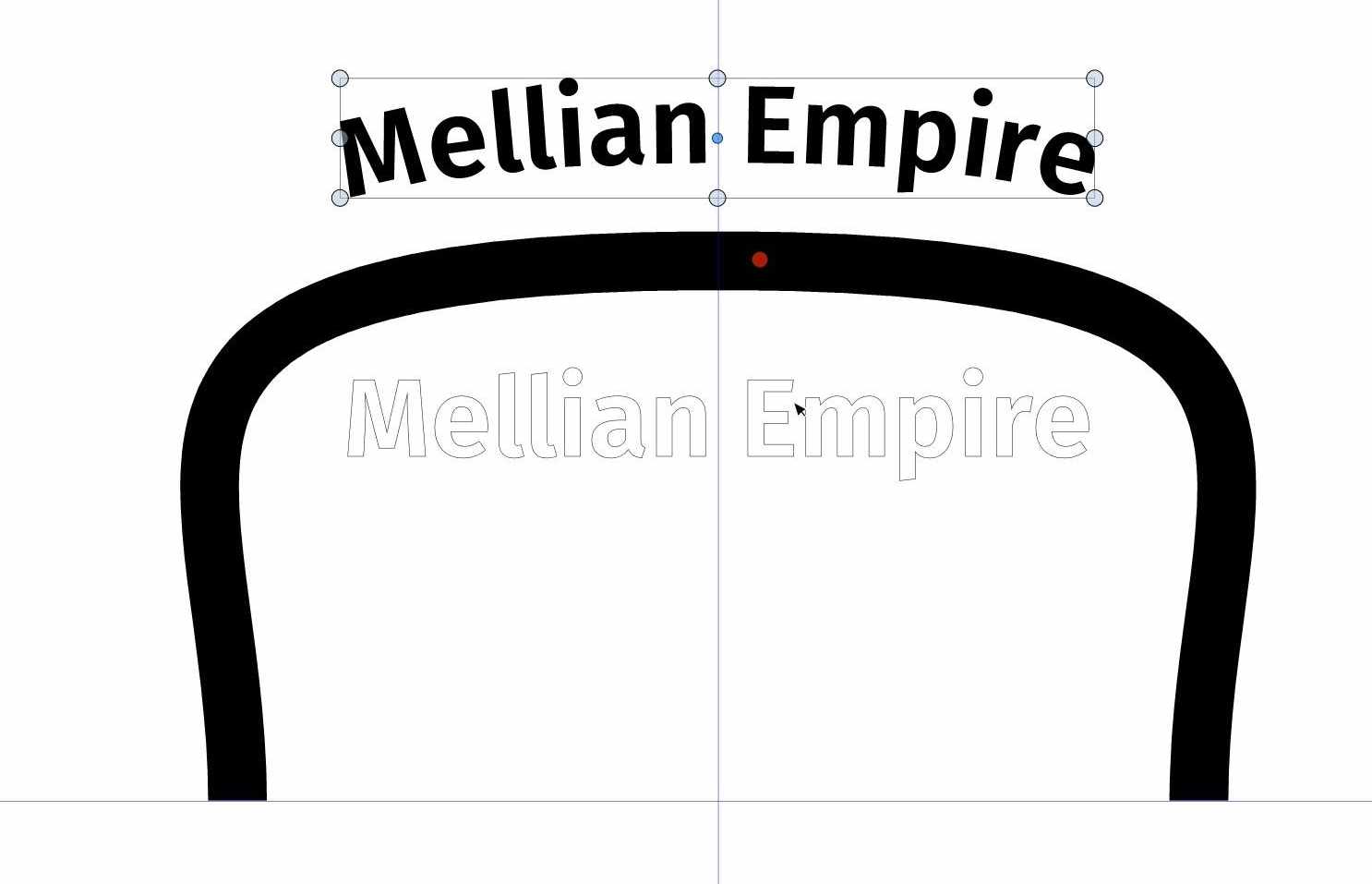
I just discovered VectorStyler, and I'm pretty impressed by the many features it has. So I'm going through all of it and created a simple path and put some text on it. But I'm seeing the same text beneath it (as can be seen in the image). I'm not sure what the purpose of it is. It can be interacted with, such as scaling and rotating. But I have no idea why it's there. Any thoughts?
WIndows 11
-
@Gremriel Welcome to VectorStyler! It looks like a highlight indicator for the text, but it should not be there if the text is on the path.
Is it visible if the text is not selected?
It may also depend on the text on path options. If there is an example file to send me (developer) by email, it would help. Thanks! -
Hi,
It is not visible if the text is not selected, but it appears when I selct it, or hover over the text with the transform tool (the pointer).
This is on Windows, btw.
-
@Gremriel Got the file! It seems that the issue can be replicated only with the Node tool but not the Transform tool. But it could be the same cause.
And it appears both on mac and windows. -
Hi,
I was just messing around again, and moved the Text on Path object to the lower right corner. This, however, affects the rotation point (the orangle circle) as well. It stays where the Text on Path was originally created. This means you can't rotate the object around it's center, it rotates around the --stuck-- the orange circle.This might be a feature, but I can't move that orange circle whatsoever.*edit: I zoomed in a bit and then could move the rotation circle.
-
@Gremriel The selected text outline issue is fixed in build 1.0.025. Let me know if there are other issues.

