VectorStyler
    • Categories
    • Unread
    • Recent
    • Tags
    • Popular
    • Register
    • Login

    Force VS to only allow a specific sublayer shape to be edited?

    Scheduled Pinned Locked Moved Questions and Support
    5 Posts 3 Posters 4.8k Views 2 Watching
    Loading More Posts
    • Oldest to Newest
    • Newest to Oldest
    • Most Votes
    Reply
    • Reply as topic
    Log in to reply
    This topic has been deleted. Only users with topic management privileges can see it.
    • BoldlineB Offline
      Boldline
      last edited by

      Is there a way to tell VS to only allow edits to a particular sublayer? For example, if I have a shape inside a clipping mask that I want to edit with the node editing tool without fear of altering the containing shape - is there a way to do so?
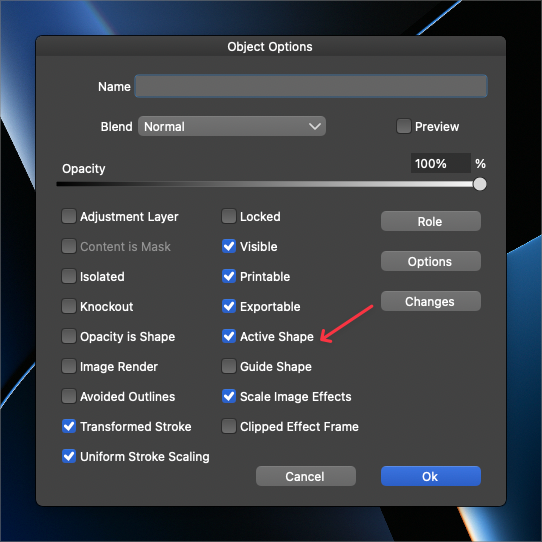
      I was thinking the "active shape" option in the layer panel might accomplish this, but it does not seem to.

      I was also thinking the isolation mode would due the trick, but even in isolation mode, I can still edit the containing shape
      0_1691683434962_db258758-e835-46a4-b767-8b10a71ffdc6-BLD 2023-08-10 at 12.03.30.png

      🍎 macOS Tahoe 26.2, Mac mini (M1, 2020), Chip Apple M1, Memory 16 GB
      Cintiq 27QHD Display and LG Ultra HD Display

      S VectorStylerV 2 Replies Last reply Reply Quote 0
      • S Offline
        Subpath @Boldline
        last edited by Subpath

        @Boldline

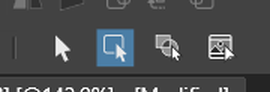
        maybe the "Select members of a group..." could be helpful ?

        0_1691684754973_Select member group.png

        Win 11
        CPU: AMD Ryzen 5 9600X, 6-core.
        GPU: Nvidia Geforce RTX 5070.

        BoldlineB 1 Reply Last reply Reply Quote 0
        • BoldlineB Offline
          Boldline @Subpath
          last edited by

          @Subpath maybe, but the issue mostly happens when I'm using the node editing tool and that is not related to my choice of transform tool options.

          I wonder about a right-click on the sublayer option to "isolate sublayer" or something.

          🍎 macOS Tahoe 26.2, Mac mini (M1, 2020), Chip Apple M1, Memory 16 GB
          Cintiq 27QHD Display and LG Ultra HD Display

          1 Reply Last reply Reply Quote 2
          • BoldlineB Offline
            Boldline
            last edited by

            Right now it's a bit frustrating because there's no good way to isolate a sublayer to edit without accidentally editing the containing object or moving it by mistake, etc... I don't know a way to lock an upper layer while keeping a sublayer layer free to edit.
            Perhaps the answer could be tied to the request made a while back for the ability to select a layer or sublayer and right click for the extra menu and tell it to "lock all other layers"?

            🍎 macOS Tahoe 26.2, Mac mini (M1, 2020), Chip Apple M1, Memory 16 GB
            Cintiq 27QHD Display and LG Ultra HD Display

            1 Reply Last reply Reply Quote 0
            • VectorStylerV Offline
              VectorStyler @Boldline
              last edited by

              @Boldline Active shape is something else.
              I think this should be an option of the Node tool, whether to allow selection of other shapes, while a shape is already selected.


              1 Reply Last reply Reply Quote 2
              • First post
                Last post