VectorStyler
    • Categories
    • Unread
    • Recent
    • Tags
    • Popular
    • Register
    • Login

    Change width/height by 10 using SHIFT

    Scheduled Pinned Locked Moved Questions and Support
    9 Posts 5 Posters 7.9k Views 5 Watching
    Loading More Posts
    • Oldest to Newest
    • Newest to Oldest
    • Most Votes
    Reply
    • Reply as topic
    Log in to reply
    This topic has been deleted. Only users with topic management privileges can see it.
    • P Offline
      pentool
      last edited by pentool

      Ok, so in previous versions when you opened the Transform Panel, placed the cursor into the W field (width), held SHIFT and used the up/down arrow keys, the values used to change by the increment of 10. Now it's only changing by 1. Was this changed? If so, why?

      I don't see anything in the preferences where I can control this. I trashed the "VectorStyler1.0" folder to reset everything, still it's just increasing by 1. Everything else (except for width and height) is changing by 10.

      MacBook Pro 13" early 2015 8G | Intel Iris Graphics 6100 1536 MB | macOS Monterey 12.7.6

      S 861475_VctSt8 VectorStylerV 3 Replies Last reply Reply Quote 0
      • S Offline
        Subpath @pentool
        last edited by

        @pentool

        in my tries with 1.1.099

        only the scale and the rotation fields
        change their value with 10 by holding shift

        x,y and width and height fields change by 1
        holding shift

        Win 11
        CPU: AMD Ryzen 5 9600X, 6-core.
        GPU: Nvidia Geforce RTX 5070.

        1 Reply Last reply Reply Quote 0
        • P Offline
          pentool
          last edited by

          Hmmm... yeah, I just retrieved 1.1.099 from the trash and I'm either being swallowed by a black hole or getting dementia cuz I've been using this feature a lot and I could swear it used to increase by 10 when holding SHIFT. Maybe I need to see a doctor...

          Anyhow, thanks for checking @subpath!

          MacBook Pro 13" early 2015 8G | Intel Iris Graphics 6100 1536 MB | macOS Monterey 12.7.6

          1 Reply Last reply Reply Quote 0
          • 861475_VctSt8 Offline
            861475_VctSt @pentool
            last edited by

            @pentool

            Mine is working fine, VS1.1.100
            Preferences>Adustments
            You can set it up at
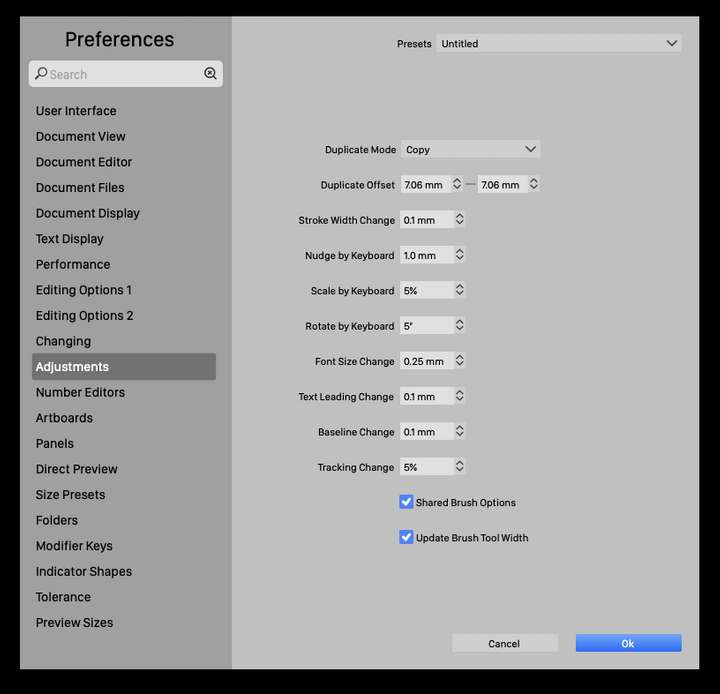
            0_1692054528507_スクリーンショット 2023-08-15 7.59.18.png

            And,
            Size Presets: Stroke Width,Brush Eidth, Font Size
            have been reset by a clean install?
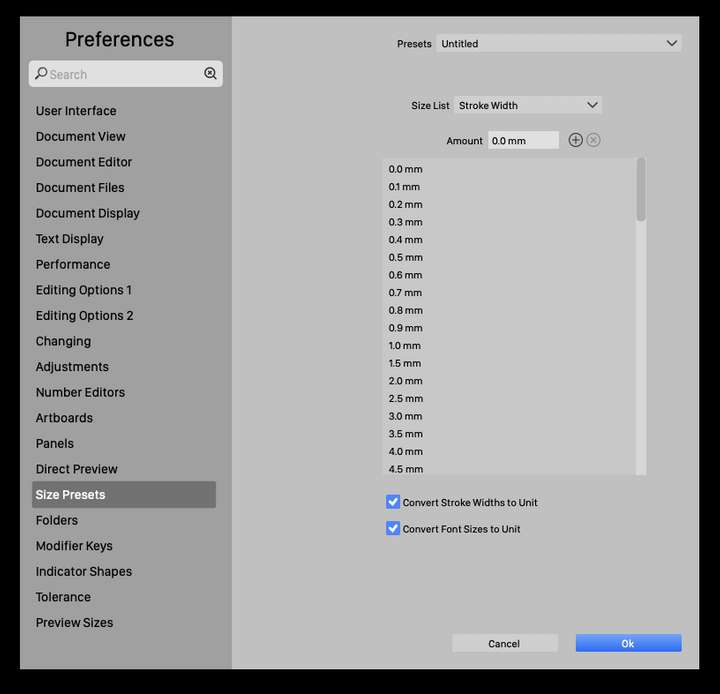
            0_1692054576740_スクリーンショット 2023-08-15 8.02.39.png

            LIc. 0 OS10.15.8
            MacBook Air (13-inch, Mid 2012) / Intel Core i5, 8GB / Intel HD Graphics 4000
            LIc. 1 OS15.7.4
            MacBook Pro (14-inch, 2023) / Apple M2 Pro, 16GB / Apple GPU

            1 Reply Last reply Reply Quote 0
            • P Offline
              pentool
              last edited by

              I use an app cleaner to remove all traces of VS, so yeah, everything starts from scratch. Yes, I have went through the Preferences, but those values that you are showing have nothing to do with the width and height of the object.

              This one I'm talking about:
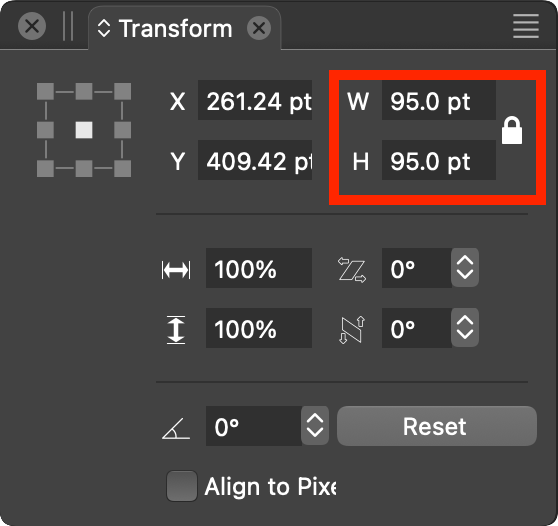
              0_1692055675965_Screen Shot 2023-08-15 at 1.27.36 AM.png

              MacBook Pro 13" early 2015 8G | Intel Iris Graphics 6100 1536 MB | macOS Monterey 12.7.6

              1 Reply Last reply Reply Quote 0
              • P Offline
                pentool
                last edited by pentool

                Ah, NEVER MIND! I just realized everything was reset the the values were in points. In the previous version I set my new document preset to be in pixels. So once I change that, SHIFT will adjust the values by 10 pixels.

                Thanks anyways, guys! I better create and save a document preset for pixel values...

                MacBook Pro 13" early 2015 8G | Intel Iris Graphics 6100 1536 MB | macOS Monterey 12.7.6

                S IgullI 2 Replies Last reply Reply Quote 1
                • S Offline
                  Subpath @pentool
                  last edited by Subpath

                  @pentool said in Change width/height by 10 using SHIFT:

                  In the previous version I set my new document preset to be in pixels. So once I change that, SHIFT will adjust the values by 10 pixels.

                  That's good to know.

                  This correlates with an observation that I noticed, that there are no
                  decimal places in the fields with steps of 10.

                  Which is the case with the pixel unit also the scale fields with % and rotation.

                  Win 11
                  CPU: AMD Ryzen 5 9600X, 6-core.
                  GPU: Nvidia Geforce RTX 5070.

                  1 Reply Last reply Reply Quote 0
                  • VectorStylerV Offline
                    VectorStyler @pentool
                    last edited by

                    @pentool I cannot replicate this issue, it is working fine here.
                    One thing to try is to reset the app preferences.

                    1 Reply Last reply Reply Quote 0
                    • IgullI Offline
                      Igull @pentool
                      last edited by

                      @pentool

                      I had a similar issue, the keyboard shortcuts for 'nudge more' /left/right/up/down (shift arrow) had 'unknown command' next to them - I just removed the commands and made another four - then saved the command set - solved my problem - YMMV 🙂

                      Neil

                      iMac 27" 2015 Catalina 32Gb, MacBook Pro 13" 2016 Monterey 8Gb, Mac Mini M2 2023 8Gb

                      1 Reply Last reply Reply Quote 1
                      • First post
                        Last post
