Edit gradient stop location in gradient panels
-
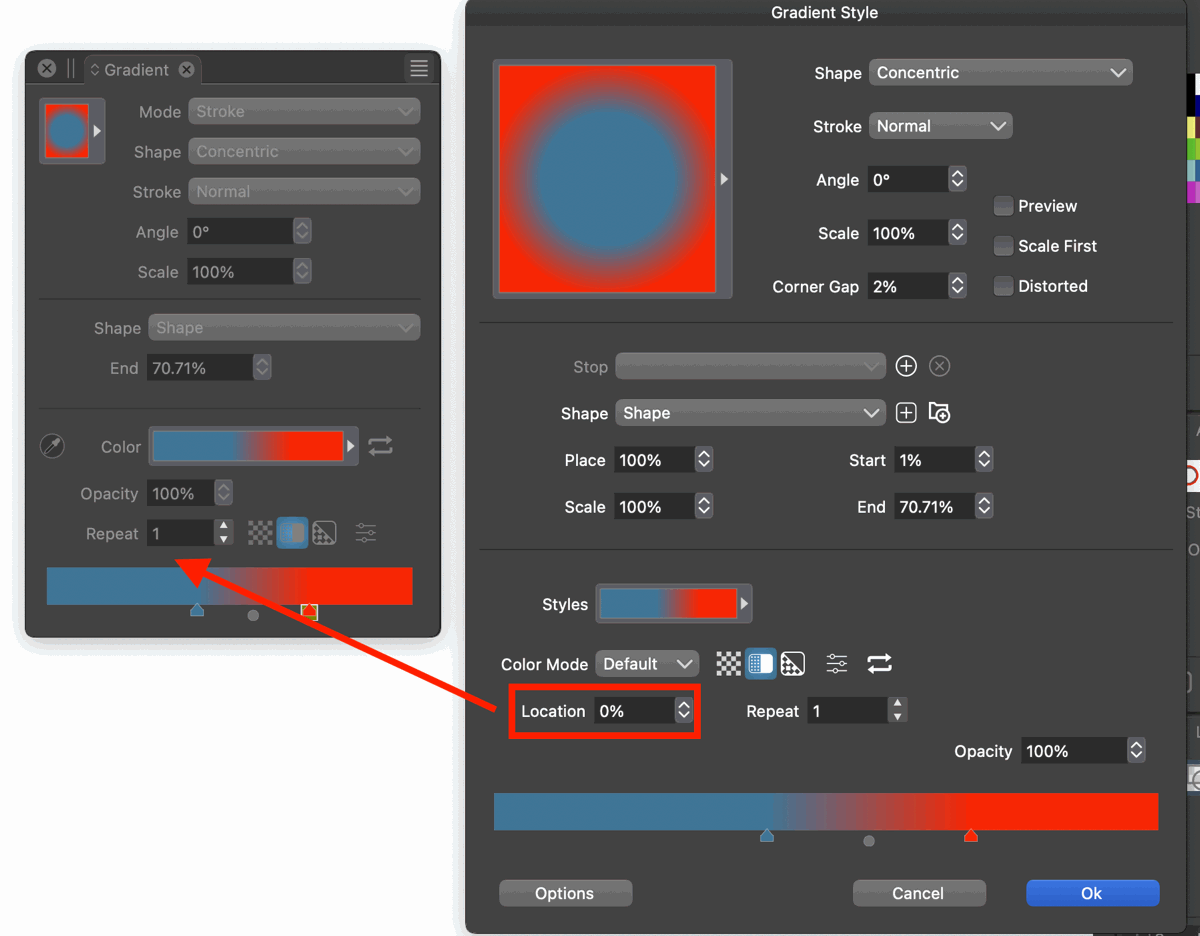
I wish gradient stop locations would be numerically editable in the gradient panels as well and not just in the gradient editor.
For example, when you have a gradient assigned to an object and you click the Fill or Stroke color swatch in the Context Toolbar at the top, you get a gradient panel to open. Another way to do this is to open the Gradient Panel (Panels > Gradient).
In these panels you have the gradient at the bottom and you can manually add, delete, or drag the gradient stops. However, if you wanted to numerically (aka precisely) adjust the location of the stops, you have to open the panel's menu and select "Edit Gradient". And that's the only place where you can use the stop's numeric editor.
Would be nice if you could do this in any panel that shows you the gradient (with the stops) so you don't have to open an extra dialog just to set the stops' location numerically.
-
@pentool In VS some panels can be extended by clicking the button near the panel's title.
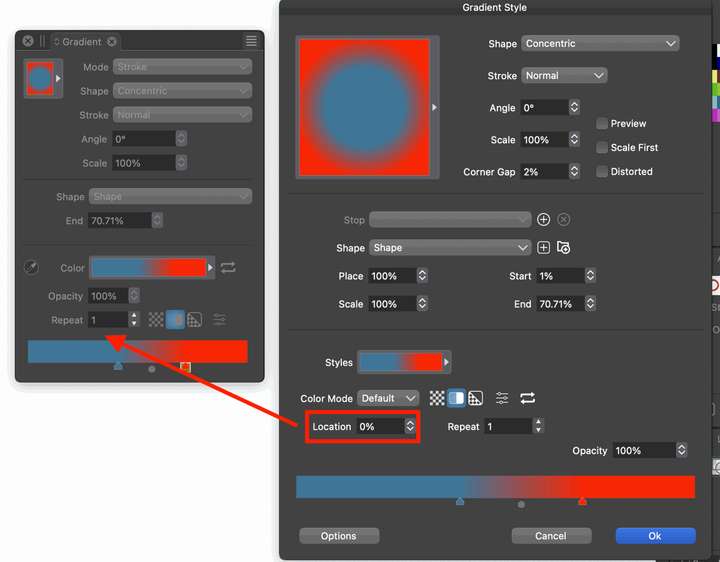
What if the Gradient panel would have a maxed out version that includes all the settings
from the Gradient Style modal window, like this?
-
Oh yeah, completely missed that. That should work.
