VectorStyler
    • Categories
    • Unread
    • Recent
    • Tags
    • Popular
    • Register
    • Login

    Easy way to warp expanded text or shape to the confines of another shape?

    Scheduled Pinned Locked Moved Questions and Support
    4 Posts 2 Posters 3.8k Views 1 Watching
    Loading More Posts
    • Oldest to Newest
    • Newest to Oldest
    • Most Votes
    Reply
    • Reply as topic
    Log in to reply
    This topic has been deleted. Only users with topic management privileges can see it.
    • BoldlineB Offline
      Boldline
      last edited by Boldline

      In illustrator, you can make a shape and then use it to warp an object to the confines of that shape with "warp to shape"
      You select both objects with the source shape overtop and then click "warp to shape" and it's completed. Is there a way to do this in VS without having to define every source shape first? Like a quick and dirty way to accomplish this?

      What is it officially called in VS? so I can gofind it in the documentation. I was looking for it there first with no luck
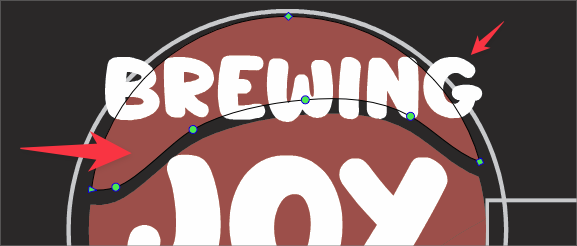
      0_1696527982159_2c444f4a-bc90-4788-a22a-a7b18604ce3f-BLD 2023-10-05 at 13.46.03.png

      🍎 macOS Tahoe 26.2, Mac mini (M1, 2020), Chip Apple M1, Memory 16 GB
      Cintiq 27QHD Display and LG Ultra HD Display

      VectorStylerV 1 Reply Last reply Reply Quote 0
      • VectorStylerV Offline
        VectorStyler @Boldline
        last edited by VectorStyler

        @Boldline This would be the Envelope shape distortion.
        After adding the envelope effect to the text, select both the text and the shape and use the Pick Shape from the Shape Effects panel menu.
        The third button in the panel can be used to position the four corners of the text along the shape.

        BoldlineB 1 Reply Last reply Reply Quote 1
        • BoldlineB Offline
          Boldline @VectorStyler
          last edited by

          @VectorStyler ok thanks. this jogged my memory that myself and others had discussed this same topic a year ago or so. I'm going to need to dig in to really maximize the options available!

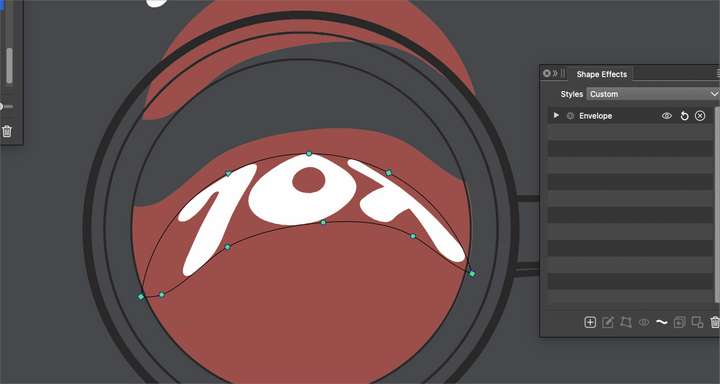
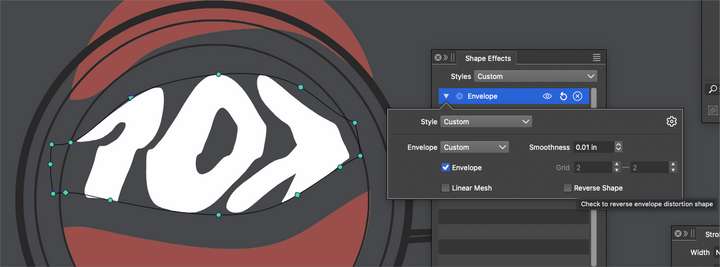
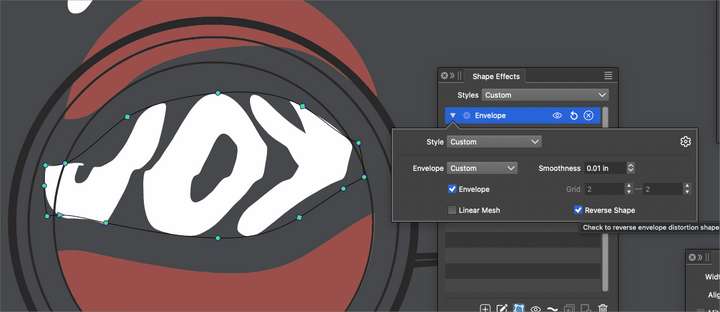
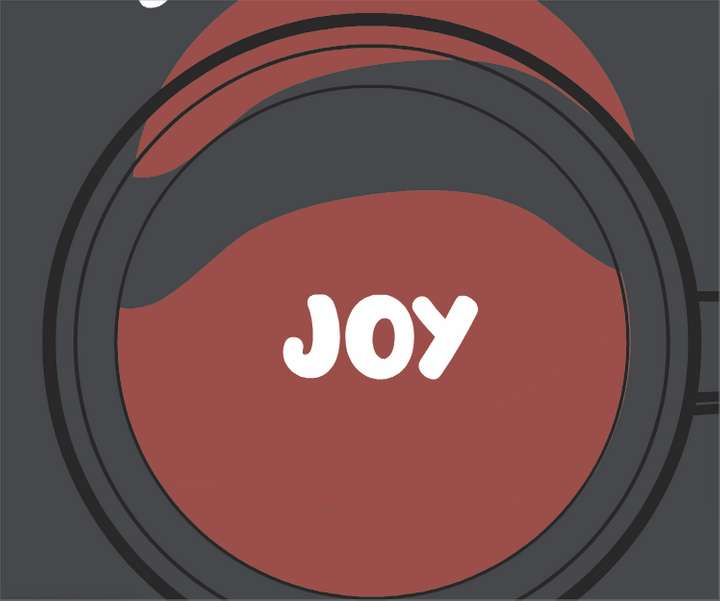
          Is there a reason the word shape flips upside down each time I add an envelope to it and/or add a shape to that? I started with "Joy" and then adding the envelope to it made it go upside down. Adding the shape to it and then reversing it worked
          0_1696531789589_e938fe97-ebef-4642-941e-ac1c918147b0-BLD 2023-10-05 at 14.49.43.png

          0_1696531817274_09b12a43-40d9-4c5d-9ce2-69bc46b2996a-BLD 2023-10-05 at 14.50.05.png

          0_1696531769920_563e18fd-d19c-4ea2-9ea4-a67be0764a7c-BLD 2023-10-05 at 14.47.21.png
          0_1696531740025_1285b2e0-6cdd-4276-92ce-623c66552846-BLD 2023-10-05 at 14.47.28.png

          🍎 macOS Tahoe 26.2, Mac mini (M1, 2020), Chip Apple M1, Memory 16 GB
          Cintiq 27QHD Display and LG Ultra HD Display

          VectorStylerV 1 Reply Last reply Reply Quote 0
          • VectorStylerV Offline
            VectorStyler @Boldline
            last edited by

            @Boldline Reverse the direction of the shape. And setting the first not (right click on shape node -> make first..) might also help.


            1 Reply Last reply Reply Quote 1
            • First post
              Last post