VectorStyler
    • Categories
    • Unread
    • Recent
    • Tags
    • Popular
    • Register
    • Login

    Zoom to '100% screen size?

    Scheduled Pinned Locked Moved Questions and Support
    3 Posts 2 Posters 3.4k Views 2 Watching
    Loading More Posts
    • Oldest to Newest
    • Newest to Oldest
    • Most Votes
    Reply
    • Reply as topic
    Log in to reply
    This topic has been deleted. Only users with topic management privileges can see it.
    • AyoA Offline
      Ayo
      last edited by

      Default 100% zoom view is 100% print size view.
      Is it possible in Settings to set the 100% zoom to '100% screen size'?

      Example use: if you take a screenshot and paste it on the artboard at 100% screen size, it retains the same size?

      VectorStylerV 1 Reply Last reply Reply Quote 0
      • VectorStylerV Offline
        VectorStyler @Ayo
        last edited by

        @Ayo Set the Document Setup -> General -> Resolution to some number (72 for example). And then set the View -> Display -> Display Options -> Display section Resolution field to the same number (here uncheck the Default resolution first).

        AyoA 1 Reply Last reply Reply Quote 0
        • AyoA Offline
          Ayo @VectorStyler
          last edited by

          @VectorStyler

          First attempt failed
          Document Setup -> Resolution to 218 (my screen resolution Apple Studio Display)
          View -> Display Resolution to 218

          Result: view much to big

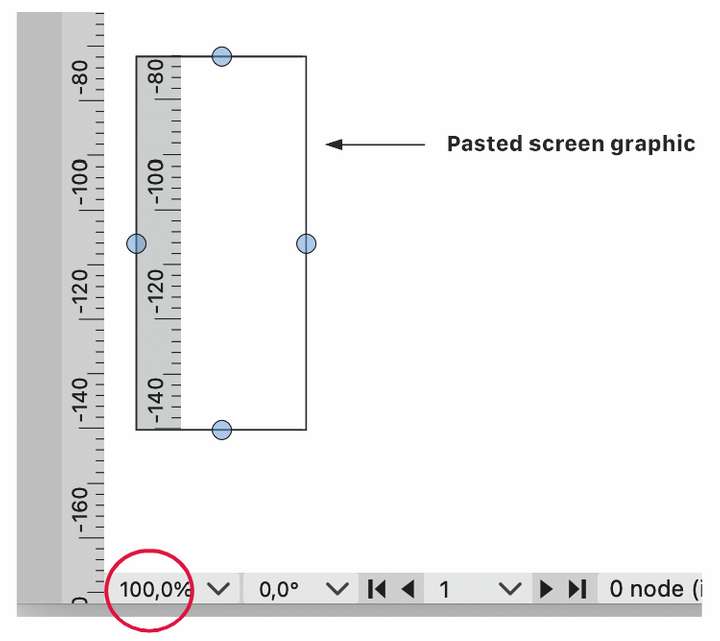
          After calculating and measuring the ruler screenshots I came to a scaling factor of 33%. 0.33•218 Equals 72!

          Second attempt fills the bill
          Document Setup -> No need to change, leave resolution to 300* (default)
          View -> Display Resolution to 72

          *leave resolution to 300
          Better not change, right? Isn't this the resolution for rasterizing effects for HR printwork RIP (Raster Image Processor)?
          0_1698239565150_de4c6af7-49e8-45ed-81ed-40710d571a99-image.png !

          1 Reply Last reply Reply Quote 1
          • First post
            Last post
