VectorStyler
    • Categories
    • Unread
    • Recent
    • Tags
    • Popular
    • Register
    • Login

    Snap to Points doesn't seem to work

    Scheduled Pinned Locked Moved VectorStyler 1.2 beta
    22 Posts 5 Posters 36.3k Views 5 Watching
    Loading More Posts
    • Oldest to Newest
    • Newest to Oldest
    • Most Votes
    Reply
    • Reply as topic
    Log in to reply
    This topic has been deleted. Only users with topic management privileges can see it.
    • S Offline
      Subpath @Ayo
      last edited by Subpath

      @Ayo said in Snap to Points doesn't seem to work:

      @Subpath said in Snap to Points doesn't seem to work:

      use a regulary shape

      Vectorstyler forces me to make Mondrians?

      i have a Mondrian Creator for such tasks 🙂

      And here a pretty good Documentation where
      Artist and Scientist try to recreate a Mondrian Paint.
      Can say its not a easy task.
      Here the Link to the Docu
      Is in German but you could use automatic subtitles in englisch
      its call "Das Geheimis der Meister", "The secrets of the Master"

      Pic of Mondrian Creator (its free, found it on Internet once)
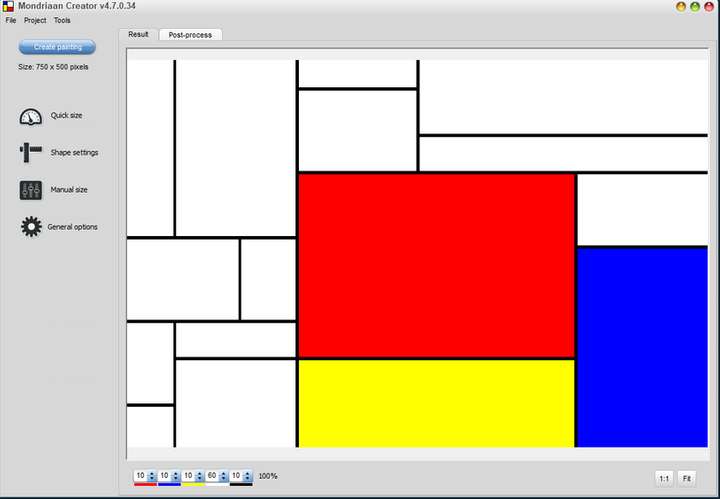
      0_1698350646262_Mondrian Creator.png

      Win 11
      CPU: AMD Ryzen 5 9600X, 6-core.
      GPU: Nvidia Geforce RTX 5070.

      1 Reply Last reply Reply Quote 1
      • IgullI Offline
        Igull @Ayo
        last edited by

        @Ayo

        I'm pretty picky when it comes to point snapping, it's imperative for me 🙂
        I just checked my setup and it works perfectly - I've always used a snap tolerance of 3.

        https://recordit.co/OkKc0Czsn5

        BTW, I assume we're talking v111 here ?

        Neil

        iMac 27" 2015 Catalina 32Gb, MacBook Pro 13" 2016 Monterey 8Gb, Mac Mini M2 2023 8Gb

        b77B S 2 Replies Last reply Reply Quote 1
        • b77B Offline
          b77 @Igull
          last edited by

          @Igull Ayo reported this with 1.2 Beta.

          MacBook Pro (Intel) running Monterey 12.6.4

          AyoA 1 Reply Last reply Reply Quote 2
          • AyoA Offline
            Ayo @b77
            last edited by

            @b77 said in Snap to Points doesn't seem to work:

            Ayo reported this with 1.2 Beta.

            Correct

            1 Reply Last reply Reply Quote 1
            • S Offline
              Subpath @Igull
              last edited by

              @Igull

              My attempts were also with the latest 1.2 beta

              Win 11
              CPU: AMD Ryzen 5 9600X, 6-core.
              GPU: Nvidia Geforce RTX 5070.

              1 Reply Last reply Reply Quote 0
              • VectorStylerV Offline
                VectorStyler @Ayo
                last edited by

                @Ayo @b77 @Subpath

                I think the different here could be a polygon to point versus point to point snapping.

                To snap a specific point of a polygon to another point, hover over the polygon point first until an X shows and then drag from that point.

                AyoA S 2 Replies Last reply Reply Quote 0
                • AyoA Offline
                  Ayo @VectorStyler
                  last edited by

                  @VectorStyler
                  No X showing up. Using Transform tool.
                  https://recordit.co/Z9eM85anEv

                  1 Reply Last reply Reply Quote 0
                  • S Offline
                    Subpath @VectorStyler
                    last edited by Subpath

                    @VectorStyler

                    got it,
                    but is near to impoosible to get the "x" Sign for a point
                    wenn the selection Frame is close by that point
                    see at 0:25
                    Here the Video

                    Win 11
                    CPU: AMD Ryzen 5 9600X, 6-core.
                    GPU: Nvidia Geforce RTX 5070.

                    AyoA 1 Reply Last reply Reply Quote 1
                    • AyoA Offline
                      Ayo @Subpath
                      last edited by Ayo

                      @VectorStyler and others.

                      Found it! (But partly solved)

                      The missing X-cross put me on the track and reminded me whether I changed something in the settings that caused this.

                      Well, I turned off the setting: Selection > Detect Hovering Node. Because I would like to get rid of the X-cross. Unnecessary visual noise around my pointer.

                      Detect Hovering with a visual x-mark on or off should not affect the node to node snapping option. I can work better without the useless X signal, but now I'm unfortunately stuck with it again.

                      Future feature wish:
                      Make the 'Detect Hovering Node' setting valid as a visual indicator only. After all, it says 'detect'. Leave snapping in the snapping options.

                      If you want to use a precision-like tool cross, use a + shaped cross mark. Compatible with y-and y-axes based artboard for positioning and symbolically positive.

                      Please no x shape. Not compatible with y-and y-axes and symbolically used to indicate the absence of something or concept of negation or NO! The opposite of what we're looking for.

                      Idea
                      Turn this setting into the setting: 'Use precision cursor'. When snapping to points on, it will automatically stick to the points like it does now.

                      VectorStylerV 1 Reply Last reply Reply Quote 1
                      • VectorStylerV Offline
                        VectorStyler @Ayo
                        last edited by

                        @Ayo I will try to improve this. One thing that could be added (in the future) is to snap any cusp node of a shape with a snapping option enabled.

                        AyoA 1 Reply Last reply Reply Quote 0
                        • AyoA Offline
                          Ayo @VectorStyler
                          last edited by

                          @VectorStyler said in Snap to Points doesn't seem to work:

                          One thing that could be added (in the future) is to snap any cusp node of a shape with a snapping option enabled.

                          I don't understand this.
                          Why only cusp nodes?

                          I JUST DON'T WANT ANY CLUTTER UNDER MY CURSOR WITH SNAP TO POINT ON!

                          VectorStylerV S 2 Replies Last reply Reply Quote 0
                          • VectorStylerV Offline
                            VectorStyler @Ayo
                            last edited by

                            @Ayo Sorry for the misunderstanding, I was not referring to any symbol under the cursor.

                            I was thinking of the shape that is moved, which part of that shape to be snapping to the target point? Should the whole shape? any node? or just cusp nodes?

                            1 Reply Last reply Reply Quote 0
                            • S Offline
                              Subpath @Ayo
                              last edited by Subpath

                              @Ayo

                              one way i found to use "Snap to point" without
                              the "x" Indicator.

                              is select all nodes of the Shape with the Node Tool
                              and move the that selection then with the Node Tool...
                              this way "Snap to Points" will work without a "x"
                              by now. You have to convert the shape into curves
                              of course.

                              Here a Video

                              the "x" indicator may have some uses
                              but i am also no friend of it, find it distracting

                              Win 11
                              CPU: AMD Ryzen 5 9600X, 6-core.
                              GPU: Nvidia Geforce RTX 5070.

                              AyoA 1 Reply Last reply Reply Quote 2
                              • AyoA Offline
                                Ayo @Subpath
                                last edited by

                                @Subpath said in Snap to Points doesn't seem to work:

                                selection then with the Node Tool

                                Selection with the Node Tool works fine without x-cross on this simple free-standing test example. But as soon as a document and form becomes more complicated and/or more layered, you are forced to select all points one by one, which is a cumbersome way. Otherwise you also take points that belong to other objects.

                                b77B 1 Reply Last reply Reply Quote 0
                                • b77B Offline
                                  b77 @Ayo
                                  last edited by b77

                                  @Ayo said in Snap to Points doesn't seem to work:

                                  you are forced to select all points one by one, which is a cumbersome way.

                                  When in node editing mode and an object is selected, press Cmd-A and all its nodes will be selected.

                                  Also: I hope 'Select Nodes from All Objects' is disabled in Settings > Path Editor.

                                  MacBook Pro (Intel) running Monterey 12.6.4

                                  S 1 Reply Last reply Reply Quote 2
                                  • S Offline
                                    Subpath @b77
                                    last edited by

                                    @b77

                                    works pretty well

                                    Win 11
                                    CPU: AMD Ryzen 5 9600X, 6-core.
                                    GPU: Nvidia Geforce RTX 5070.

                                    AyoA 1 Reply Last reply Reply Quote 1
                                    • AyoA Offline
                                      Ayo @Subpath
                                      last edited by

                                      @Subpath said in Snap to Points doesn't seem to work:

                                      works pretty well

                                      Indeed!
                                      And another point for the Node Tool! ☺ (my favourite default)

                                      Thanks!

                                      1 Reply Last reply Reply Quote 2
                                      • First post
                                        Last post
