VectorStyler
    • Categories
    • Unread
    • Recent
    • Tags
    • Popular
    • Register
    • Login

    Snapping panels redundancy

    Scheduled Pinned Locked Moved Questions and Support
    10 Posts 3 Posters 8.7k Views 3 Watching
    Loading More Posts
    • Oldest to Newest
    • Newest to Oldest
    • Most Votes
    Reply
    • Reply as topic
    Log in to reply
    This topic has been deleted. Only users with topic management privileges can see it.
    • AyoA Offline
      Ayo
      last edited by Ayo

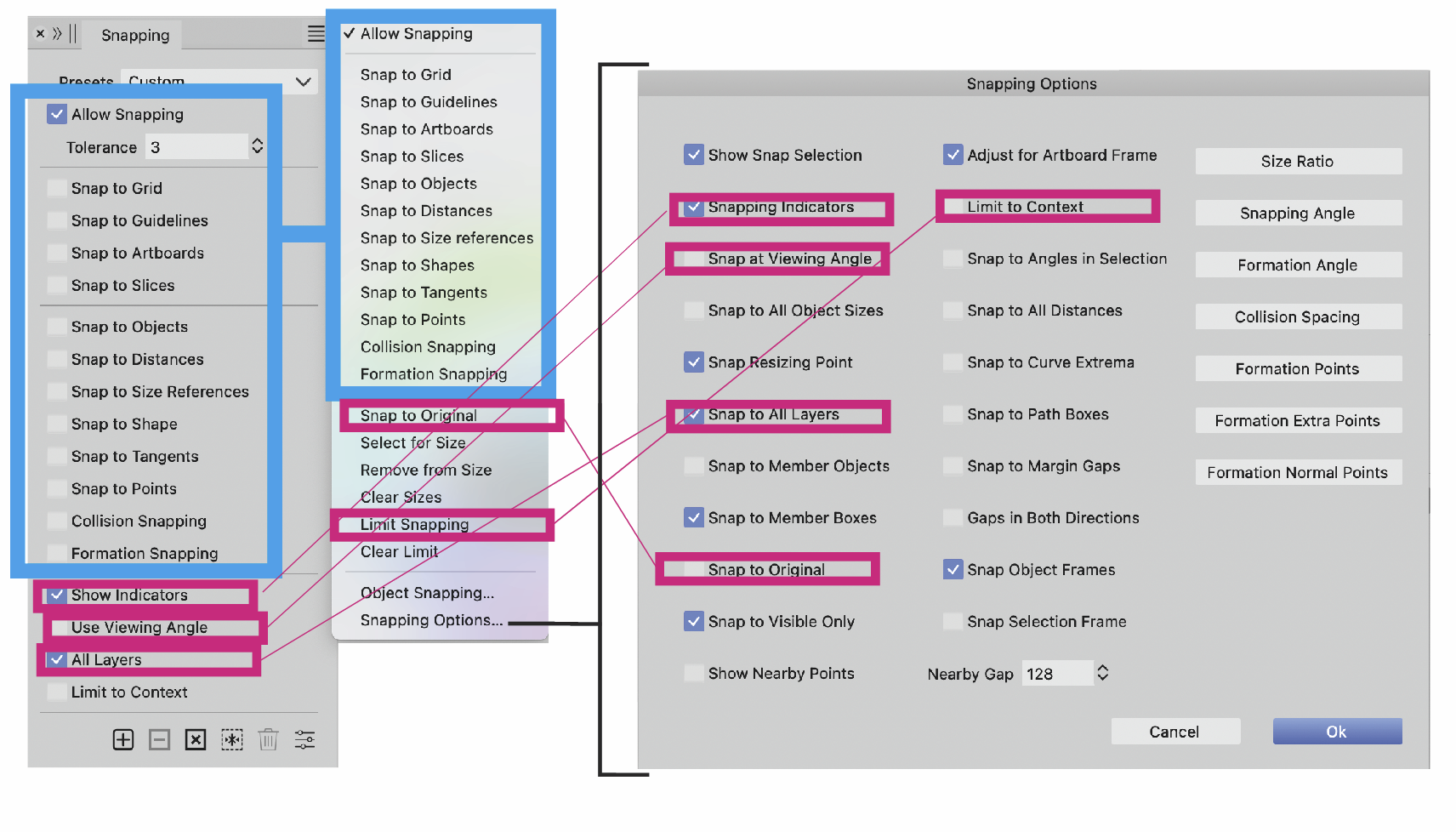
      What I've been wondering for a while. Why is there so much duplication?
      Wouldn't it be much clearer and better to learn and remember without redundant double display?
      0_1698524283031_290f29d2-1e8a-4a3a-b3e9-cded8ce17caf-image.png

      It's highly confusing.
      You create a mental map of the application for yourself where to find things.
      Keeping with that analogy, Amsterdam is here and there!
      Or, my laptop is at work and on the sofa!
      That is not possible.

      AyoA VectorStylerV 2 Replies Last reply Reply Quote 1
      • AyoA Offline
        Ayo @Ayo
        last edited by Ayo

        This post is deleted!
        1 Reply Last reply Reply Quote 0
        • VectorStylerV Offline
          VectorStyler @Ayo
          last edited by b77

          @Ayo said in Snapping panels redundancy:

          Wouldn't it be much clearer and better to learn and remember without redundant double display?

          Some redundancy is needed and is present in other apps also. In this case a few more important options are placed also outside of the modal view that contains all the options.

          AyoA 1 Reply Last reply Reply Quote 0
          • AyoA Offline
            Ayo @VectorStyler
            last edited by

            @VectorStyler
            I would take commonly used options + extended/all options or something like that. Level 1 and 2, now you have three.
            Don't understand your reasoning, but I am a user responding from my user experience and not a developer.
            Thanks anyway

            VectorStylerV 1 Reply Last reply Reply Quote 1
            • VectorStylerV Offline
              VectorStyler @Ayo
              last edited by

              @Ayo Maybe those red checkboxes of the panel moved to the menu?
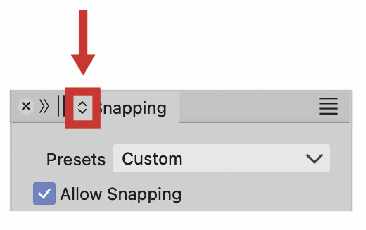
              The problem with the "Snap to..." options (both panel and menu) is that the panel context can be rotated into fewer options (title double arrow) so these should be in the menu also for that case.

              AyoA 1 Reply Last reply Reply Quote 0
              • AyoA Offline
                Ayo @VectorStyler
                last edited by

                @VectorStyler
                You mean this little rascal?
                0_1698576184787_ba372159-d279-4d0d-a96d-8000f328c894-image.png

                It's completely new to me. Never noticed. I need some time to get used to and explore it. Is a up and down scaling symbol. Usually combined with a slider (like Stroke Weight). Is this the right helpful explanatory symbol and place for this? Clutter on the tab is my first reaction. I could easily do without it. Wonder if anyone uses this and narrows down the list.

                AyoA VectorStylerV 2 Replies Last reply Reply Quote 1
                • AyoA Offline
                  Ayo @Ayo
                  last edited by

                  @Ayo said in Snapping panels redundancy:

                  I could easily do without it.

                  Note
                  I increasingly experience that eliminating a problem/object is a solution to more problems.

                  1 Reply Last reply Reply Quote 0
                  • VectorStylerV Offline
                    VectorStyler @Ayo
                    last edited by

                    @Ayo said in Snapping panels redundancy:

                    You mean this little rascal?

                    Yes. And this is now indispensable with the complex panels VS has. Most panels in 1.2 were reduced to a simplified state, and this button is used to get to more options inside the panel.

                    b77B 1 Reply Last reply Reply Quote 1
                    • b77B Offline
                      b77 @VectorStyler
                      last edited by b77

                      AI has only two sets of options for the panels, IIRC — one displaying all the options
                      and the other displaying a reduced set. This why it can do without a button in the
                      tab — there's a 'Show/Hide Options' command in the panel's menu and that's it.

                      Since VS goes from a minimal set of options to intermediary set to full set, this
                      'expand' button in the tab is needed.

                      Should VS have only minimal and full sets for each panel? I don't know…

                      MacBook Pro (Intel) running Monterey 12.6.4

                      AyoA 1 Reply Last reply Reply Quote 0
                      • AyoA Offline
                        Ayo @b77
                        last edited by

                        @b77
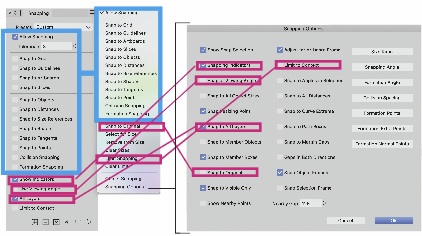
                        In any case, it does not help to solve this location spaghetti tombola
                        0_1698579365625_febbe298-7615-4cc0-9af2-7f8ab3242d06-image.png !

                        1 Reply Last reply Reply Quote 0
                        • First post
                          Last post
