VectorStyler
    • Categories
    • Unread
    • Recent
    • Tags
    • Popular
    • Register
    • Login

    Feel like a digital dummy working with Vectorstyler or how to ungroup all groups in layer
    Scheduled Pinned Locked Moved Questions and Support
    8 Posts 3 Posters 8.7k Views 3 Watching
    Loading More Posts
    • Oldest to Newest
    • Newest to Oldest
    • Most Votes
    Reply
    • Reply as topic
    Log in to reply
    This topic has been deleted. Only users with topic management privileges can see it.
    • AyoA Offline
      Ayo
      last edited by

      Although I have a long career in design and have mastered many software packages I'm slowly starting to feel like a digital dummy working with Vectorstyler. Effortlessly, mastering Vectorstyler is a different cup of tea.

      The forum helps so next question.

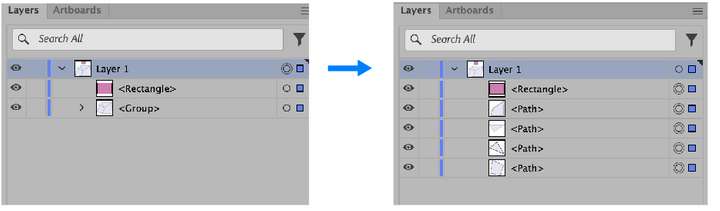
      Why do I lose my fucking layer when I want to ungroup all groups in that layer?

      See video: https://recordit.co/20NymTGCMG

      Now I foresee you saying select the group in the layer and ungroup it. That works, but I work with long long lists of mixed objects and groups.

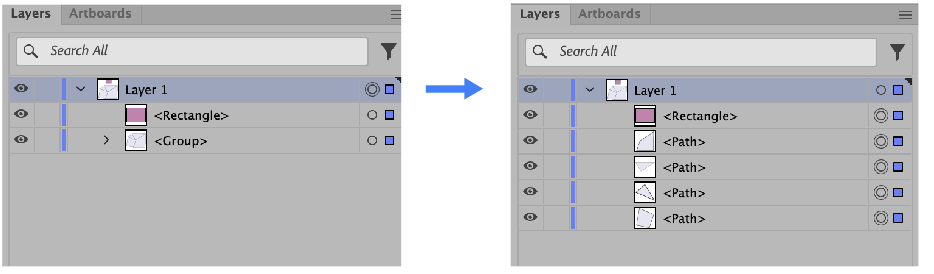
      Illustrator gives me the logical result: skip the object and ungroup the group. Keep the layer.
      0_1698610783633_847bf8e9-42b2-4739-9ecb-d9123f4024c4-image.png

      b77B VectorStylerV 2 Replies Last reply Reply Quote 1
      • b77B Offline
        b77 @Ayo
        last edited by b77

        Keep the layer.

        I agree. 👍

        MacBook Pro (Intel) running Monterey 12.6.4

        1 Reply Last reply Reply Quote 0
        • VectorStylerV Offline
          VectorStyler @Ayo
          last edited by

          @Ayo Yep, this is different in VS. I will try to improve this.

          AyoA 2 Replies Last reply Reply Quote 0
          • AyoA Offline
            Ayo @VectorStyler
            last edited by

            @VectorStyler said in Feel like a digital dummy working with Vectorstyler or how to ungroup all groups in layer:

            Yep, this is different in VS.

            A breaking point for me to say goodbye or not.
            Seems like a layer in Vectorstyler is some kind of glorified group. In my view, a layer really has its own entity and functionality.
            I'll wait and see

            1 Reply Last reply Reply Quote 0
            • AyoA Offline
              Ayo @VectorStyler
              last edited by

              @VectorStyler
              I almost have found a workaround

              Don't like workarounds but I almost have found a workaround to batch ungroup all groups within a layer while preserving the layer.
              Almost because it seems that only the listed visible items within the panel are converted. Items outside the panel remain {group}.

              WHAT IS THIS?
              See video: https://recordit.co/o63MVvGi6c

              VectorStylerV 1 Reply Last reply Reply Quote 0
              • VectorStylerV Offline
                VectorStyler @Ayo
                last edited by

                @Ayo It should select all (not just visible). I have to replicate this.

                AyoA 1 Reply Last reply Reply Quote 0
                • AyoA Offline
                  Ayo @VectorStyler
                  last edited by

                  @VectorStyler
                  Here the piece of land cover. To make replicating easier
                  0_1698685048724_Landcover.vstyler.zip

                  VectorStylerV 1 Reply Last reply Reply Quote 1
                  • VectorStylerV Offline
                    VectorStyler @Ayo
                    last edited by

                    @Ayo said in Feel like a digital dummy working with Vectorstyler or how to ungroup all groups in layer:

                    Here the piece of land cover.

                    Thanks! This will help a lot. I have now a bit of a backlog of fixes to do, but I should get to this soon 🙂

                    1 Reply Last reply Reply Quote 1
                    • First post
                      Last post
