VectorStyler
    • Categories
    • Unread
    • Recent
    • Tags
    • Popular
    • Register
    • Login

    Shape Builder or Paint Tool integral approach
    Scheduled Pinned Locked Moved Questions and Support
    13 Posts 3 Posters 10.4k Views 3 Watching
    Loading More Posts
    • Oldest to Newest
    • Newest to Oldest
    • Most Votes
    Reply
    • Reply as topic
    Log in to reply
    This topic has been deleted. Only users with topic management privileges can see it.
    • AyoA Offline
      Ayo
      last edited by Ayo

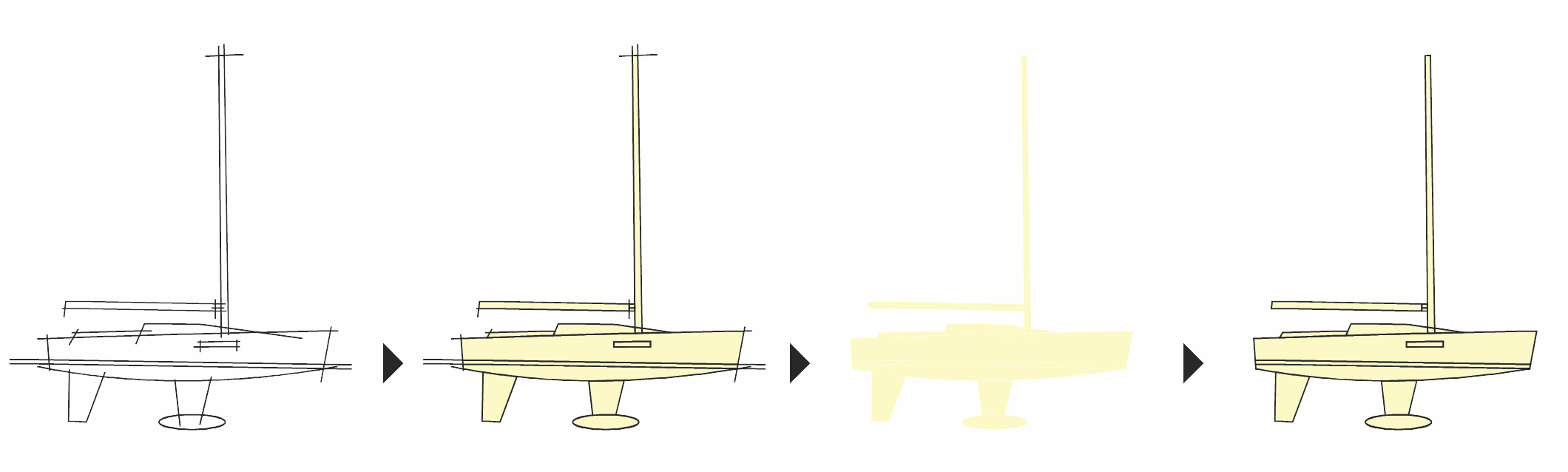
      It's close, but I can't find a way to do my usual workflow with the Shape Builder or Paint Tool. Instead of tapping all shapes one by one and possibly merging them, I convert the (open and closed) paths to polygons in one go.

      It goes like this (AI):

      • Create a basic line drawing with all lines the same style;
      • Live Paint > Make
      • Make all fills yellow
      • Live Paint > Expand
      • Ungroup
      • Select by color delete all black lines
      • Select all fills and give them an outline
        Voila! my drawing in polygons.
        I then continue editing the drawing, deleting, merging, compounding parts, adding lines, details and coloring.

      Am I missing something or is this not possible? Or possible with a small change in options?

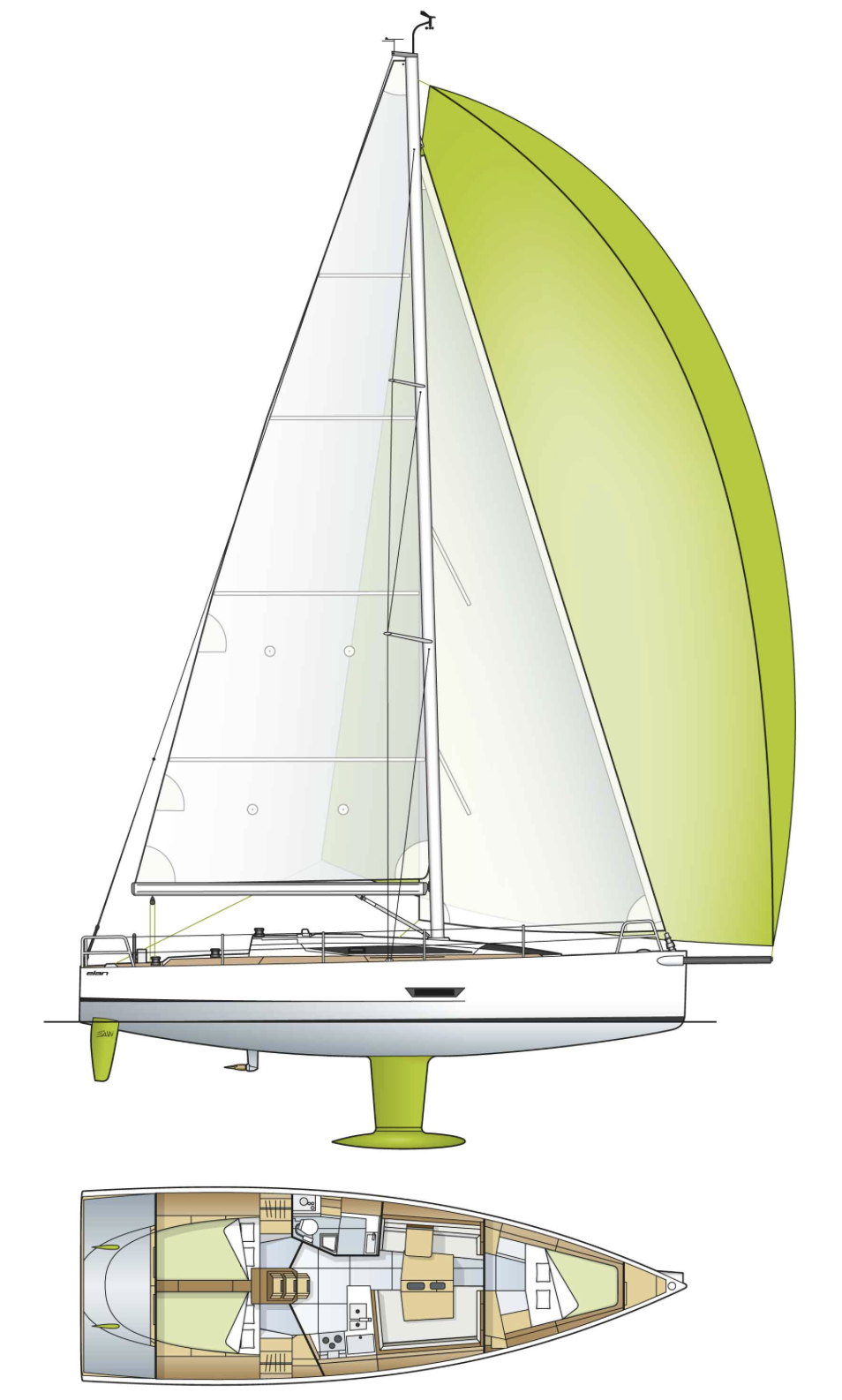
      Workflow for example for boats. Below is a simple schematic explaining example.
      0_1698788057415_46042db4-01ff-4977-9b36-c2df4a391821-image.png

      Reality is more complex
      0_1698793235885_656c6fcc-80db-4337-8bdc-752610cb2bd5-image.png

      b77B VectorStylerV 2 Replies Last reply Reply Quote 0
      • b77B Offline
        b77 @Ayo
        last edited by b77

        @Ayo I think 'Create Shape Paint' from the Styles menu > Shape Paint is
        the equivalent to Live Paint > Make in AI.

        MacBook Pro (Intel) running Monterey 12.6.4

        AyoA 1 Reply Last reply Reply Quote 0
        • AyoA Offline
          Ayo @b77
          last edited by

          @b77
          Indeed, that came the most close, but did not succeed to give a fill color after 'Create Shape Paint'.

          b77B 1 Reply Last reply Reply Quote 0
          • b77B Offline
            b77 @Ayo
            last edited by

            @Ayo I do it like this: https://recordit.co/Kvn4BOCezy

            MacBook Pro (Intel) running Monterey 12.6.4

            1 Reply Last reply Reply Quote 0
            • VectorStylerV Offline
              VectorStyler @Ayo
              last edited by

              @Ayo Tested here also, and fill color can be assigned.
              Could be something with the specific arrangement of the shapes.
              If you send me the outline example in the first image by email (csraba at vectorstyler.com) I will try tor replicate the issue.

              AyoA 1 Reply Last reply Reply Quote 0
              • AyoA Offline
                Ayo @VectorStyler
                last edited by

                @b77 @VectorStyler

                Think you have to read more carefully.
                Or I need to improve my English writing.

                'Instead of tapping all shapes one by one convert paths to polygons in one go.'

                Integral; as a whole.

                VectorStylerV 1 Reply Last reply Reply Quote 1
                • VectorStylerV Offline
                  VectorStyler @Ayo
                  last edited by

                  @Ayo said in Shape Builder or Paint Tool integral approach:

                  Instead of tapping all shapes one by one convert paths to polygons in one go

                  This is not possible with either Shape Paint or Shape Builder. You need to click or drag over the regions.
                  Is it possible in other apps?

                  But: given the nature of the problem (creating enclosed regions from open or closed paths, if I understood correctly), and since it is practically solved in VS there will be a new shape operator for this in the 1.2 beta.

                  AyoA 1 Reply Last reply Reply Quote 0
                  • AyoA Offline
                    Ayo @VectorStyler
                    last edited by

                    @VectorStyler said in Shape Builder or Paint Tool integral approach:

                    Is it possible in other apps?

                    Is it possible in other apps?
                    Yes.

                    Shortest route goes like this (AI):

                    • Create line drawing with all strokes uniform style
                    • Group
                    • Live Paint > Make
                    • Set fill to a color, stroke none
                    • Live Paint > Expand
                    • Ungroup
                      Ready.

                    The approach as a whole is especially useful if:

                    1. line drawings become more complex. Take an .ai export perspective drawing from e.g. Moi3D. Can be very complex and there are always small parts/slivers that you overlook with manual tapping shapes.
                    2. you want to slowly build up your drawing in phases.

                    I am practicing and exploring now in the 1.2 beta.

                    VectorStylerV 1 Reply Last reply Reply Quote 2
                    • VectorStylerV Offline
                      VectorStyler @Ayo
                      last edited by

                      @Ayo said in Shape Builder or Paint Tool integral approach:

                      Shortest route goes like this (AI):

                      I will try to have this also.

                      AyoA 1 Reply Last reply Reply Quote 2
                      • AyoA Offline
                        Ayo @VectorStyler
                        last edited by

                        @VectorStyler
                        Do you want a small video?

                        VectorStylerV 1 Reply Last reply Reply Quote 0
                        • VectorStylerV Offline
                          VectorStyler @Ayo
                          last edited by

                          @Ayo said in Shape Builder or Paint Tool integral approach:

                          @VectorStyler
                          Do you want a small video?

                          Yes. Just curious: what happens with the endings of the open path strokes?

                          AyoA 1 Reply Last reply Reply Quote 0
                          • AyoA Offline
                            Ayo @VectorStyler
                            last edited by

                            @VectorStyler
                            Here you see the miracle happen: https://recordit.co/0bc8r77OyW

                            VectorStylerV 1 Reply Last reply Reply Quote 0
                            • VectorStylerV Offline
                              VectorStyler @Ayo
                              last edited by

                              @Ayo said in Shape Builder or Paint Tool integral approach:

                              Here you see the miracle happen: https://recordit.co/0bc8r77OyW

                              Got it!

                              1 Reply Last reply Reply Quote 1
                              • First post
                                Last post