VectorStyler
    • Categories
    • Unread
    • Recent
    • Tags
    • Popular
    • Register
    • Login

    SVG Export Issues

    Scheduled Pinned Locked Moved Questions and Support
    5 Posts 3 Posters 5.3k Views 2 Watching
    Loading More Posts
    • Oldest to Newest
    • Newest to Oldest
    • Most Votes
    Reply
    • Reply as topic
    Log in to reply
    This topic has been deleted. Only users with topic management privileges can see it.
    • C Offline
      chuckl
      last edited by

      While I would prefer to use VectorStyler in my 3D modeling workflow, where I import SVG vector objects from a .SVG file into my modeling software, I've run into the issue where VectorStyler does not properly create Layers in the exported .SVG and also places objects in the wrong layer.

      For example, here's a simple VectorStyler file containing multiple layers, each containing one or more of:

      • nothing (empty),
      • object, or
      • another layer.

      Note the the resultant .SVG file (an XML-based format) from VectorStyler contains both Layer and Object->Layer assignment errors
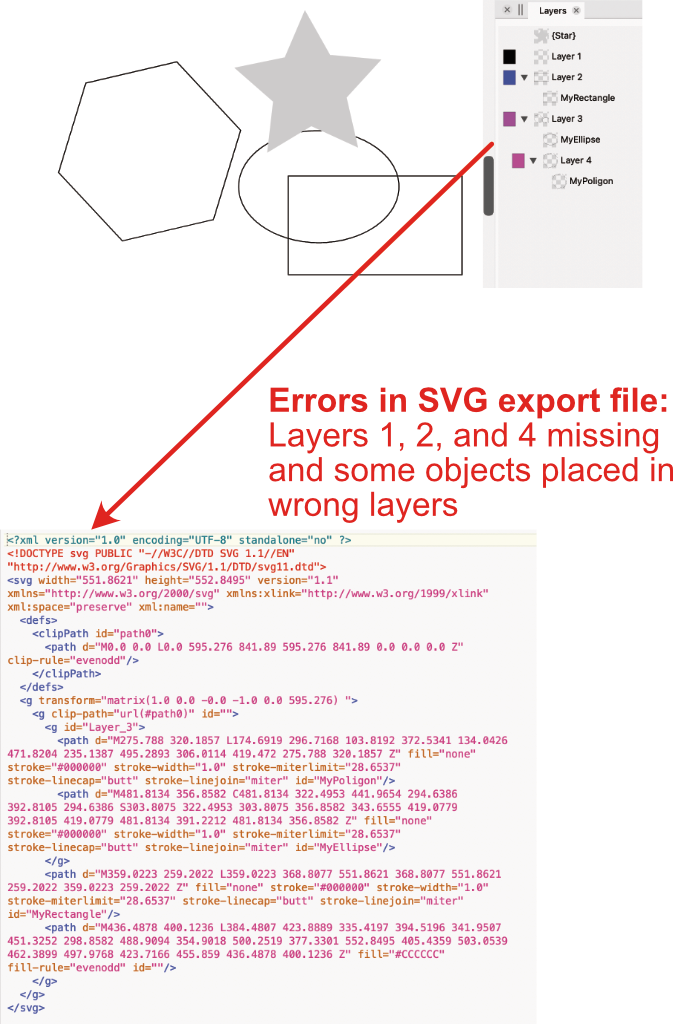
      0_1699128854515_4436d0f1-b62e-4136-800a-865cd91fbb58-image.png

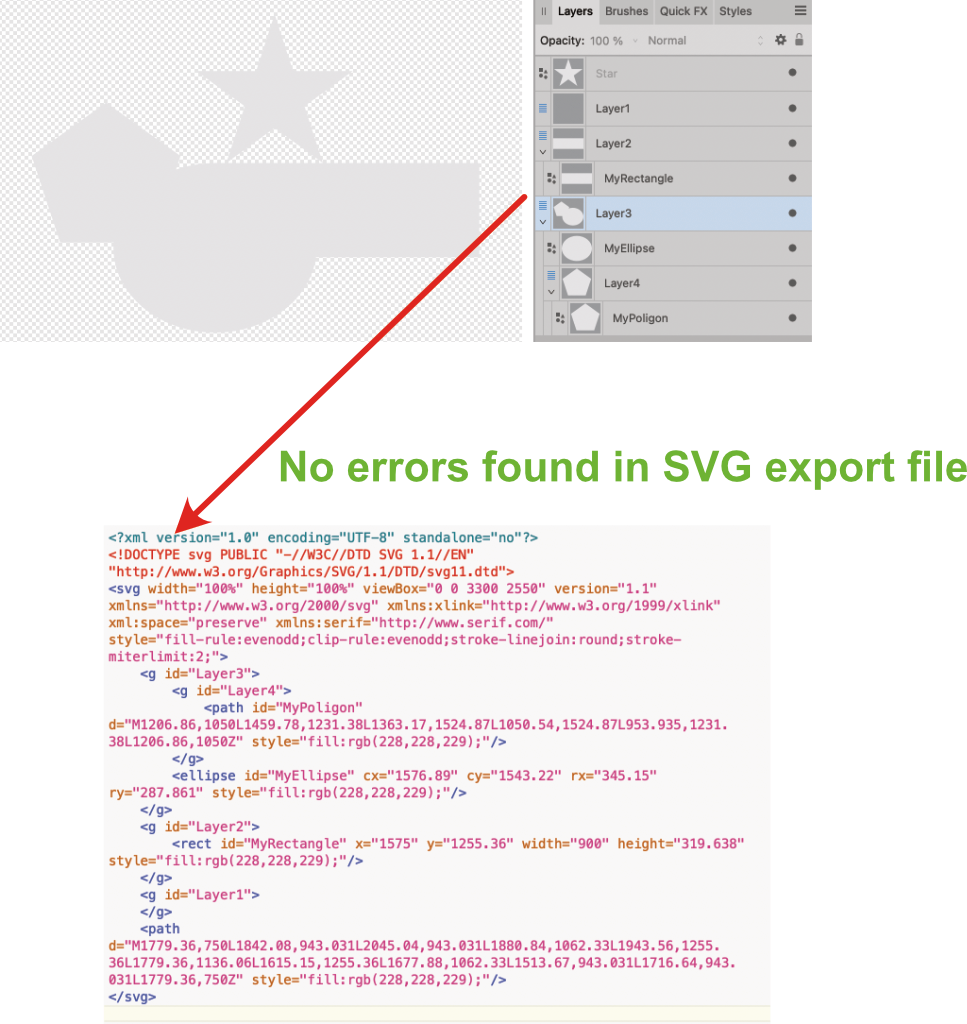
      For comparison, a similar attempt in Affinity Designer gives an exported SVG that appears to not have the same issues that VectorStyle does:
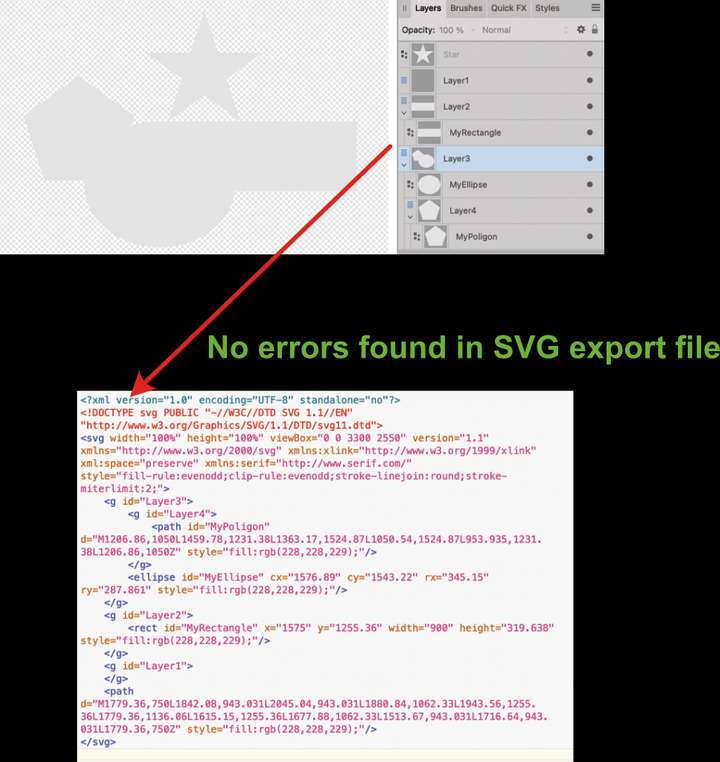
      0_1699128984798_51df1e3a-9b93-4d29-a2ac-3ce0a728e527-image.png

      I'd much prefer to use VectorStyler, but am currently forced to use Affinity Designer, as its export allows me to collect objects into Layers properly.

      Would love a bug fix!

      Chuck
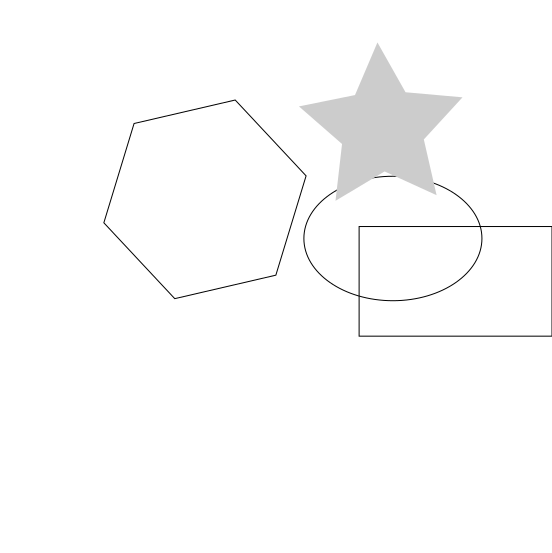
      0_1699129136297_ExportTest.vstyler 0_1699129152890_ExportTestVS.svg ![0_1699129188484_ExportTestAD.svg](Uploading 100%)
      VectorStylerV 2 Replies Last reply Reply Quote 1
      • VectorStylerV Offline
        VectorStyler @chuckl
        last edited by

        @chuckl Opened a bug on this one and will try to replicate the issue.

        C 1 Reply Last reply Reply Quote 0
        • C Offline
          chuckl @VectorStyler
          last edited by

          @VectorStyler Thx!

          BoldlineB 1 Reply Last reply Reply Quote 0
          • BoldlineB Offline
            Boldline @chuckl
            last edited by

            @chuckl If you're willing to send the developer the files you were using that had the issues, it could help expedite the solution

            🍎 macOS Tahoe 26.2, Mac mini (M1, 2020), Chip Apple M1, Memory 16 GB
            Cintiq 27QHD Display and LG Ultra HD Display

            1 Reply Last reply Reply Quote 0
            • VectorStylerV Offline
              VectorStyler @chuckl
              last edited by

              @chuckl Replicated the issue. What happens is that Layers with a single object are "expanded" into the object. This will not be done in the next build.

              1 Reply Last reply Reply Quote 0
              • First post
                Last post