VectorStyler
    • Categories
    • Unread
    • Recent
    • Tags
    • Popular
    • Register
    • Login

    "Paste and Match Style" feature

    Scheduled Pinned Locked Moved Features and Ideas
    4 Posts 2 Posters 4.3k Views 2 Watching
    Loading More Posts
    • Oldest to Newest
    • Newest to Oldest
    • Most Votes
    Reply
    • Reply as topic
    Log in to reply
    This topic has been deleted. Only users with topic management privileges can see it.
    • AyoA Offline
      Ayo
      last edited by

      Would a text Edit > "Paste and Match Style" feature for text be useful? I often experience that formatted text from web pages, other applications, etc. includes properties that are difficult to remove.
      Additionally, a "Clear text formatting to default" could also be useful.

      VectorStylerV 1 Reply Last reply Reply Quote 0
      • VectorStylerV Offline
        VectorStyler @Ayo
        last edited by

        @Ayo said in "Paste and Match Style" feature:

        Additionally, a "Clear text formatting to default" could also be useful.

        the Clear Character / Paragraph Overrides in the text menu should do this.

        Pasting formatted text seems to have some issues (goes through RTF), these will be fixed.

        AyoA 1 Reply Last reply Reply Quote 0
        • AyoA Offline
          Ayo @VectorStyler
          last edited by

          @VectorStyler

          FYI.
          The Clear Character gives me also Arial U-0000 or Uffff glyphs.
          Clear paragraph doesn't remove it.
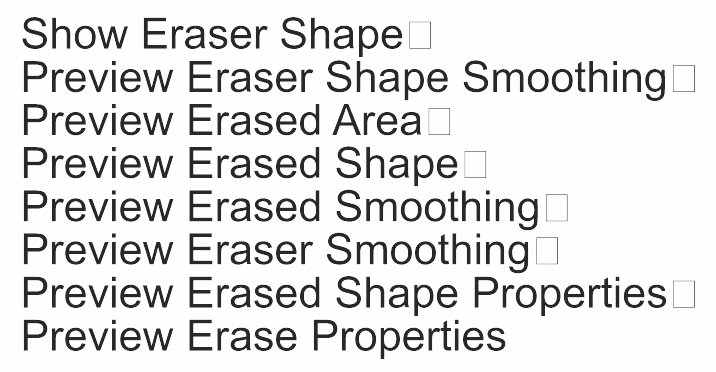
          0_1699268227444_b0c4d559-75a4-42dd-a313-134e2415f040-image.png

          VectorStylerV 1 Reply Last reply Reply Quote 1
          • VectorStylerV Offline
            VectorStyler @Ayo
            last edited by

            @Ayo Send me the file where this occurred. Could be there are are some other issues with the text (related with the earlier comment on pasting formatted text).


            1 Reply Last reply Reply Quote 0
            • First post
              Last post