VectorStyler
    • Categories
    • Unread
    • Recent
    • Tags
    • Popular
    • Register
    • Login

    Applying zigzag outline effect
    Scheduled Pinned Locked Moved Questions and Support
    4 Posts 2 Posters 4.3k Views 2 Watching
    Loading More Posts
    • Oldest to Newest
    • Newest to Oldest
    • Most Votes
    Reply
    • Reply as topic
    Log in to reply
    This topic has been deleted. Only users with topic management privileges can see it.
    • K Offline
      Kumr
      last edited by

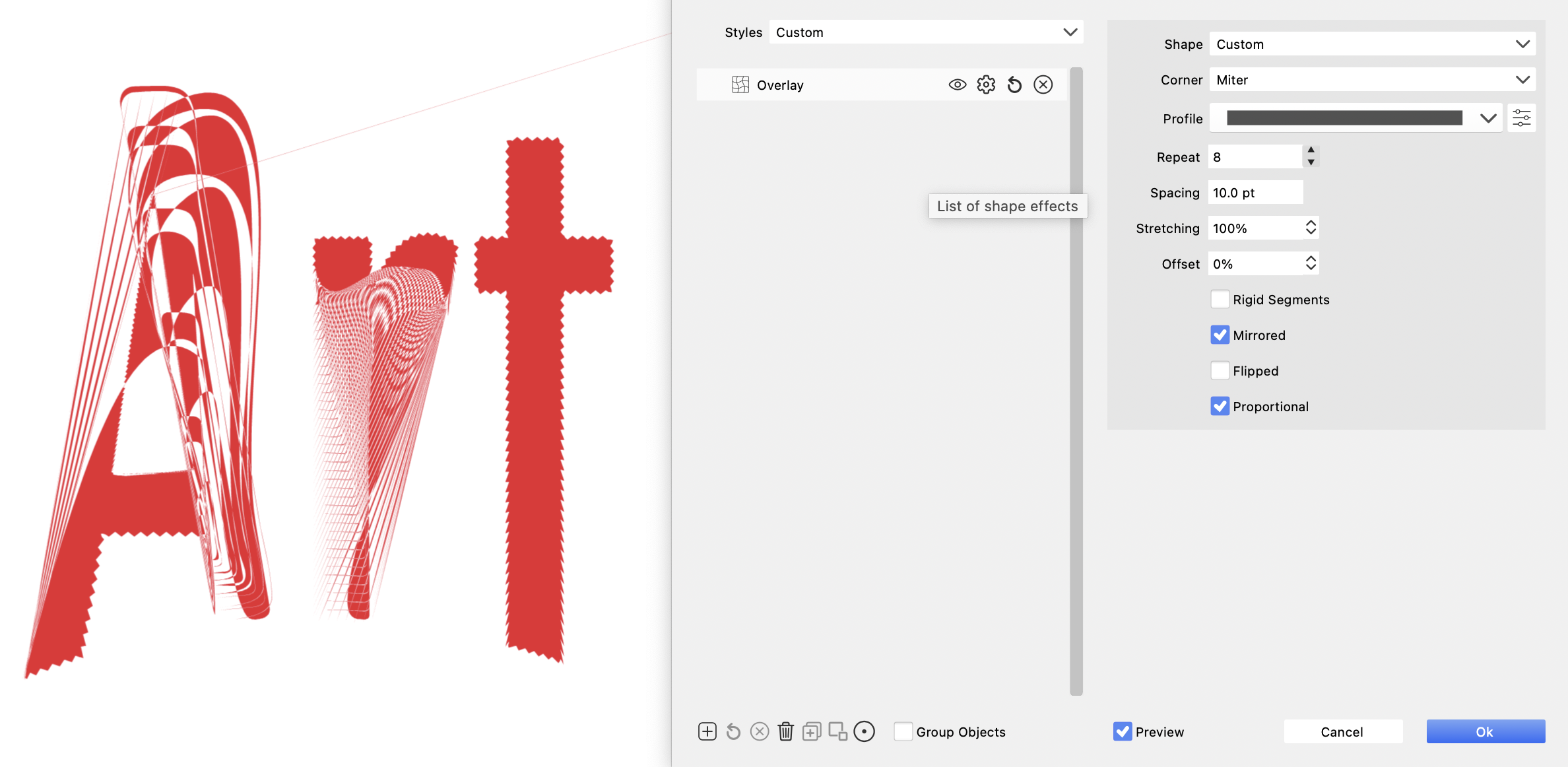
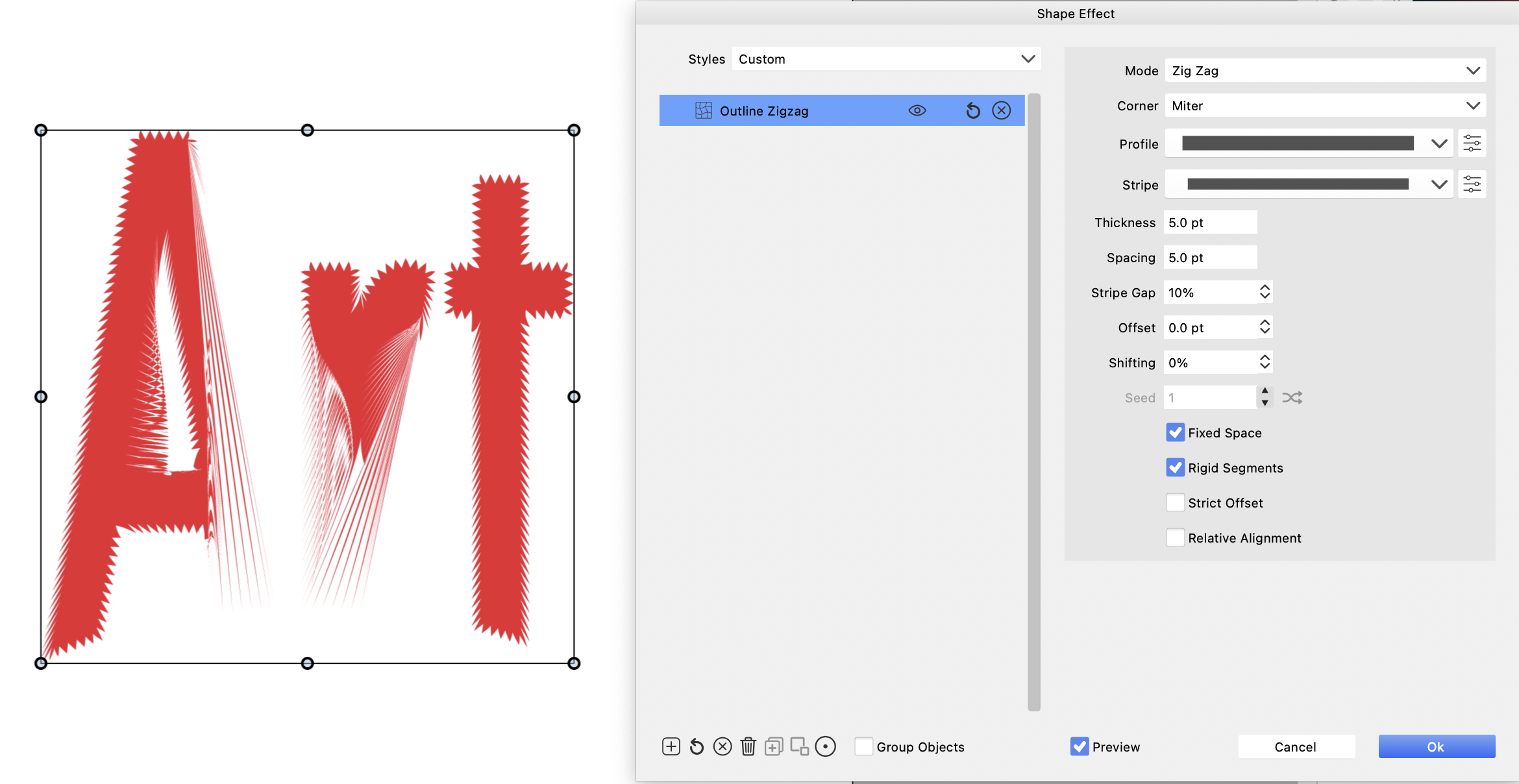
      I am trying to achieve uniform zigzag outline effect, but the shape's getting distorted.
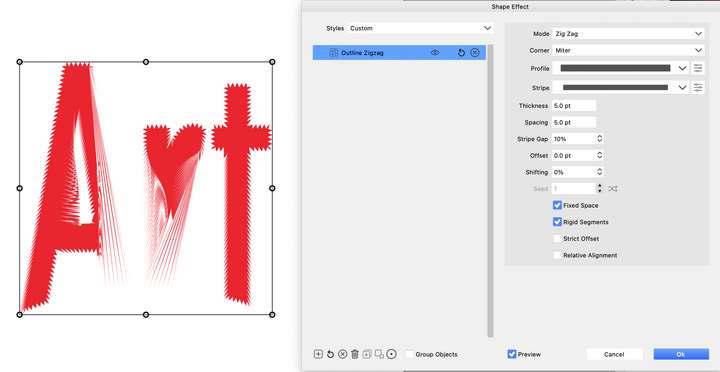
      0_1699840355058_Screenshot 2023-11-13 at 6.30.00 AM.png

      Overlay method

      0_1699840391779_Screenshot 2023-11-13 at 6.38.42 AM.png

      File > 0_1699840478574_Creative.vstyler

      Thanks

      M1 MacBook Air, 16GB, macOS Sonoma 14.4.1

      VectorStylerV 1 Reply Last reply Reply Quote 1
      • VectorStylerV Offline
        VectorStyler @Kumr
        last edited by

        @Kumr Thank you for reporting this. Yes, this is a bug and can be replicated here also.
        It looks like all of the outline mesh (gradient on stroke, brush) features fail on this shape.

        I will try to fix this ASAP.

        K 1 Reply Last reply Reply Quote 0
        • K Offline
          Kumr @VectorStyler
          last edited by

          @VectorStyler Thanks.

          M1 MacBook Air, 16GB, macOS Sonoma 14.4.1

          K 1 Reply Last reply Reply Quote 0
          • K Offline
            Kumr @Kumr
            last edited by

            @Kumr Working in new update. Thanks

            M1 MacBook Air, 16GB, macOS Sonoma 14.4.1

            1 Reply Last reply Reply Quote 1
            • First post
              Last post