VectorStyler
    • Categories
    • Unread
    • Recent
    • Tags
    • Popular
    • Register
    • Login

    Where do I adjust the node default size in the new beta?
    Scheduled Pinned Locked Moved VectorStyler 1.2 beta
    13 Posts 5 Posters 12.2k Views 4 Watching
    Loading More Posts
    • Oldest to Newest
    • Newest to Oldest
    • Most Votes
    Reply
    • Reply as topic
    Log in to reply
    This topic has been deleted. Only users with topic management privileges can see it.
    • S Offline
      Subpath @Boldline
      last edited by

      @Boldline

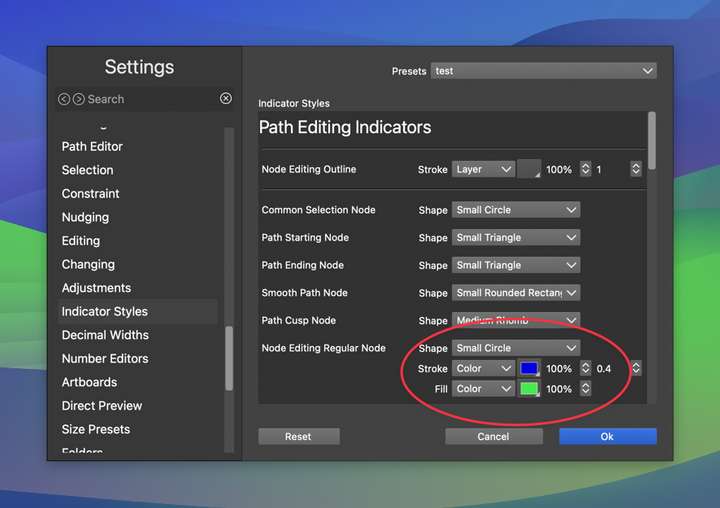
      there are a "Indicator Styles" Section in the Settings
      maybe there ?

      Win 11
      CPU: AMD Ryzen 5 9600X, 6-core.
      GPU: Nvidia Geforce RTX 5070.

      BoldlineB 1 Reply Last reply Reply Quote 1
      • S Offline
        Subpath
        last edited by

        @VectorStyler

        don't know if anyone has brought this up before, I believe
        in the settings the section part on the left needs a scroll bar

        As it is, there's no indication that you could scroll there
        and there are even more options

        Win 11
        CPU: AMD Ryzen 5 9600X, 6-core.
        GPU: Nvidia Geforce RTX 5070.

        1 Reply Last reply Reply Quote 0
        • BoldlineB Offline
          Boldline @Subpath
          last edited by Boldline

          @Subpath said in Where do I adjust the node default size in the new beta?:

          @Boldline

          there are a "Indicator Styles" Section in the Settings
          maybe there ?

          Thanks for replying. I had checked there before and not found it. I had asked this same question a long while back and gotten the answer, but with the new beta, everything is rearranged

          🍎 macOS Tahoe 26.2, Mac mini (M1, 2020), Chip Apple M1, Memory 16 GB
          Cintiq 27QHD Display and LG Ultra HD Display

          L 1 Reply Last reply Reply Quote 0
          • L Offline
            Li Xiao @Boldline
            last edited by

            @Boldline I tried it, and there is no issue.
            https://youtu.be/BGp6bROQfq4

            BoldlineB S 2 Replies Last reply Reply Quote 3
            • BoldlineB Offline
              Boldline @Li Xiao
              last edited by

              @Li-Xiao Thanks - I was thinking of it in a different frame of mind; that there would be small, medium and large option sets to click on like Affinity used to do... not that I was somehow using a large circle as opposed to a small one. I appreciate the help!

              🍎 macOS Tahoe 26.2, Mac mini (M1, 2020), Chip Apple M1, Memory 16 GB
              Cintiq 27QHD Display and LG Ultra HD Display

              1 Reply Last reply Reply Quote 0
              • S Offline
                Subpath @Li Xiao
                last edited by

                @Li-Xiao

                thanks from me too, was also helpful for me
                to know

                Win 11
                CPU: AMD Ryzen 5 9600X, 6-core.
                GPU: Nvidia Geforce RTX 5070.

                1 Reply Last reply Reply Quote 0
                • BoldlineB Offline
                  Boldline
                  last edited by Boldline

                  @VectorStyler Going back to this topic again.
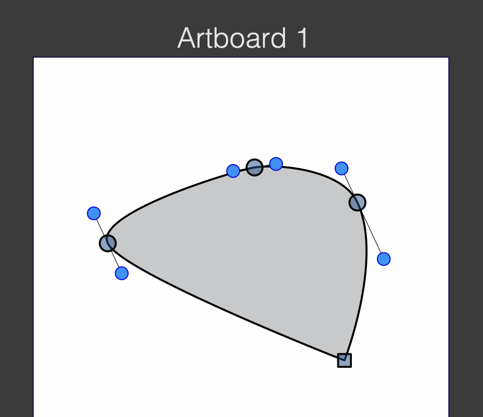
                  While I appreciate what @Li-Xiao demonstrated in terms of editing the standard node size, it does not seem to make any difference here on my M1 Mac laptop. As you can see in the full screen capture image, the nodes and indicators for the path are huge and in the first screenshot, you see I went ahead and made sure the standard shape was small
                  For comparison, using the same settings on my M1 Mac Mini with larger screen, the nodes and handles look much smaller in comparison
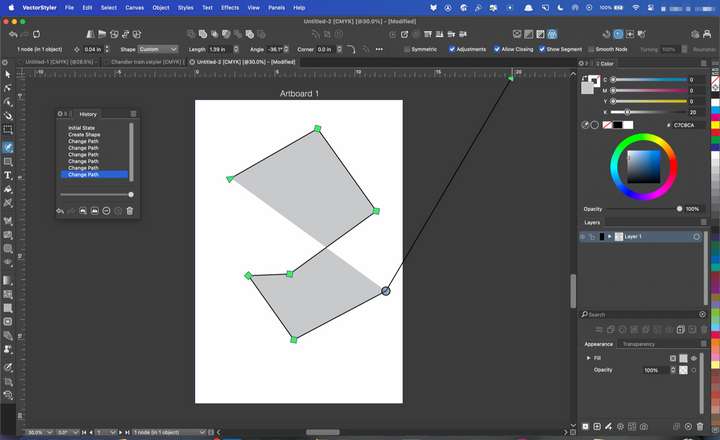
                  0_1700292542374_3d2f6ee8-0457-4250-a608-63b1176e37b8-CleanShot 2023-11-18 at 01.26.00.png
                  0_1700292325083_46a604a4-fb08-4e9a-af50-573fd630f68c-CleanShot 2023-11-18 at 01.24.02.png

                  🍎 macOS Tahoe 26.2, Mac mini (M1, 2020), Chip Apple M1, Memory 16 GB
                  Cintiq 27QHD Display and LG Ultra HD Display

                  BoldlineB 1 Reply Last reply Reply Quote 1
                  • BoldlineB Offline
                    Boldline @Boldline
                    last edited by Boldline

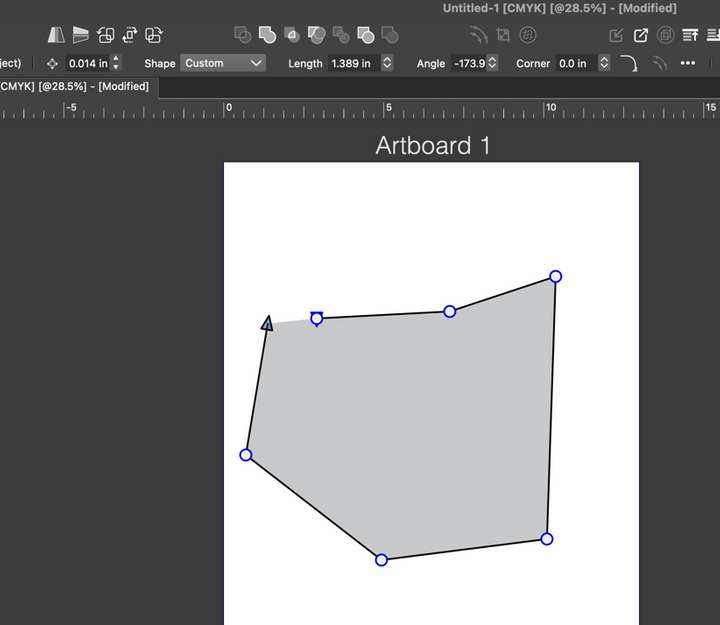
                    @VectorStyler Just for testing purposes, I set the settings back to the default and made a new document and used the pen tool and again, all the nodes and handles and even the artboard title are all super-sized in a bad way
                    0_1700293189664_52aa54d4-5baf-4cb7-8a2d-a9de6ff1a814-CleanShot 2023-11-18 at 01.38.20.png

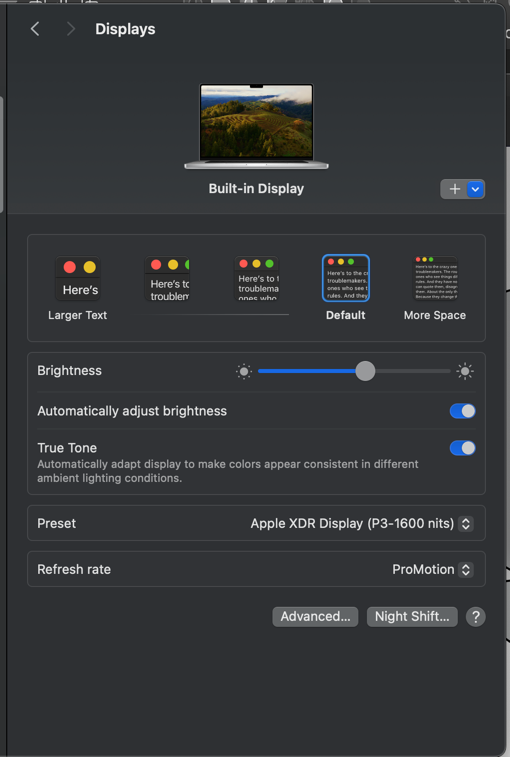
                    This is what my laptop screen resolution settings are:
                    0_1700293358143_5e2ef1fd-ea42-48dd-9fd5-2269caf0761e-CleanShot 2023-11-18 at 01.41.28.png

                    🍎 macOS Tahoe 26.2, Mac mini (M1, 2020), Chip Apple M1, Memory 16 GB
                    Cintiq 27QHD Display and LG Ultra HD Display

                    BoldlineB 1 Reply Last reply Reply Quote 1
                    • BoldlineB Offline
                      Boldline @Boldline
                      last edited by

                      @VectorStyler I will check this on my Mac Mini as well later today and report back. I will look at the size of the nodes and handles and the like as well as the rounded corners, if the adjustment cursor icon is activated in the correct spot or off like it is on the laptop

                      What about adding the ability to choose between small medium and large node indicators overall? Yes, right now there is the option for small medium and large circles and squares and the like to represent the node, but what about adding a relative scale the that as well?

                      🍎 macOS Tahoe 26.2, Mac mini (M1, 2020), Chip Apple M1, Memory 16 GB
                      Cintiq 27QHD Display and LG Ultra HD Display

                      VectorStylerV 1 Reply Last reply Reply Quote 1
                      • VectorStylerV Offline
                        VectorStyler @Boldline
                        last edited by

                        @Boldline There is a bug here, I will try to replicate it.

                        K 1 Reply Last reply Reply Quote 0
                        • K Offline
                          Kumr @VectorStyler
                          last edited by

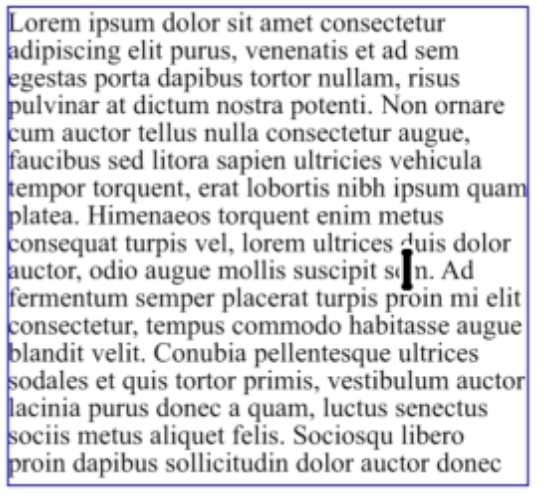
                          @VectorStyler In my Mac cursor text cursor looks very odd.

                          0_1700298247951_Screenshot 2023-11-18 at 2.33.52 PM.png

                          https://recordit.co/iGm1T8HKr1

                          M1 MacBook Air, 16GB, macOS Sonoma 14.4.1

                          VectorStylerV 1 Reply Last reply Reply Quote 1
                          • VectorStylerV Offline
                            VectorStyler @Kumr
                            last edited by

                            @Kumr Could be related. I will improve this.

                            1 Reply Last reply Reply Quote 0
                            • First post
                              Last post