Overall Performance
-
So far, I haven't mentioned the performance of the program yet.
I would like to know your views on this point. I ask because on my perhaps not the most powerful laptop, the program can stutter terribly at times. These are not complicated tasks or extensive projects at all, I want to test VS in simple tasks.
I will give this short text as an example.
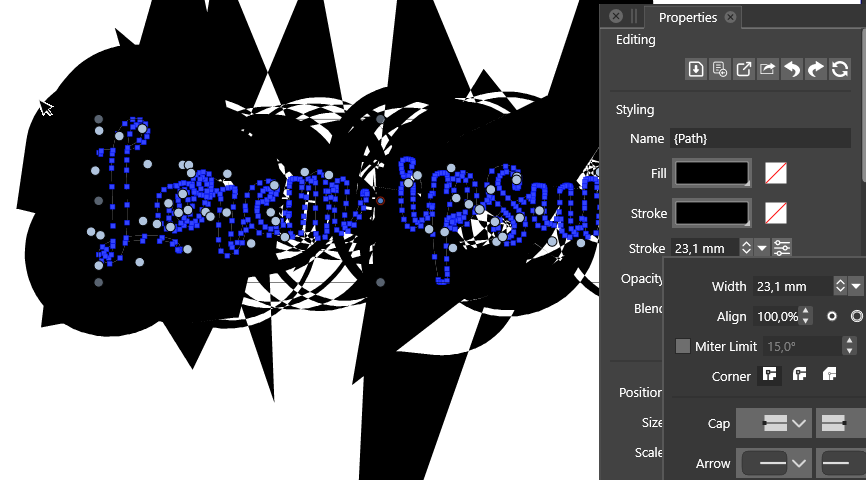
 I converted it to a curve, but adding an outline makes things drastically slower and from the fans I can hear that it is straining my computer. Everything is jamming.
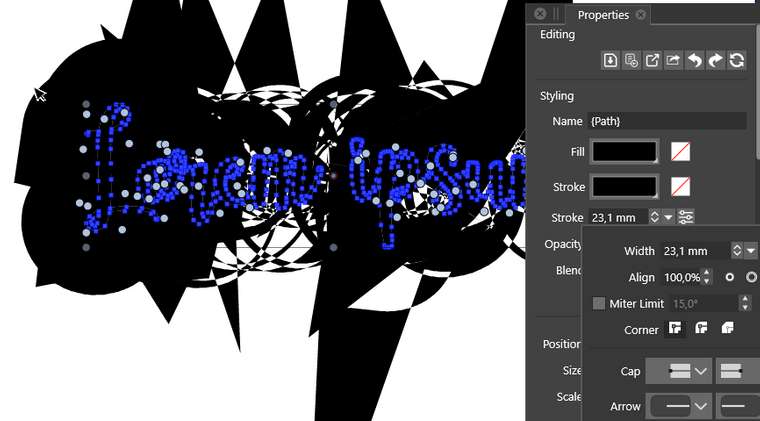
I don't understand why stroke creates such artifacts, but apart from this particular case, there are many situations, which doesn't create as many object in one time, and performance is low.
Are there any ways that will improve the performance? Compute Engine, other settings may help?MSI
Intel(R) Core(TM) i7-8750H CPU @ 2.20GHz 2.20 GHz
NVIDIA GeForce GTX 1060
16GB of Ram -
@encart There are still places where performance can be improved. In this case, a still open issue is that path offsetting with large offsets can result in artifacts.
To explain what is going on in this picture: a complex shape with multiple parts has a somewhat large stroke offset set to the outside.
This means that at each redraw this offset is computed, cleaned up (which is not working well at large offset) and united with the various parts (each path from the text).
This all happens on the CPU (compute engine will not help here, that is used for image effects).The only way to work around this for now is to have separate objects for each of those glyphs, if they are converted to curves. And maybe avoid using very large outer/inner offsets (centered stroke is somewhat faster). Also if there are complex shapes, sometimes it is better to expand the stroke, or use the Outline Path , or Offset Path shape effects, where all that offsetting / union is cached for rendering. But these will not get rid of the large offset artifacts.

