Why do imported brushes open in new tabs in Brush Preset panel?
-
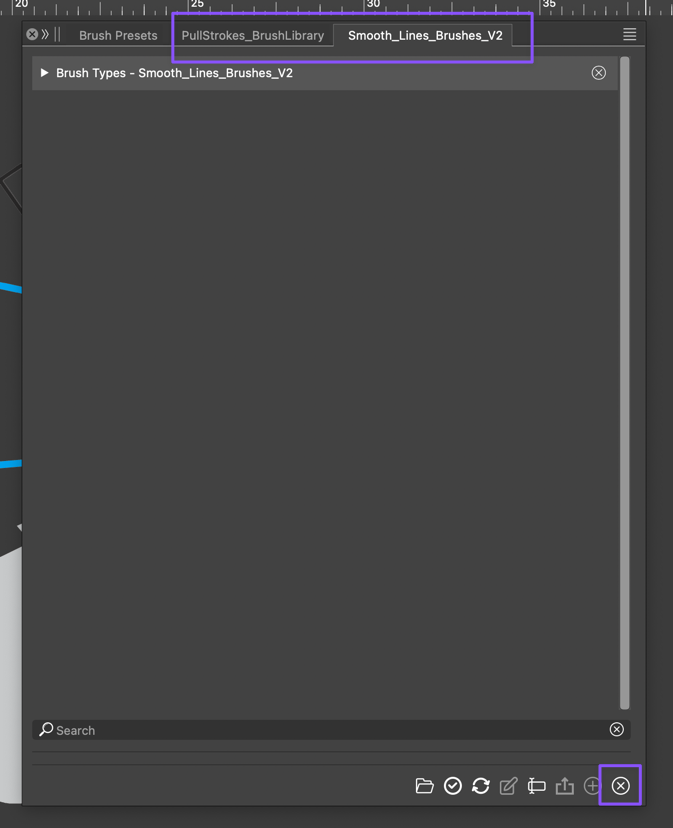
Currently, each new brush set I open in the "brush preset" panel opens in a new tab instead of being added to the list in the existing main brush preset panel. I do not understand the value in doing this, but I am open to learning how this is most useful. Also, those tabs do not see to be able to be closed out. Everything I have tried has not worked. Ideally I could just have the brush sets listed in groups and such in the main "brush preset" panel with the option to open any group or highlighted brushes in a new tab as needed.
🍎 macOS Tahoe 26.2, Mac mini (M1, 2020), Chip Apple M1, Memory 16 GB
Cintiq 27QHD Display and LG Ultra HD Display -
The same is happening with the colorpalletes.
Maybe there could be a drop down inside of the main panels, where you could select your brushes or palletes. This makes the workspaces less crowded.
-
@Boldline said in Why do imported brushes open in new tabs in Brush Preset panel?:
added to the list in the existing main brush preset panel
These brushes can be drag&dropped into the main brush set after opening them.
Or: with a brush folder selected, select the Append command from the Brush presets panel menu and select the AI file to import brushes from.

