VectorStyler
    • Categories
    • Unread
    • Recent
    • Tags
    • Popular
    • Register
    • Login

    How do I edit an isolated shape inside clipping mask?
    Scheduled Pinned Locked Moved VectorStyler 1.2 beta
    4 Posts 2 Posters 4.6k Views 1 Watching
    Loading More Posts
    • Oldest to Newest
    • Newest to Oldest
    • Most Votes
    Reply
    • Reply as topic
    Log in to reply
    This topic has been deleted. Only users with topic management privileges can see it.
    • BoldlineB Online
      Boldline
      last edited by

      I'm trying to figure out what I can do with a shape when I drill down to inside the clipping mask to the lowest point. I am unable to edit it in any way at this point , so I wonder what the use of being able to isolate down to it is...
      Would love to learn what I am missing so I can maximize the option.
      Here is a video link
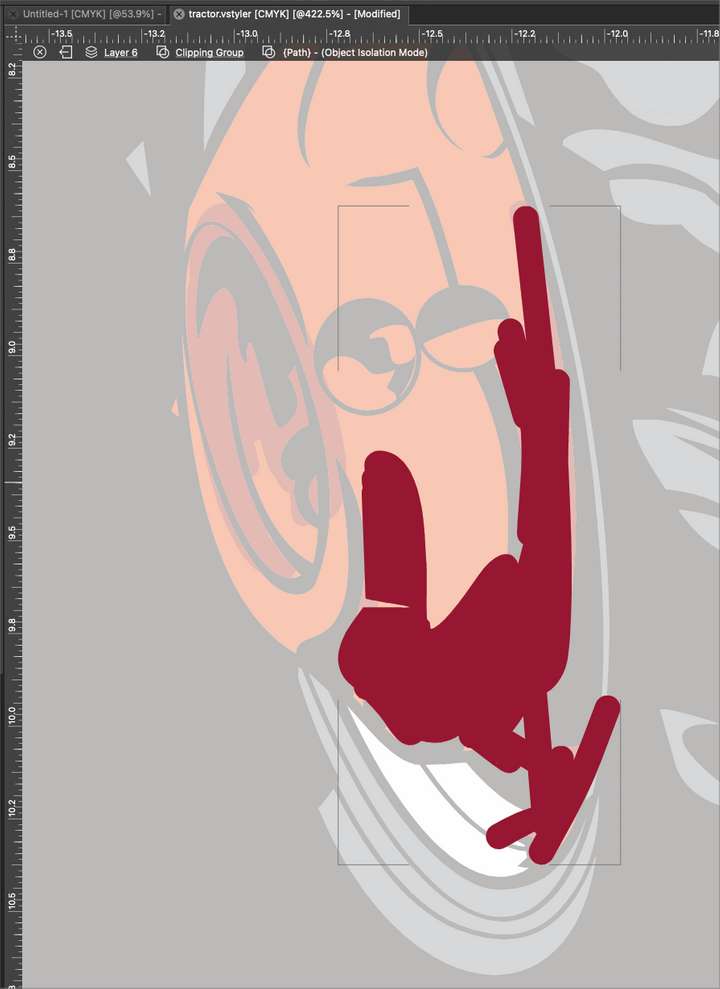
      0_1708170640297_d7c95c26-0d5a-4571-b6f9-81dd3582e160-BLD 2024-02-17 at 06.38.12.png

      🍎 macOS Tahoe 26.2, Mac mini (M1, 2020), Chip Apple M1, Memory 16 GB
      Cintiq 27QHD Display and LG Ultra HD Display

      VectorStylerV 1 Reply Last reply Reply Quote 0
      • VectorStylerV Offline
        VectorStyler @Boldline
        last edited by

        @Boldline Isolating and Node tool should work.
        There might be something else going on here, can you send me an example file?

        BoldlineB 2 Replies Last reply Reply Quote 0
        • BoldlineB Online
          Boldline @VectorStyler
          last edited by

          @VectorStyler just emailed you the file. At this moment I am unable to get it ti drill down to that level again, I can't seem to select just one isolated item now, it only selects the clipping group level. but when it does happen, I cannot do anything more with it. I'll see what I can do if it happens again

          🍎 macOS Tahoe 26.2, Mac mini (M1, 2020), Chip Apple M1, Memory 16 GB
          Cintiq 27QHD Display and LG Ultra HD Display

          1 Reply Last reply Reply Quote 1
          • BoldlineB Online
            Boldline @VectorStyler
            last edited by

            @VectorStyler said in How do I edit an isolated shape inside clipping mask?:

            Isolating and Node tool should work.

            ok I got it to happen again where it dialed down to a specific path. At that level, literally no tool will function.


            🍎 macOS Tahoe 26.2, Mac mini (M1, 2020), Chip Apple M1, Memory 16 GB
            Cintiq 27QHD Display and LG Ultra HD Display

            1 Reply Last reply Reply Quote 1
            • First post
              Last post