VectorStyler
    • Categories
    • Unread
    • Recent
    • Tags
    • Popular
    • Register
    • Login

    Please search keyboard shortcuts on name instead of shortcut

    Scheduled Pinned Locked Moved Features and Ideas
    7 Posts 5 Posters 7.7k Views 5 Watching
    Loading More Posts
    • Oldest to Newest
    • Newest to Oldest
    • Most Votes
    Reply
    • Reply as topic
    Log in to reply
    This topic has been deleted. Only users with topic management privileges can see it.
    • M Offline
      maarten
      last edited by

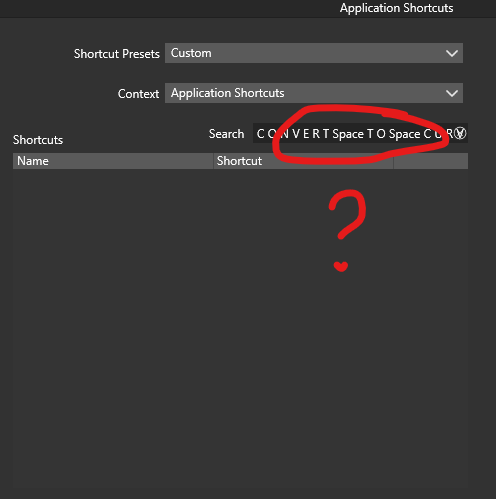
      Maybe I'm missing something, but I don't get why we would like to search a keyboard shortcut on its shortcut instead of its name in the keyboard shortcuts window.

      Please let the searchbar search on shortcut name/title instead of its shortcut (or make it optional)!

      AFAIK the only way now to find a defined shortcut is to scroll through the whole list now...
      0_1712703237722_a2c2ac8a-e8ba-4448-821d-22531de7df3e-image.png

      VectorStylerV S 2 Replies Last reply Reply Quote 0
      • VectorStylerV Offline
        VectorStyler @maarten
        last edited by

        @maarten said in Please search keyboard shortcuts on name instead of shortcut:

        but I don't get why we would like to search a keyboard shortcut on its shortcut instead of its name

        Searching by shortcut was a feature request before 1.2 and it makes sense to know what is assigned to a keyboard combination.

        I will try to find a way to add search by action name also.

        Meanwhile, as a workaround you can order the list of shortcuts by Name, by clicking on the Name column label.

        a bit unrelated: you can create multi-stroke shortcuts in VS.

        M 1 Reply Last reply Reply Quote 1
        • S Offline
          Subpath @maarten
          last edited by

          @maarten

          it may be a bit old, but may still be useful
          @b77 once made a sortable shortcut File which
          you can found here
          https://www.vectorstyler.com/forum/topic/2115/sortable-shortcuts-table-html

          Win 11
          CPU: AMD Ryzen 5 9600X, 6-core.
          GPU: Nvidia Geforce RTX 5070.

          1 Reply Last reply Reply Quote 1
          • K Offline
            Kumr
            last edited by

            @maarten @VectorStyler

            I will try to find a way to add search by action name also.

            Yes please.

            M1 MacBook Air, 16GB, macOS Sonoma 14.4.1

            1 Reply Last reply Reply Quote 0
            • M Offline
              maarten @VectorStyler
              last edited by

              @VectorStyler Thanks for looking into searching on name/title. As a workaround I indeed sorted the list on alphabet now

              1 Reply Last reply Reply Quote 1
              • encartE Offline
                encart
                last edited by

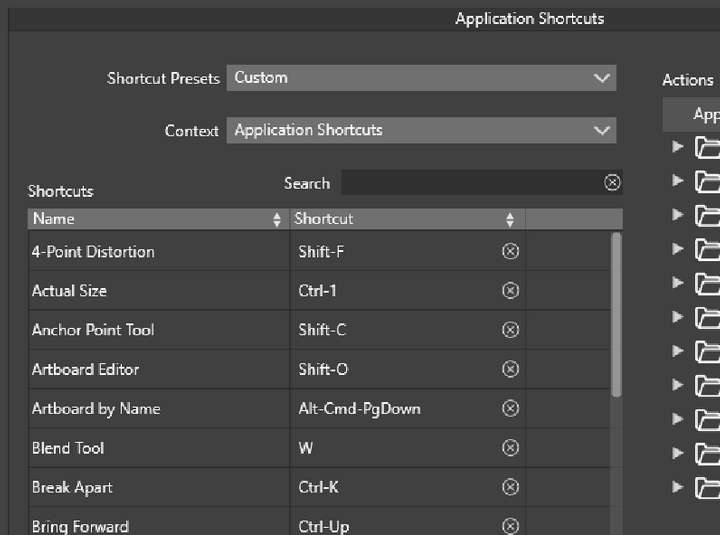
                Perhaps when the shortcut configuration window is opened, icons should be visible next to the labels from the beginning to indicate that sorting is possible. At present, the arrow only appears after clicking.
                0_1712798608797_screenshot_20240411_031710.png

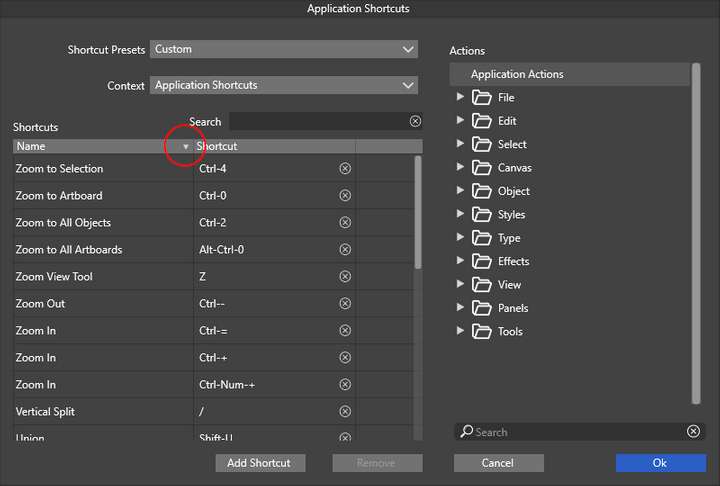
                It seems to me that the sorting arrows by name are facing in the opposite direction. In my opinion, sorting from A-Z should be pointed downwards
                0_1712797914717_screenshot_20240411_031047.png

                Windows 11 Home 10.0.22621

                VectorStylerV 1 Reply Last reply Reply Quote 1
                • VectorStylerV Offline
                  VectorStyler @encart
                  last edited by

                  @encart said in Please search keyboard shortcuts on name instead of shortcut:

                  Perhaps when the shortcut configuration window is opened, icons should be visible next to the labels from the beginning to indicate that sorting is possible

                  I added this to the backlog

                  1 Reply Last reply Reply Quote 1
                  • First post
                    Last post