Resolution and appearance?
-
@creative I open a bug on this. Is the monitor an apple retina display?
-
@VectorStyler No, it's a 32" BenQ PD3200Q 2560x1440 as a second monitor on an M1 MacBook Air. This makes the use of Golden Ratio apps with VectorStyler very difficult. It doesn't fit on the internal MacBook Air display either. Both displays have their native resolution.
-
Here I installed the older VectorStyler 1.1.124 version and tried different resolutions 300, 72, and 92 dpi, but doesn't fit either. On the picture is a 500x500 px artboard at 92 dpi.
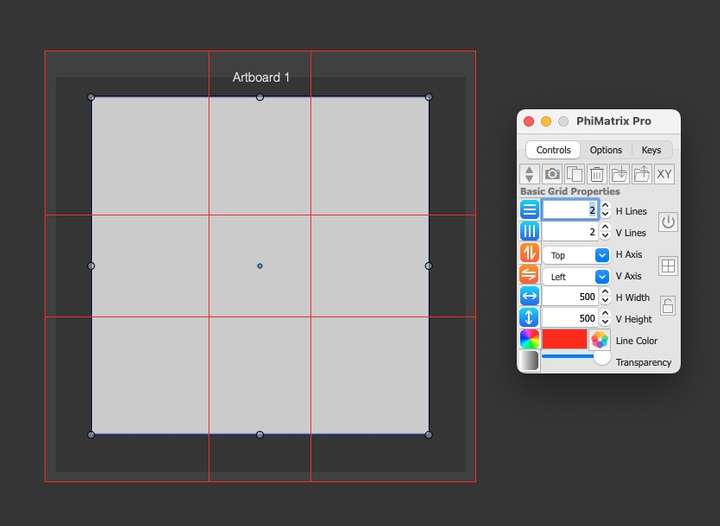
According to the specs of my monitor it has 92 ppi. https://www.benq.com/en-us/monitor/professional/pd3200q/spec.html -
@creative yes, I also replicated this bug with some monitors. A fix already exists and will be in the next build (early next week latest).
-
@VectorStyler Wow! Others from a former great island need a decade to fix some bugs in their "professional" app, if they bother to listen to their customers at all.
BTW: some panel like PhiMatrix Pro in VectoStyler to create and assign golden ratio guidelines to the canvas or artboards at some future point would be excellent.
-
@creative said in Resolution and appearance?:
some panel like PhiMatrix Pro in VectoStyler to create and assign golden ratio guidelines to the canvas or artboards at some future point would be excellent.
I add this to the list of features for the future.
-
@VectorStyler Any progress with the next build?
-
@creative said in Resolution and appearance?:
@VectorStyler Any progress with the next build?
Yes, it is running test now (still several hours).
If all passes, Thursday morning (Finland time) the build should be available (but the tests must pass).The Mac display resolution issue was replicated and the root cause was found and fixed.
-
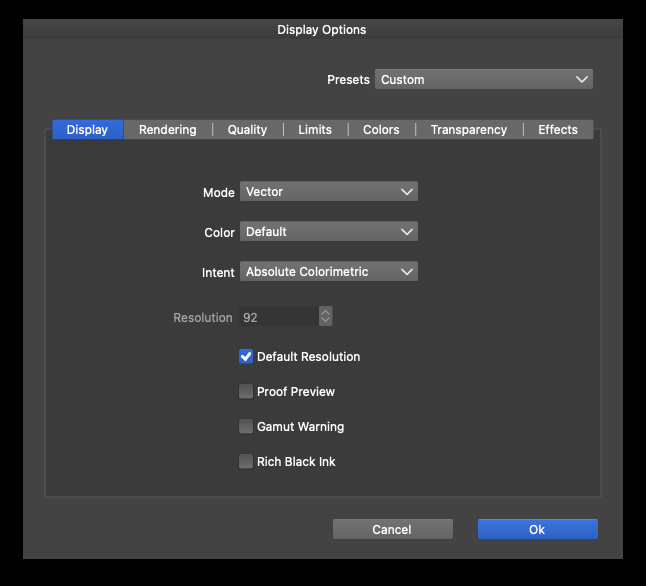
@VectorStyler Where does this value 92 come from?
The native resolution of my monitor is 92 ppi. I had also experimented with 92 dpi when creating presets. When creating new documents with 72 dpi, the display now matches 1:1, thank you!
I am now experimenting with changing existing documents via the document setup from px to cm and from 72 dpi to 300 dpi resolution and back.
-
@creative said in Resolution and appearance?:
Where does this value 92 come from?
When the "Default Resolution" mode is checked, the resolution field shows whatever the system reports to the current display.
For example a retina iMac reports 109 pixels per inch.
-
@VectorStyler The system only shows me
"2560 x 1440 (QHD/WQHD - Wide Quad High Definition"
but the display's data sheet shows 92 ppi.
Now I have 2 documents with 2560x1440 and a square 500x500 px in it, one with 72 dpi and the other with 92 dpi. With both dpi values the display fits 100% in VectorStyler and also directly on the Mac with both resolutions if you export the document as jpg and display it as actual size and full screen, at 72 and 92 dpi surprisingly.
