VectorStyler
    • Categories
    • Unread
    • Recent
    • Tags
    • Popular
    • Register
    • Login

    How do I relink image in viewport?
    Scheduled Pinned Locked Moved Questions and Support
    10 Posts 2 Posters 10.6k Views 2 Watching
    Loading More Posts
    • Oldest to Newest
    • Newest to Oldest
    • Most Votes
    Reply
    • Reply as topic
    Log in to reply
    This topic has been deleted. Only users with topic management privileges can see it.
    • RaaskotR Offline
      Raaskot
      last edited by

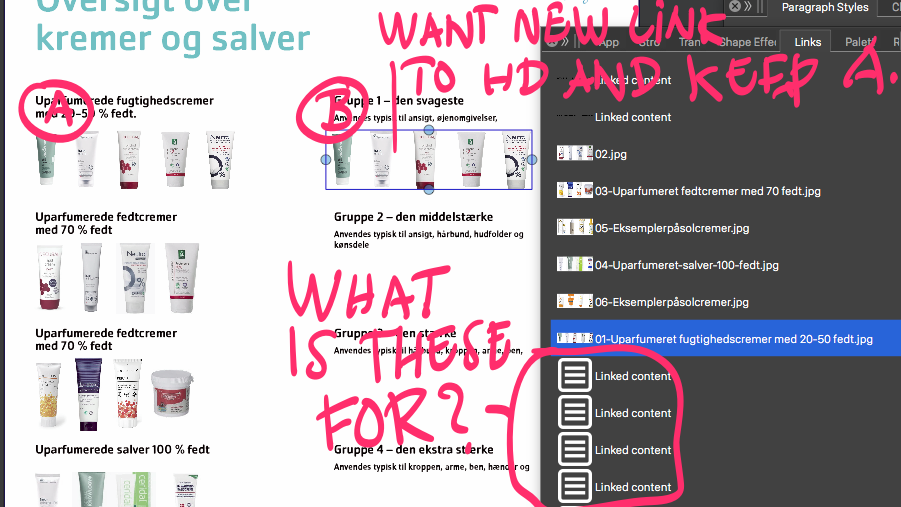
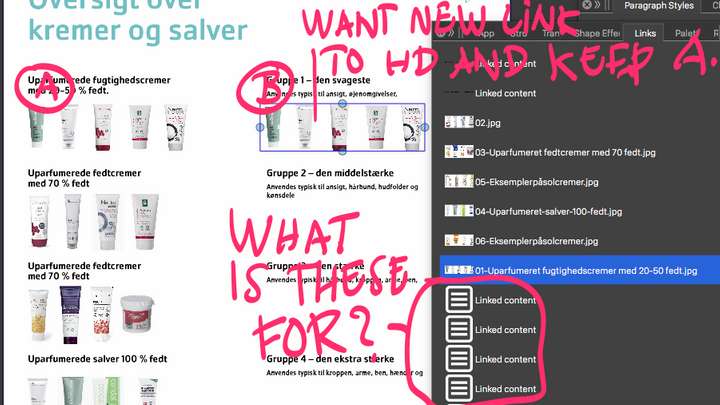
      This image appears twice and I want to relink one of them.

      Two questions:

      1. How do I relink the image B til file on HD without changing the other identical one A? VS only let me swap all occurances in link panel.

      2. What is the very space consuming box-symbols for?

      Kind regards,
      Raaskot
      0_1714137167660_9d872572-36b9-4e42-a891-23a7a9ec962a-billede.png

      VectorStylerV 1 Reply Last reply Reply Quote 0
      • VectorStylerV Offline
        VectorStyler @Raaskot
        last edited by

        @Raaskot said in How do I relink image in viewport?:

        How do I relink the image B til file on HD without changing the other identical one A?

        1. These are shared (for space), so you need to import A or B again.

        2. These are text frame contents.

        RaaskotR 1 Reply Last reply Reply Quote 0
        • RaaskotR Offline
          Raaskot @VectorStyler
          last edited by Raaskot

          @VectorStyler

          1. Sure they are shared. But I want to overwrite/relink B with a file from HD without change A. Very common operation i many other programmes like Inkscape, InD, AI etcetera. How is best practise without first import every image in a new box?

          2. What is the point showing the boxes "Linked Content" since they are (to my perception) not linked to anything outside document?
          0_1714138981106_387e28b4-7f47-410d-b633-761c64c473b7-billede.png

          VectorStylerV 1 Reply Last reply Reply Quote 0
          • VectorStylerV Offline
            VectorStyler @Raaskot
            last edited by

            @Raaskot Import the image with Import Content from the Links panel menu. Then Select B and double click the new image in the Links panel.

            RaaskotR 1 Reply Last reply Reply Quote 0
            • RaaskotR Offline
              Raaskot @VectorStyler
              last edited by

              @VectorStyler

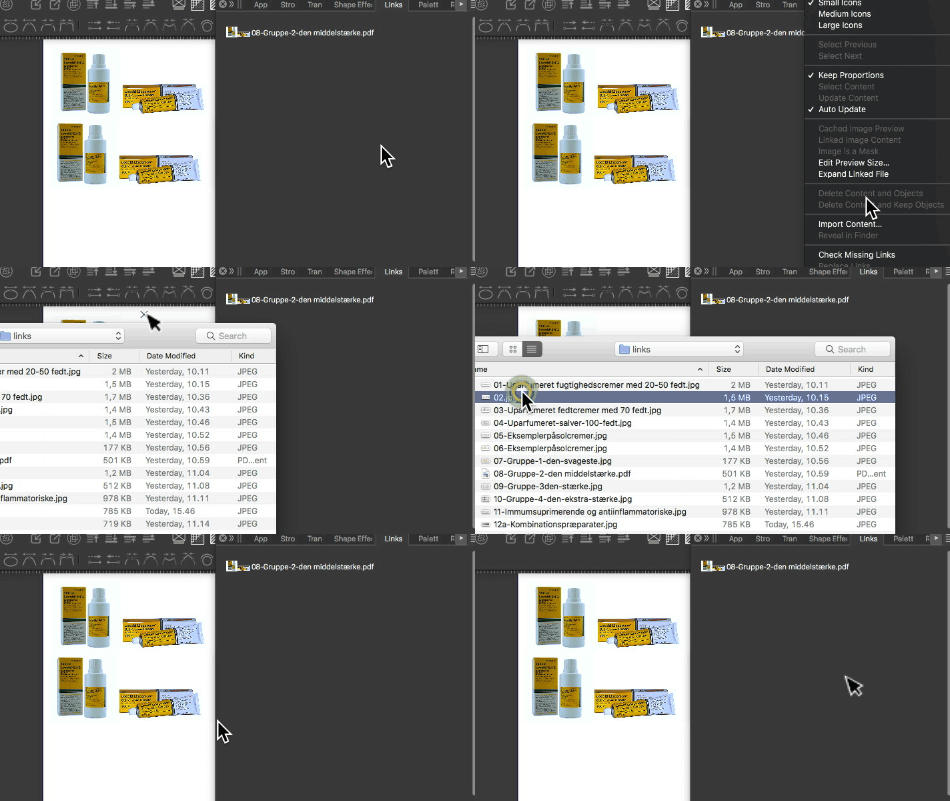
              Nope, doesn't work as you describe: There is no image loaded in the links list.

              alt text

              VectorStylerV 1 Reply Last reply Reply Quote 0
              • VectorStylerV Offline
                VectorStyler @Raaskot
                last edited by

                @Raaskot Yes, it seems that this imports the image as a regular import (click on Canvas is needed).

                So the only workaround then is to import the image again, placing it on the canvas. Then in shows in the Links panel, so select B and the link the image into B and delete the imported image frame.

                RaaskotR 1 Reply Last reply Reply Quote 0
                • RaaskotR Offline
                  Raaskot @VectorStyler
                  last edited by Raaskot

                  @VectorStyler

                  Honestly: This make very simple layout with imported images extremely cumbersome. This means by copy/placing 10 or more placeholders you have do do this operation ten or more times to change content in image frames!?

                  Is this intentiontionally by design? It's sounds totally beyond any reason and very anachronistic considering how other programmes work and even my wish to make serious visual design.

                  Is there no other option? In Inkscape you ie. have I xml-editor where you can go in and change file/path in the strings. What about VS?

                  VectorStylerV 1 Reply Last reply Reply Quote 0
                  • VectorStylerV Offline
                    VectorStyler @Raaskot
                    last edited by VectorStyler

                    @Raaskot said in How do I relink image in viewport?:

                    Is this intentiontionally by design

                    I think this might be a bug. The import action was updated in 1.2 to allow multiple file import / place and this might have caused a regression in the Links panel.
                    I will fix this in the next build.

                    EDIT: the single image with multiple objects is by design, and that will stay, what will change is importing new images into the Links panel, without placing.

                    RaaskotR 1 Reply Last reply Reply Quote 0
                    • RaaskotR Offline
                      Raaskot @VectorStyler
                      last edited by Raaskot

                      @VectorStyler said in How do I relink image in viewport?:

                      importing new images into the Links panel, without placing.

                      Sounds very good, thanks😊

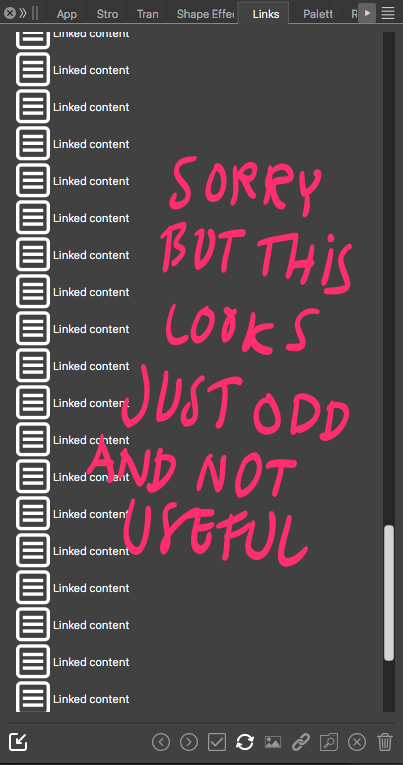
                      What about the violent cluttering of the links panel with the huge useless "Linked content" boxes? The practical reason for these appear very omnious.
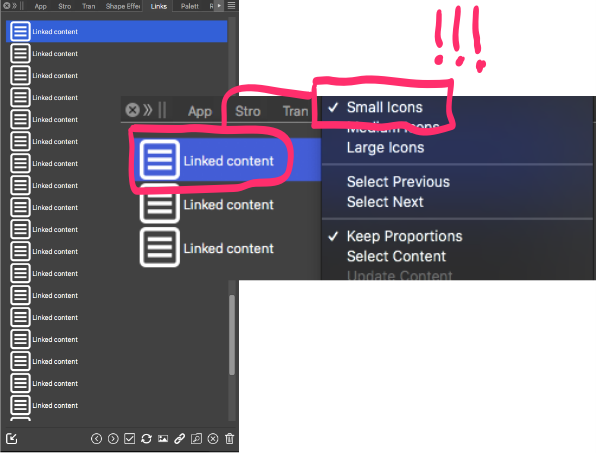
                      0_1714285148947_a8dff3d4-452c-450c-9d0d-e77133738ec7-billede.png

                      VectorStylerV 1 Reply Last reply Reply Quote 0
                      • VectorStylerV Offline
                        VectorStyler @Raaskot
                        last edited by

                        @Raaskot These are text frame contents, I will make these optional.

                        1 Reply Last reply Reply Quote 1
                        • First post
                          Last post