VectorStyler
    • Categories
    • Unread
    • Recent
    • Tags
    • Popular
    • Register
    • Login

    Can Pasted Live text be added to the "Recent Fonts" automatically?
    Scheduled Pinned Locked Moved Features and Ideas
    2 Posts 2 Posters 2.5k Views 1 Watching
    Loading More Posts
    • Oldest to Newest
    • Newest to Oldest
    • Most Votes
    Reply
    • Reply as topic
    Log in to reply
    This topic has been deleted. Only users with topic management privileges can see it.
    • BoldlineB Online
      Boldline
      last edited by

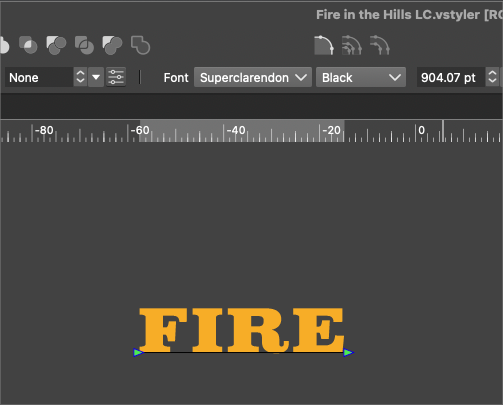
      I copied and pasted this live text that reads, "FIRE" from one open VS file to another. When I paste it in the new document and highlight it, the text name resters correctly as would be expected. (See first pic below)
      0_1717689841986_7e413bdb-26b2-4e1f-bd90-9712a79d9d35-BLD 2024-06-06 at 11.56.24.png

      But if I de-select the live text and then go check the Type>Recent Fonts, it is not listed there. I also tested this if I highlighted the live text and replaced the letters with new ones - same result - it did not register on the "recent fonts" list.
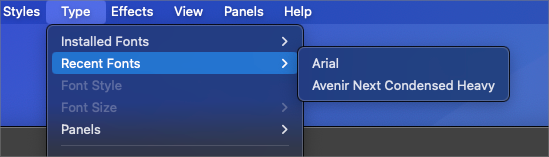
      0_1717689956857_b19be879-8baf-4232-85ab-09a9cd9980b6-BLD 2024-06-06 at 11.56.35.png

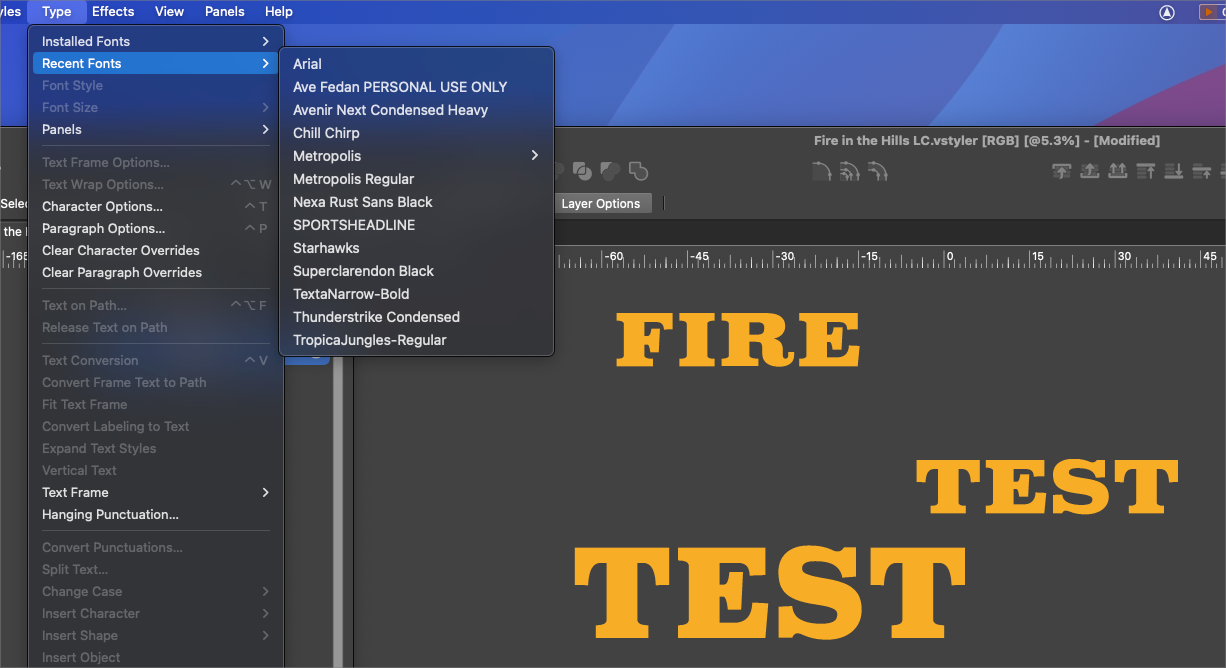
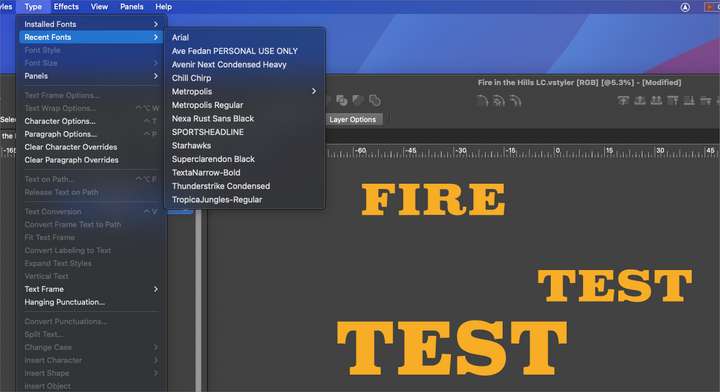
      Interestlingly, if I made a brand new live text and then converted it to a different font from the new original text, it DOES register in the "Recent Fonts", but then it also suddenly lists a number of other fonts I had used earlier in the process of creating the design. This is the same file as before and the added fonts here in this list in the final pic I included were all used prior to bring the live font from another document. Why would they show up now, but not before?
      0_1717690212518_f93f915d-2b22-4fd2-9793-3c7b4acf92c8-BLD 2024-06-06 at 12.08.20.png

      🍎 macOS Tahoe 26.2, Mac mini (M1, 2020), Chip Apple M1, Memory 16 GB
      Cintiq 27QHD Display and LG Ultra HD Display

      VectorStylerV 1 Reply Last reply Reply Quote 1
      • VectorStylerV Offline
        VectorStyler @Boldline
        last edited by

        @Boldline I added this to the backlog.

        1 Reply Last reply Reply Quote 0
        • First post
          Last post
