Quick alignment of text on a path with uneven beginning/end shapes
-
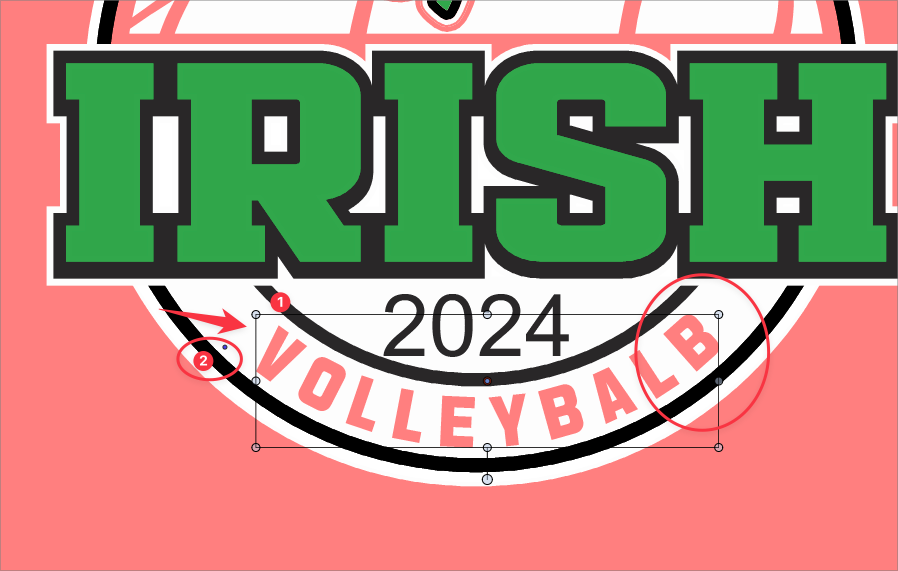
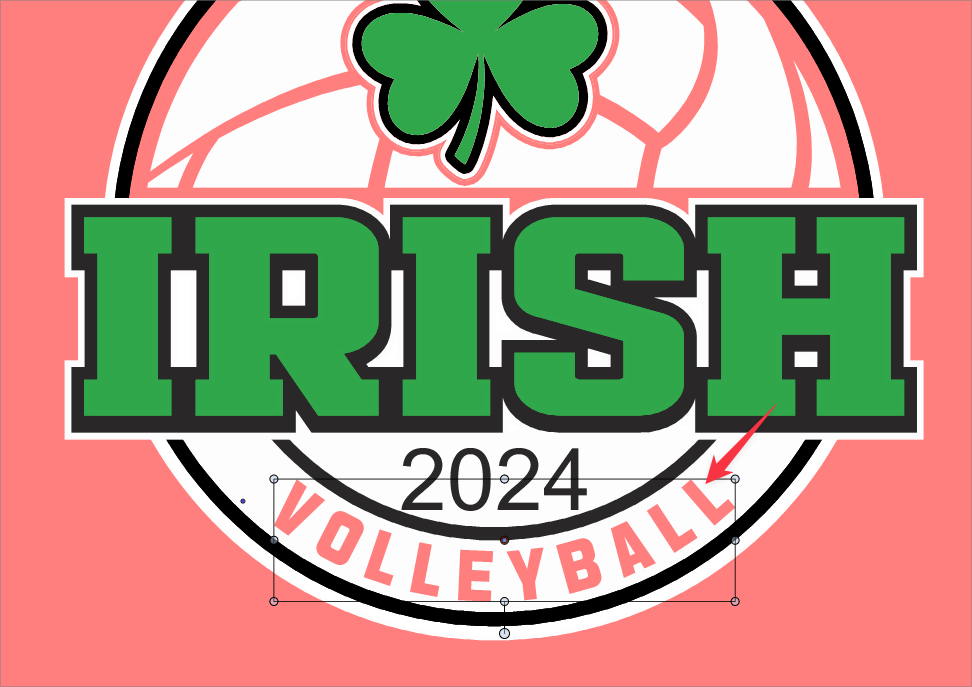
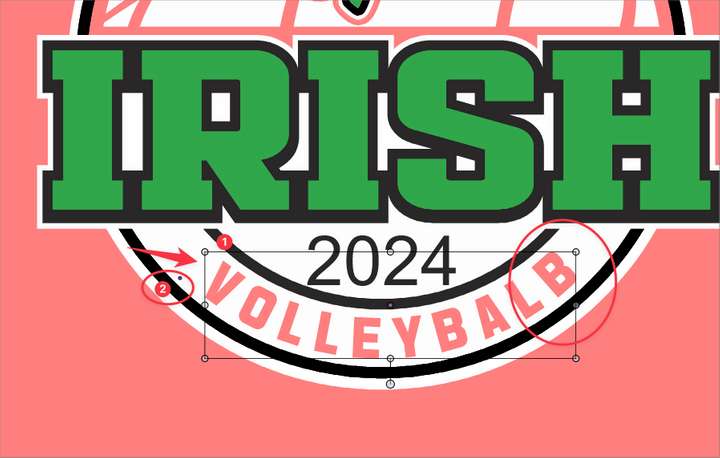
I' not sure if it was intended this way or not, but I've been using the rectangle shape selection box that appears as I rotate text along a path as a quick alignment tool to be sure my first and last letters of the word or phrase are even from left to right. This works well most of the time, aside from situations where the text ends with an "L" and so it aligns the word to the bottom right of the "L" shape because there is no letter form in the upper right side of the "L".
I can go in and add a dull shape letter like a "B" temporarily to get the alignment correct, but that is an extra step lol.
I don't know what the answer might be, but I just wanted to put it out there.I may have mentioned this specific topic a while back but i was unable to find it in the archives with a few quick word searches.
On a side note: in my second attached image, what is the little shape that appears on the far left side , noted with the #2 marker? It appears often when I have a selection of some kind but I was not having success figuring out its role. thanks!
-
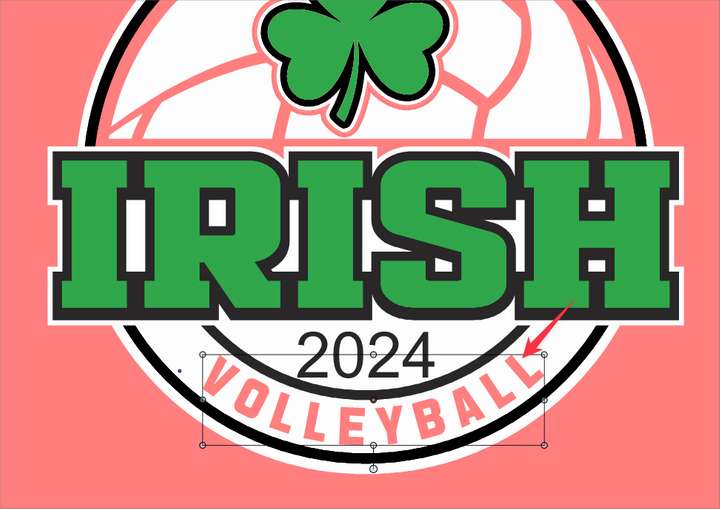
@Boldline The bounding box is from the shape formed by the letters.
Not sure what the solution would be here, suggestions are welcome.
-
I am also interested in what the cause and reason for this
small circular shape could be -
@Subpath said in Quick alignment of text on a path with uneven beginning/end shapes:
I am also interested in what the cause and reason for this small circular shape could be
It "origin" of the selected object. In case of multiple object selection it will be the average of the origin points.
-
@VectorStyler , thank you
-
@VectorStyler I'm not familiar enough with the individual characteristics of a font to know how this would actually work out in reality, but if there is a way to make the individual character bounding boxes visible, then that could be used by the user to make the adjustments using an artist's eye. There could be other use cases I'm not thinking of for making this visible... or at least making it available to appear when adjusting the text.
I did try to simulate this with a background on an individual character, but it leaves a huge empty space above and below. That may not be avoidable if it's based on the font design:
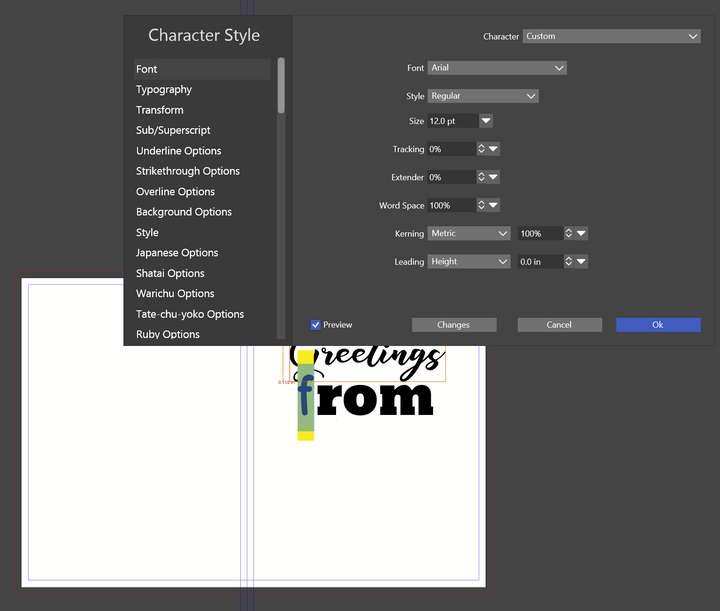
*Unrelated, I did discover the Preview toggle doesn't work unless it's clicked each time to update the live view. At least on my end.
Windows 11 Build 26200.7171 (25H2)
AMD Ryzen 7 9700X with Gigabyte X870E Aorus Pro Ice
32GB RAM @ 6000MHz
PNY NVIDIA RTX 5070 Ti 16GB; Display 1: 4K @150%; Display 2: 4K @150%
Wacom Intuos Pro L (2025); Wacom Intuos Pro M; Epson ET-8550; Siser Romeo -
@debraspicher said in Quick alignment of text on a path with uneven beginning/end shapes:
but if there is a way to make the individual character bounding boxes visible
I will try to find a solution.
Unrelated, I did discover the Preview toggle doesn't work unless it's clicked each time to update the live view. At least on my end.
I will fix this
-
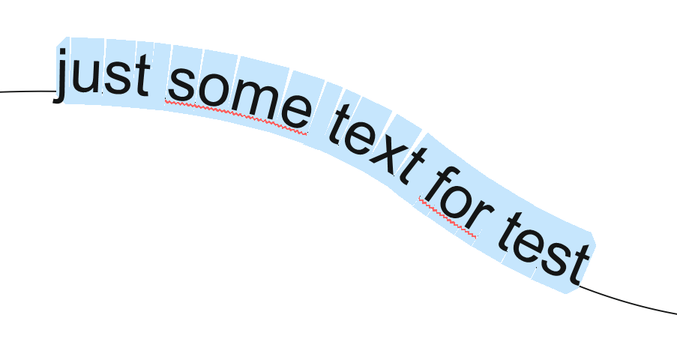
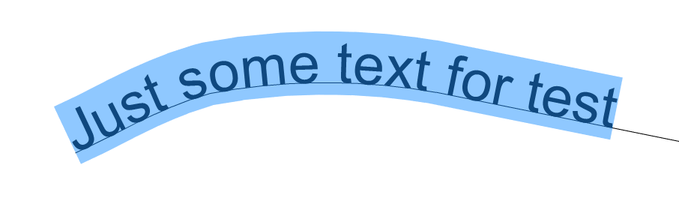
Coreldraw handle something like this via Text selection
Text on Path Text selection in VS
.
.
Text on Path selection in CorelDraw