VectorStyler
    • Categories
    • Unread
    • Recent
    • Tags
    • Popular
    • Register
    • Login

    Opening of Layer Menu Panel Auto Highlights Name

    Scheduled Pinned Locked Moved Features and Ideas
    2 Posts 2 Posters 2.8k Views 1 Watching
    Loading More Posts
    • Oldest to Newest
    • Newest to Oldest
    • Most Votes
    Reply
    • Reply as topic
    Log in to reply
    This topic has been deleted. Only users with topic management privileges can see it.
    • BoldlineB Offline
      Boldline
      last edited by

      I don't remember if this was the way it used to be or not, but would it be more helpful to have the name of the layer be highlighted automatically when the Layer menu Panel is opened? It's the only option for text input in that immediate panel. If a user wanted to apply other settings in that same panel, it would involve a click of the mouse, thereby automatically canceling out the live text prompt
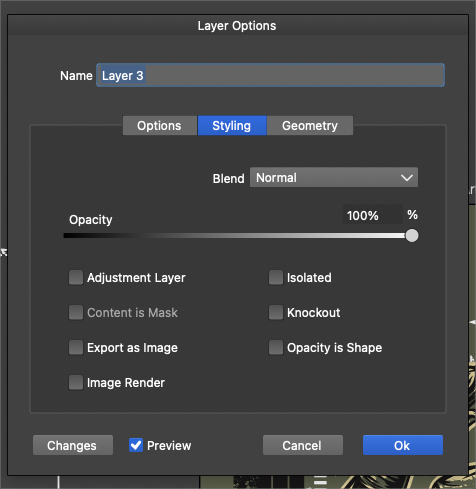
      0_1726505236672_31b4938a-f78c-4e0f-8a12-ae846bda8555-BLD 2024-09-16 at 12.45.45.png

      🍎 macOS Tahoe 26.2, Mac mini (M1, 2020), Chip Apple M1, Memory 16 GB
      Cintiq 27QHD Display and LG Ultra HD Display

      VectorStylerV 1 Reply Last reply Reply Quote 1
      • VectorStylerV Offline
        VectorStyler @Boldline
        last edited by

        @Boldline The name field supposed to be active after opening, but I think the highlight is not set by default.
        I added this to the backlog.

        1 Reply Last reply Reply Quote 0
        • First post
          Last post
