VectorStyler
    • Categories
    • Unread
    • Recent
    • Tags
    • Popular
    • Register
    • Login

    Set Live Text to a specific Angle

    Scheduled Pinned Locked Moved Questions and Support
    3 Posts 2 Posters 3.0k Views 1 Watching
    Loading More Posts
    • Oldest to Newest
    • Newest to Oldest
    • Most Votes
    Reply
    • Reply as topic
    Log in to reply
    This topic has been deleted. Only users with topic management privileges can see it.
    • BoldlineB Offline
      Boldline
      last edited by

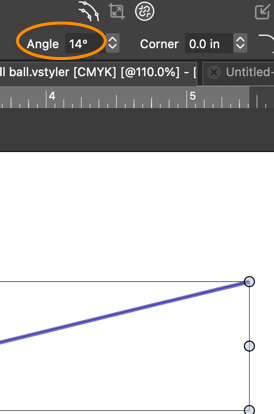
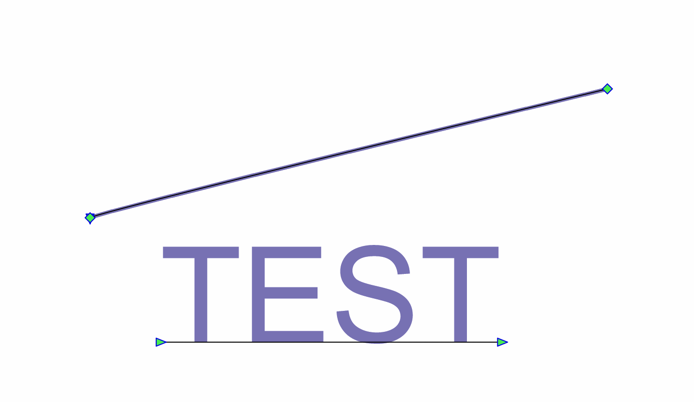
      I love the options for alignment in the contextual menu when editing a path. Focusing on the angle option for a moment, I was thinking that same option would be applicable with live text. I was looking for this option, but not seeing it in the contextual menu or the text panels. Its certainly possible I missed it. If it's not there, is the expectation that the user would create a path at the angle they prefer and then add text to that path to achieve the text being set the a specific angle?
      0_1726940778981_1849ae2f-ccec-4187-8bff-f6c05c7226e5-CleanShot 2024-09-21 at 13.45.05.png

      0_1726940786378_0b867dd6-312a-4ddb-838e-c00417fd8f17-CleanShot 2024-09-21 at 13.44.20.png

      🍎 macOS Sequoia 15.3, Mac mini (M1, 2020), Chip Apple M1, Memory 16 GB
      Cintiq 27QHD Display and LG Ultra HD Display

      VectorStylerV 1 Reply Last reply Reply Quote 1
      • VectorStylerV Offline
        VectorStyler @Boldline
        last edited by

        @Boldline The context panel is somewhat crowded now to add this. Especially for the text, where the font / alignment option must be shown.

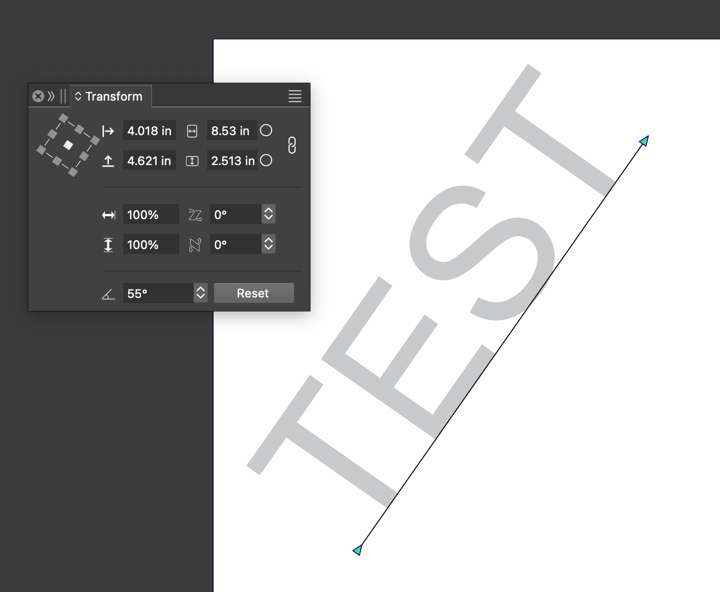
        Would the transform panel rotation angle work for this?

        BoldlineB 1 Reply Last reply Reply Quote 1
        • BoldlineB Offline
          Boldline @VectorStyler
          last edited by

          @VectorStyler Ahh! yes the transform panel angle works perfectly for this. No need to add it to the contextual menu.
          0_1726941469567_8efc4ca0-8caf-4e7e-84f7-97d65cf3115f-CleanShot 2024-09-21 at 13.57.05.png

          🍎 macOS Sequoia 15.3, Mac mini (M1, 2020), Chip Apple M1, Memory 16 GB
          Cintiq 27QHD Display and LG Ultra HD Display

          1 Reply Last reply Reply Quote 1
          • First post
            Last post
