VectorStyler
    • Categories
    • Unread
    • Recent
    • Tags
    • Popular
    • Register
    • Login

    Can't paste copied or cut shapes in memory

    Scheduled Pinned Locked Moved Questions and Support
    3 Posts 2 Posters 3.0k Views 2 Watching
    Loading More Posts
    • Oldest to Newest
    • Newest to Oldest
    • Most Votes
    Reply
    • Reply as topic
    Log in to reply
    This topic has been deleted. Only users with topic management privileges can see it.
    • RaaskotR Offline
      Raaskot
      last edited by

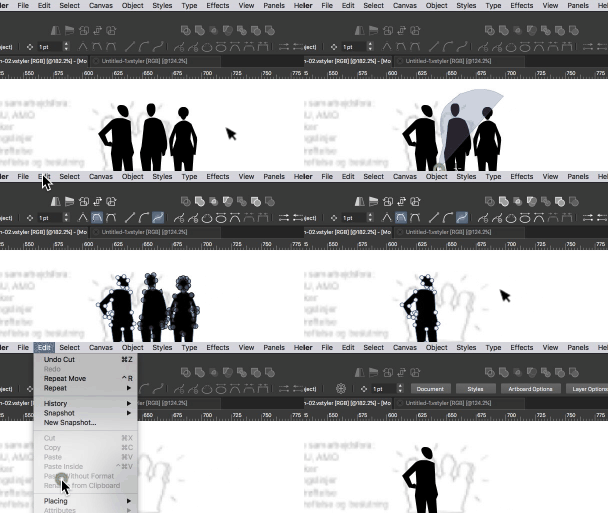
      This happens often: Why can't I paste shapes I have copied or cut? This option appears greyed out. Can I do something?
      alt text

      VectorStylerV 1 Reply Last reply Reply Quote 0
      • VectorStylerV Offline
        VectorStyler @Raaskot
        last edited by

        @Raaskot pasting shapes works only when an object is selected. It only copies the shape, no style or other attributes of an object.
        So it needs an object to paste onto.

        RaaskotR 1 Reply Last reply Reply Quote 1
        • RaaskotR Offline
          Raaskot @VectorStyler
          last edited by Raaskot

          @VectorStyler
          I Understand. Good idea is using break apart paths and combining shapes for optimal drawing/file structure.


          1 Reply Last reply Reply Quote 1
          • First post
            Last post