VectorStyler
    • Categories
    • Unread
    • Recent
    • Tags
    • Popular
    • Register
    • Login

    How do I change the color of the repeater results prior to expanding it?
    Scheduled Pinned Locked Moved Questions and Support
    2 Posts 2 Posters 2.1k Views 1 Watching
    Loading More Posts
    • Oldest to Newest
    • Newest to Oldest
    • Most Votes
    Reply
    • Reply as topic
    Log in to reply
    This topic has been deleted. Only users with topic management privileges can see it.
    • BoldlineB Online
      Boldline
      last edited by

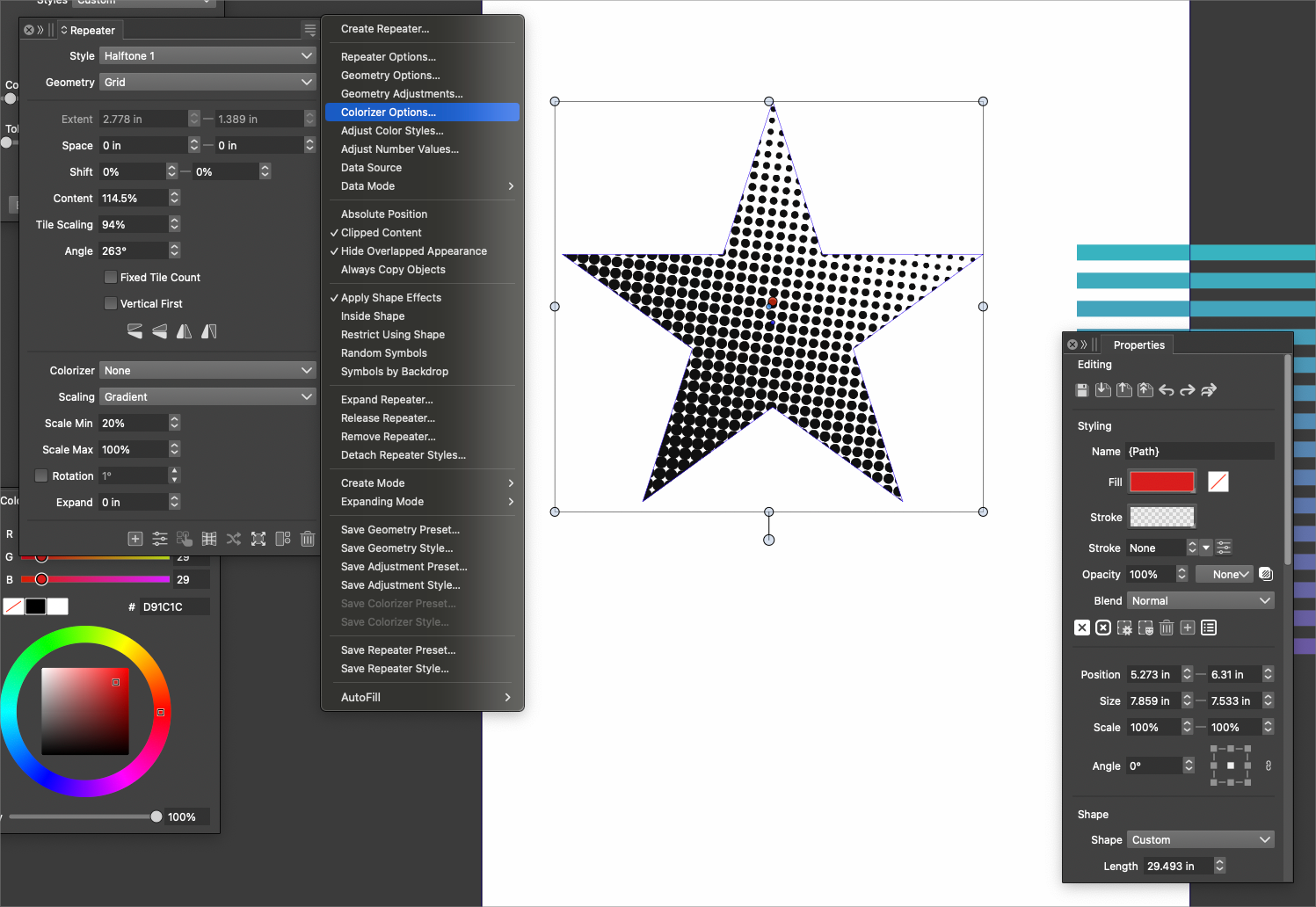
      I was looking for where I could edit the color of the live repeater halftone for example, prior to expanding it. I can see how I can colorize it, but that's not giving me all the halftones as the same color
      0_1738559097832_ee13b0c0-6669-4295-baac-dfe437bb1cdc-BLD 2025-02-03 at 00.03.37.png

      🍎 macOS Tahoe 26.2, Mac mini (M1, 2020), Chip Apple M1, Memory 16 GB
      Cintiq 27QHD Display and LG Ultra HD Display

      VectorStylerV 1 Reply Last reply Reply Quote 1
      • VectorStylerV Offline
        VectorStyler @Boldline
        last edited by

        @Boldline Only by editing the repeated object color. This can be done by opening the repeater (Symbol Set) object in the Layers panel, selecting the object and then changing the color.


        1 Reply Last reply Reply Quote 0
        • First post
          Last post