Could the Polygon Tool start with the last Setting used ?
-
For example, if I set a Triangle, a Triangle will be created
the next time i use the Polygon Tool until I change the Setting
to something else.Currently, the Polygon Tool always create Hexagons, regardless
of the previous Setting.To top it all off, it would be nice if this little icon
here could also indicate the change. See Picture.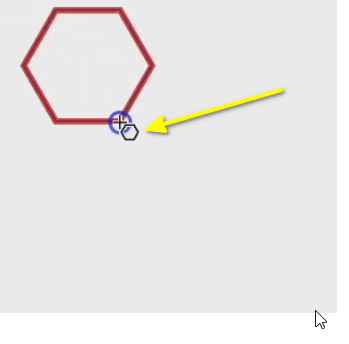
-
@Subpath Double click the polygon icon and set the default options there. Then it will stay.
Also: while drawing the polygon, you can use the up/down keys to change the side count, this will also be kept for the next. -
@VectorStyler said in Could the Polygon Tool start with the last Setting used ?:
Also: while drawing the polygon, you can use the up/down keys to change the side count, this will also be kept for the next.
Thank you !
Well, I think its a bit strange that it doesnt work when i change
sides of a polygon in the shape panel and draw a polygon after this.But the way you descriped works. Changing the sides of a polygon
using the cursor keys works even after restarting VectorStyler.
Which is great.If the small indicator icon (in the picture above) would indicate such
a change in the future, I would find that helpful. However, this is by
no means urgent and only if it is possible -
I need to come back to the Polygon Tool.
You mentioned in your post that:
... double-click the polygon icon and set the default settings there.
Then it stays...I've tried several different ways, but that doesn't seem to work. The
only way to retain the polygon side change is to use the arrow keys.Double-clicking the Polygon tool didn't work, and even creating
a preset and select this doesnt work. Every time you create a new
polygon Shape only the last state made with the arrow keys is displayed.You can't even reset the Polygon tool to Hexagon by using "None" as the default.
-
@Subpath said in Could the Polygon Tool start with the last Setting used ?:
Double-clicking the Polygon tool didn't work,
I was wrong here. Double click opens the panel, so that is not going to help.
The changes in the panel do not affect the defaults.For the default options, click on the canvas with the polygon tool (no dragging). This opens a modal view to set parameters. When confirming, this will create a polygon with those params and then the sides stay default.
I will try to find a way to set defaults from the panel (opened a bug on this).
-
@VectorStyler said in Could the Polygon Tool start with the last Setting used ?:
For the default options, click on the canvas with the polygon tool (no dragging)
Thank you,
i test it and it works this way
