VectorStyler
    • Categories
    • Unread
    • Recent
    • Tags
    • Popular
    • Register
    • Login

    Choose colors from color palete and apply them to gradient on artboard and gradient panel
    Scheduled Pinned Locked Moved Features and Ideas
    2 Posts 2 Posters 2.0k Views 1 Watching
    Loading More Posts
    • Oldest to Newest
    • Newest to Oldest
    • Most Votes
    Reply
    • Reply as topic
    Log in to reply
    This topic has been deleted. Only users with topic management privileges can see it.
    • BoldlineB Offline
      Boldline
      last edited by

      This seems like a very handy way to quickly get multiple specific colors from a palette into the gradient panel and on the artboard. I like the ability to select multiple colors from the color palette and then click on the extra options from that panel to apply the chosen colors as a mult-color gradient and have them automatically show in the gradient panel. I know things are modular in VS, but i was wondering if there was some way to add this if it's not already in there.

      , Here is a video from instagram showing how it is done in Illustrator.
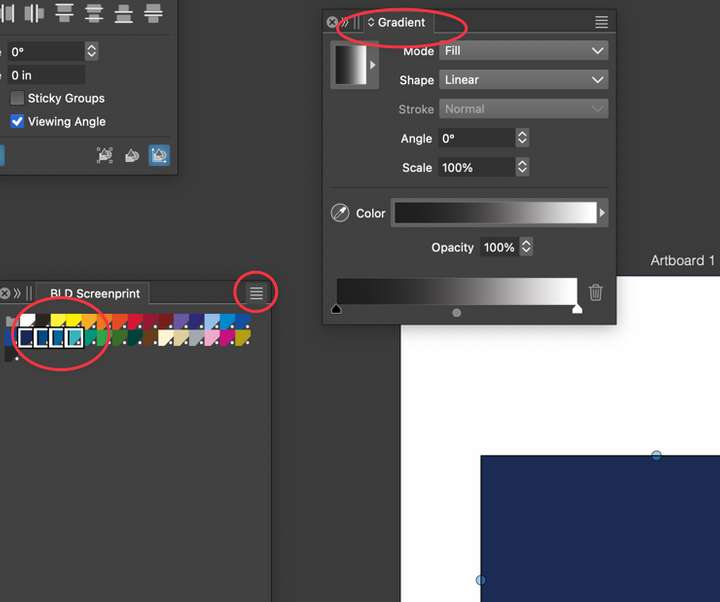
      0_1743390861549_739c07a4-43b1-4e9a-9e02-cdb18cea027f-CleanShot 2025-03-30 at 22.57.03.png

      I can see where I can choose a multi-color preset for the gradient:
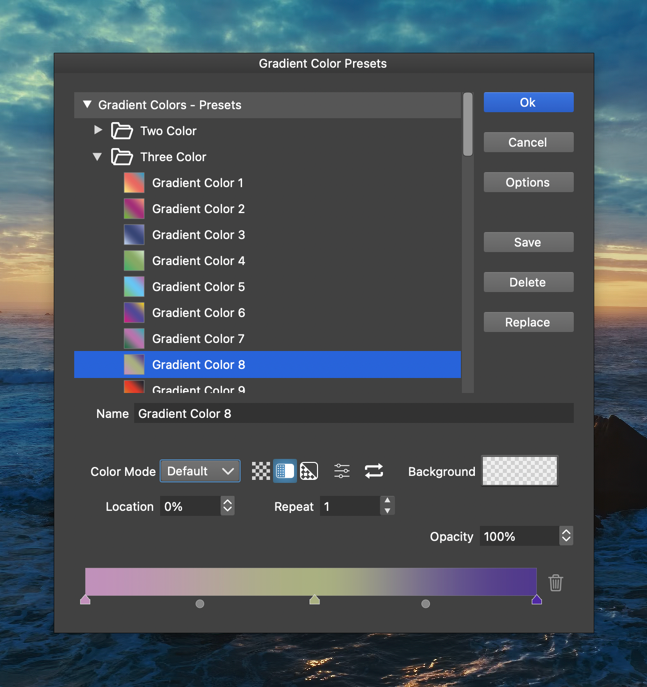
      0_1743390960315_a93ad1dc-96b1-41c3-9106-b51e1656e695-CleanShot 2025-03-30 at 23.15.50.png

      🍎 macOS Tahoe 26.2, Mac mini (M1, 2020), Chip Apple M1, Memory 16 GB
      Cintiq 27QHD Display and LG Ultra HD Display

      VectorStylerV 1 Reply Last reply Reply Quote 1
      • VectorStylerV Offline
        VectorStyler @Boldline
        last edited by

        @Boldline Added this to the backlog.

        1 Reply Last reply Reply Quote 1
        • First post
          Last post
