VectorStyler
    • Categories
    • Unread
    • Recent
    • Tags
    • Popular
    • Register
    • Login

    Text Frame gets added accidentally when editing offset path result
    Scheduled Pinned Locked Moved Questions and Support
    6 Posts 2 Posters 3.3k Views 1 Watching
    Loading More Posts
    • Oldest to Newest
    • Newest to Oldest
    • Most Votes
    Reply
    • Reply as topic
    Log in to reply
    This topic has been deleted. Only users with topic management privileges can see it.
    • BoldlineB Offline
      Boldline
      last edited by

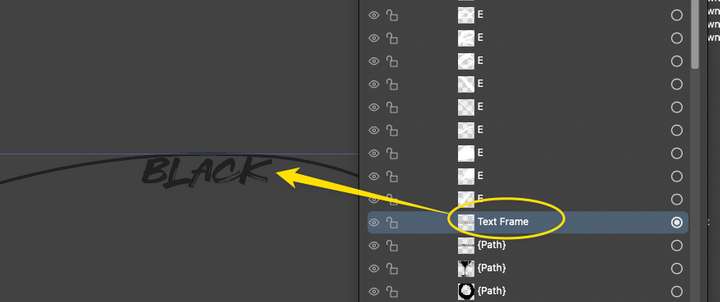
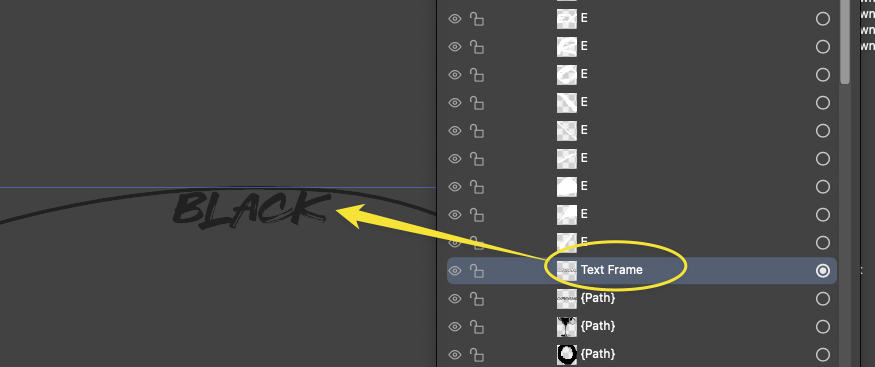
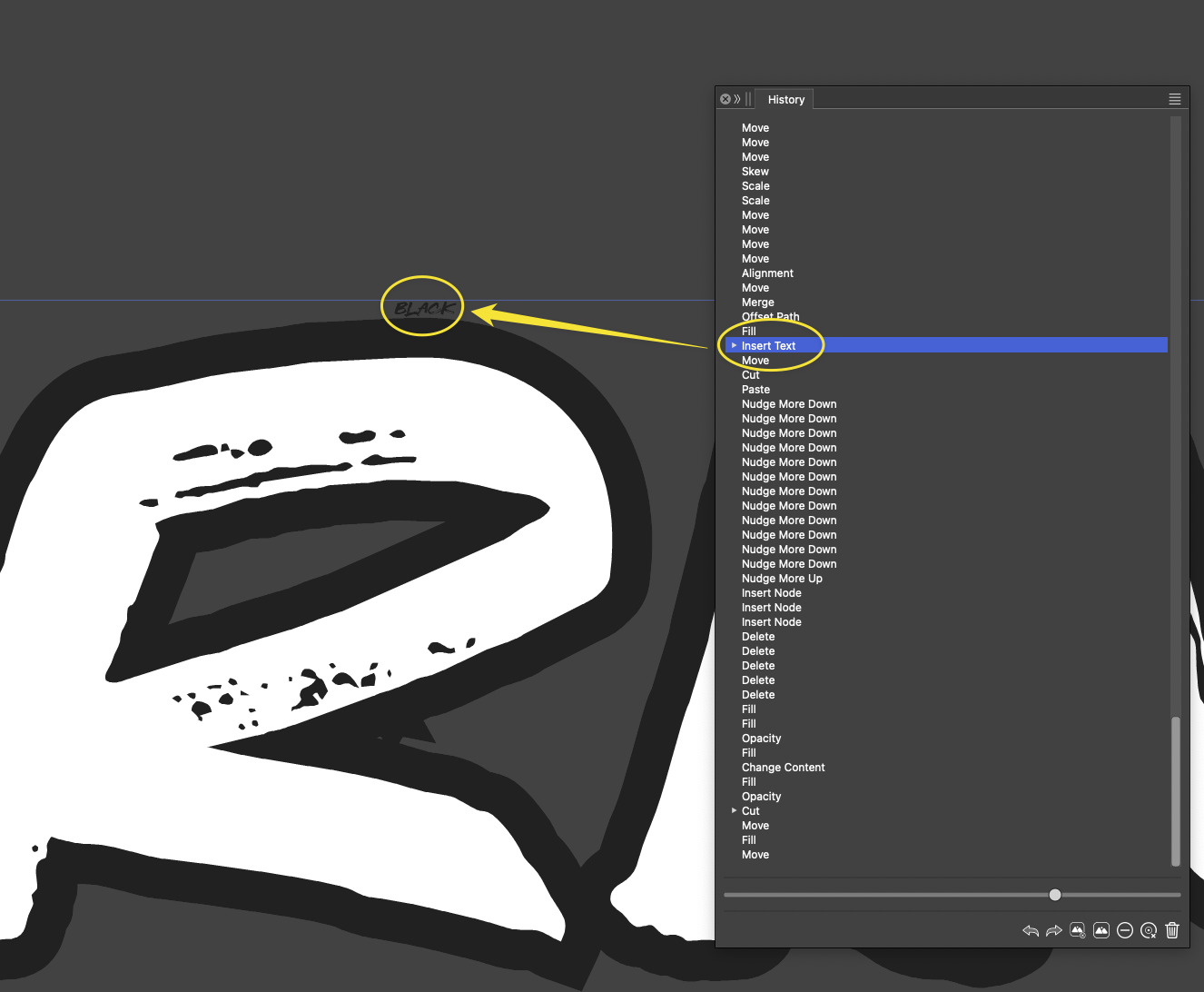
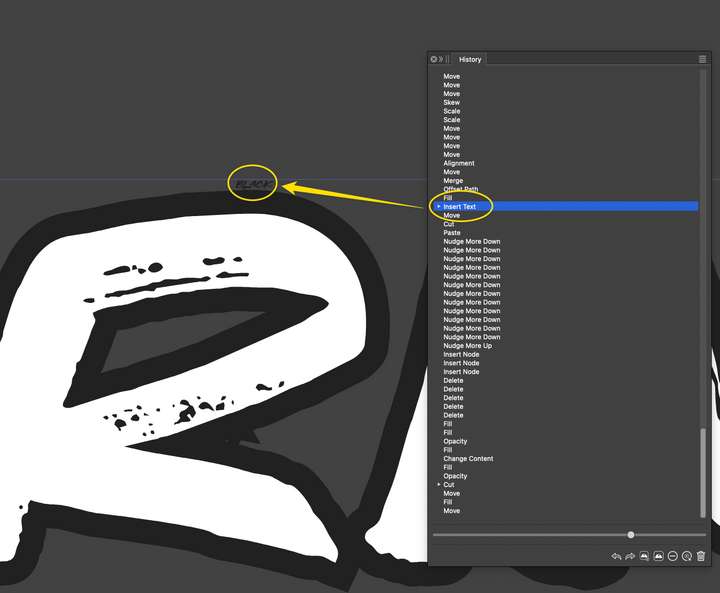
      I'm running into this problem frequently as I am creating live text, expanding it and then creating an offset path around it. Often it seems extra "live text" is getting added to the offset path - always the word "black". I am wondering if I am getting that from sampling the swatches when I am making the offset path the color black? It is probably just user error on my part, but something in the process is making this happen unintentionally and I don't know how to avoid it it from happening
      0_1748118439832_6de87a1a-e585-4902-a2b6-d935fb962d55-CleanShot 2025-05-24 at 16.23.22.png
      0_1748118772274_bc7bbdc3-0170-446a-b452-3d4aa2c67009-CleanShot 2025-05-24 at 16.32.31.png

      🍎 macOS Tahoe 26.2, Mac mini (M1, 2020), Chip Apple M1, Memory 16 GB
      Cintiq 27QHD Display and LG Ultra HD Display

      VectorStylerV 1 Reply Last reply Reply Quote 1
      • VectorStylerV Offline
        VectorStyler @Boldline
        last edited by

        @Boldline This happens if you click on the expanded text (now just paths) with the text tool.

        BoldlineB 1 Reply Last reply Reply Quote 0
        • BoldlineB Offline
          Boldline @VectorStyler
          last edited by

          @VectorStyler said in Text Frame gets added accidentally when editing offset path result:

          @Boldline This happens if you click on the expanded text (now just paths) with the text tool.

          ok, I don't have any recollection of doing that intentionally.

          UPDATE: I ran a few tests and I figured out where the issue occurs. After I create the offset path, I selected the path clicked on a color swatch to change the fill color to green. Then I copied the path and then used command-b to paste it behind the original so I could drag it down to give it more of a 3-d look.
          This is when the unwanted text was added. (when I pressed command-b) The text is always the name of the color.
          I never used the text tool after the initial word was created.

          Here is a video showing this and I will also attach the file from the video to this post.
          thanks
          0_1748183442585_unwanted text in path.vstyler

          🍎 macOS Tahoe 26.2, Mac mini (M1, 2020), Chip Apple M1, Memory 16 GB
          Cintiq 27QHD Display and LG Ultra HD Display

          BoldlineB 1 Reply Last reply Reply Quote 1
          • BoldlineB Offline
            Boldline @Boldline
            last edited by

            I can't seem to replicate it consistently every time as I go through the steps. Sometimes it occurs and other times it does not. Hopefully the file and video I sent can help solve it. thanks for looking further into it when you can

            🍎 macOS Tahoe 26.2, Mac mini (M1, 2020), Chip Apple M1, Memory 16 GB
            Cintiq 27QHD Display and LG Ultra HD Display

            VectorStylerV 1 Reply Last reply Reply Quote 1
            • VectorStylerV Offline
              VectorStyler @Boldline
              last edited by

              @Boldline I think what happens is that when you press the shortcut for Copy, the palette is still active (from the last click) and copies the color name.

              BoldlineB 1 Reply Last reply Reply Quote 1
              • BoldlineB Offline
                Boldline @VectorStyler
                last edited by

                @VectorStyler That makes sense. Thank you for checking into that for me. I'll have to remember to always click on the top menu bar area to detach from the color palette before copying and pasting


                🍎 macOS Tahoe 26.2, Mac mini (M1, 2020), Chip Apple M1, Memory 16 GB
                Cintiq 27QHD Display and LG Ultra HD Display

                1 Reply Last reply Reply Quote 1
                • First post
                  Last post