VectorStyler
    • Categories
    • Unread
    • Recent
    • Tags
    • Popular
    • Register
    • Login

    How would I remove an item from a selection?
    Scheduled Pinned Locked Moved Questions and Support
    3 Posts 2 Posters 2.2k Views 1 Watching
    Loading More Posts
    • Oldest to Newest
    • Newest to Oldest
    • Most Votes
    Reply
    • Reply as topic
    Log in to reply
    This topic has been deleted. Only users with topic management privileges can see it.
    • BoldlineB Offline
      Boldline
      last edited by Boldline

      Is there a way to remove a specific item from a collection of items selected?

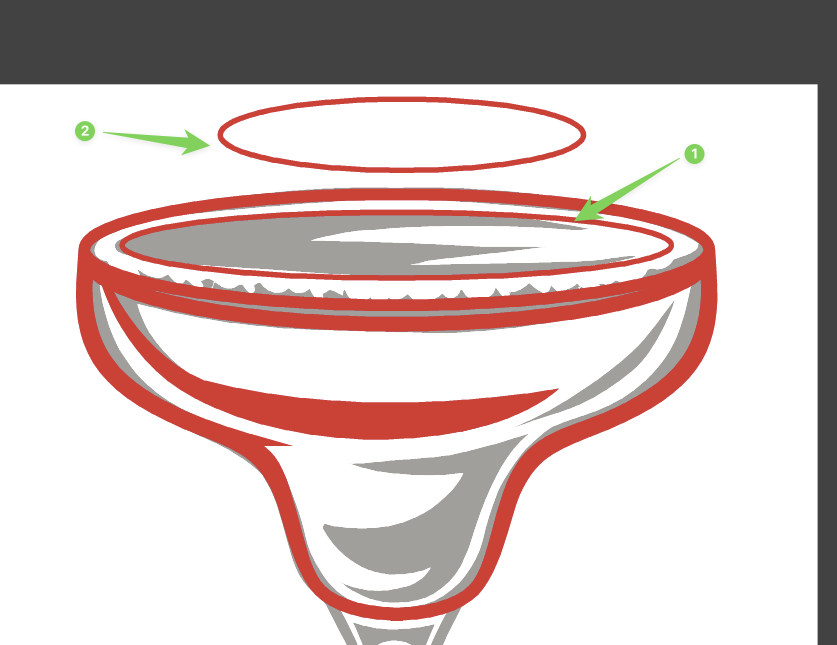
      In this example, I want to remove the inner circle that is encapsulated by the overall selection of objects, but nothing I do seems to remove it from the selection grouping.

      I wondered if it was only when there was something being removed that was surrounded (#2 in image below) completed by other selected objects, but it also does not allow for easy deselect if the selected object is outside the selected grouping of objects (#1 in image below)
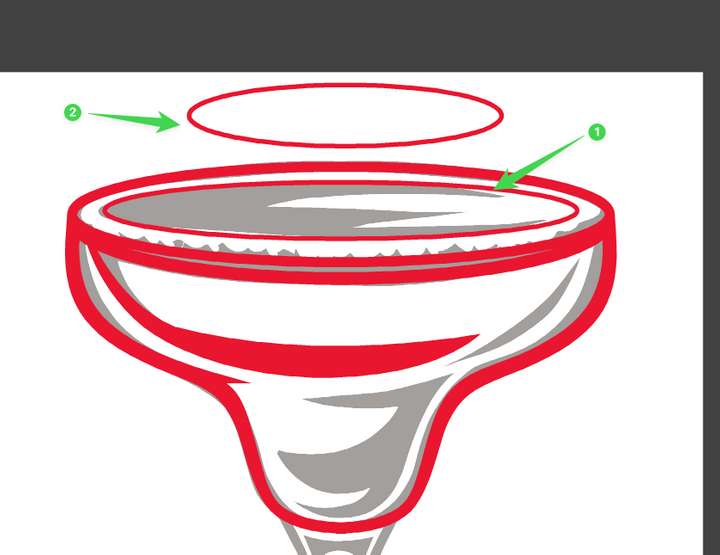
      0_1748883000039_71379f21-26b2-4d2c-b306-8e7e179e588f-CleanShot 2025-06-02 at 12.49.22.png

      🍎 macOS Sequoia 15.3, Mac mini (M1, 2020), Chip Apple M1, Memory 16 GB
      Cintiq 27QHD Display and LG Ultra HD Display

      VectorStylerV 1 Reply Last reply Reply Quote 1
      • VectorStylerV Offline
        VectorStyler @Boldline
        last edited by

        @Boldline Send me that vstyler file by email. Is the circle to be removed is pointed by (1) ?

        BoldlineB 1 Reply Last reply Reply Quote 0
        • BoldlineB Offline
          Boldline @VectorStyler
          last edited by

          @VectorStyler yes

          🍎 macOS Sequoia 15.3, Mac mini (M1, 2020), Chip Apple M1, Memory 16 GB
          Cintiq 27QHD Display and LG Ultra HD Display

          1 Reply Last reply Reply Quote 1
          • First post
            Last post
