VectorStyler
    • Categories
    • Unread
    • Recent
    • Tags
    • Popular
    • Register
    • Login

    Disabling construction lines
    Scheduled Pinned Locked Moved Questions and Support
    4 Posts 3 Posters 936 Views 3 Watching
    Loading More Posts
    • Oldest to Newest
    • Newest to Oldest
    • Most Votes
    Reply
    • Reply as topic
    Log in to reply
    This topic has been deleted. Only users with topic management privileges can see it.
    • F Offline
      Fertuffo
      last edited by

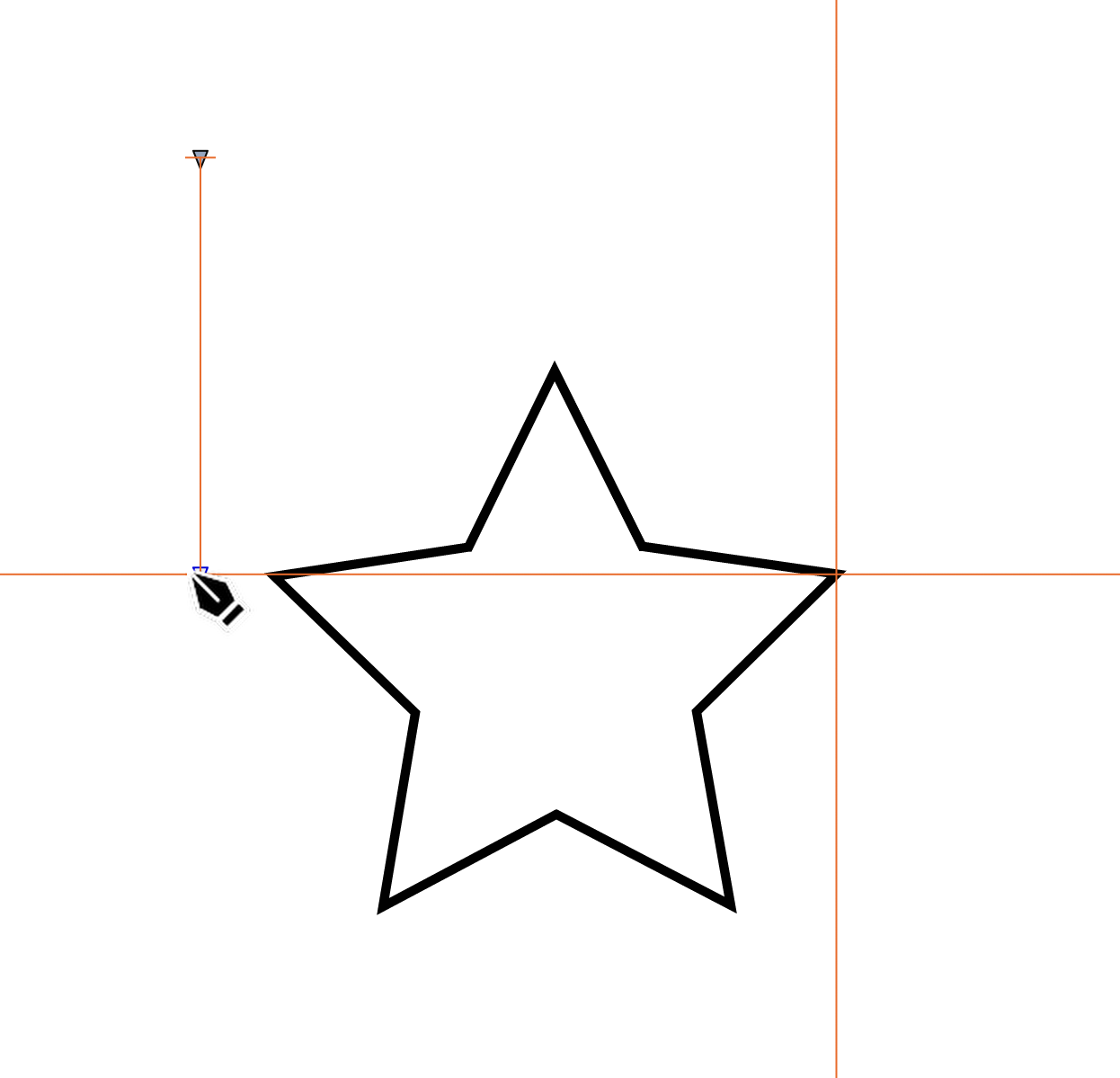
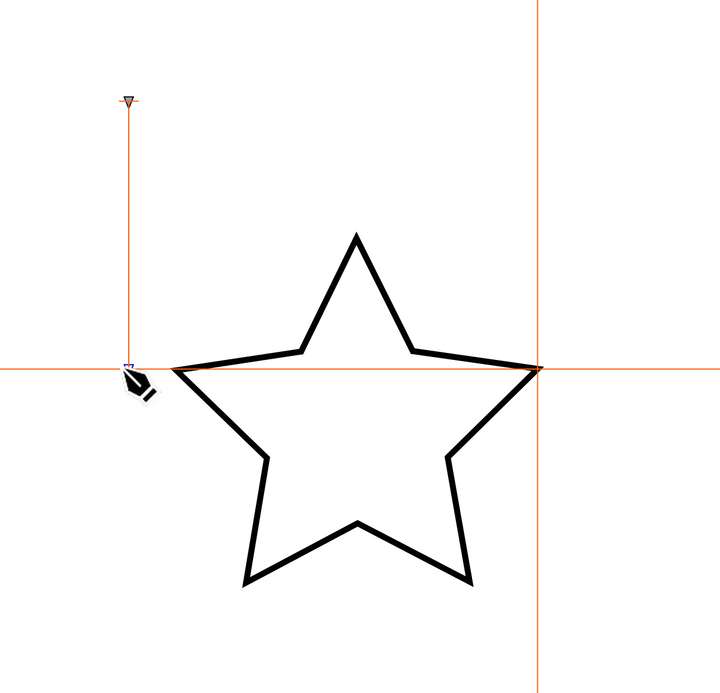
      Is there an option to disable construction lines?
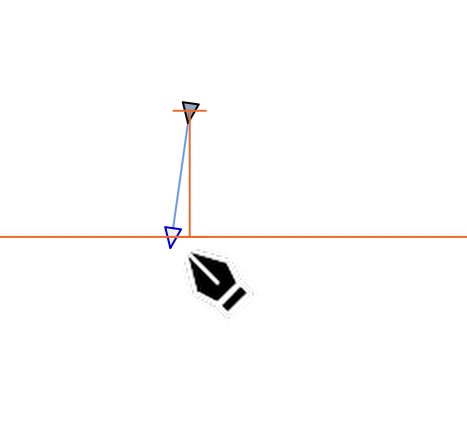
      Also, why does the orthogonal guide sometimes follow unwanted angles, as in the second picture?
      0_1764316986438_SCR-20251128-ikgg.png

      0_1764317233153_SCR-20251128-ilgn.png

      VectorStylerV 1 Reply Last reply Reply Quote 0
      • VectorStylerV Offline
        VectorStyler @Fertuffo
        last edited by

        @Fertuffo Disabling snapping should do this.

        1 Reply Last reply Reply Quote 0
        • F Offline
          Fertuffo
          last edited by

          The ideal solution would be the ability to disable only the construction lines, to preserve all other snapping.
          I ask if it is possible add this feature.
          Thank you

          E 1 Reply Last reply Reply Quote 1
          • E Offline
            EricP @Fertuffo
            last edited by

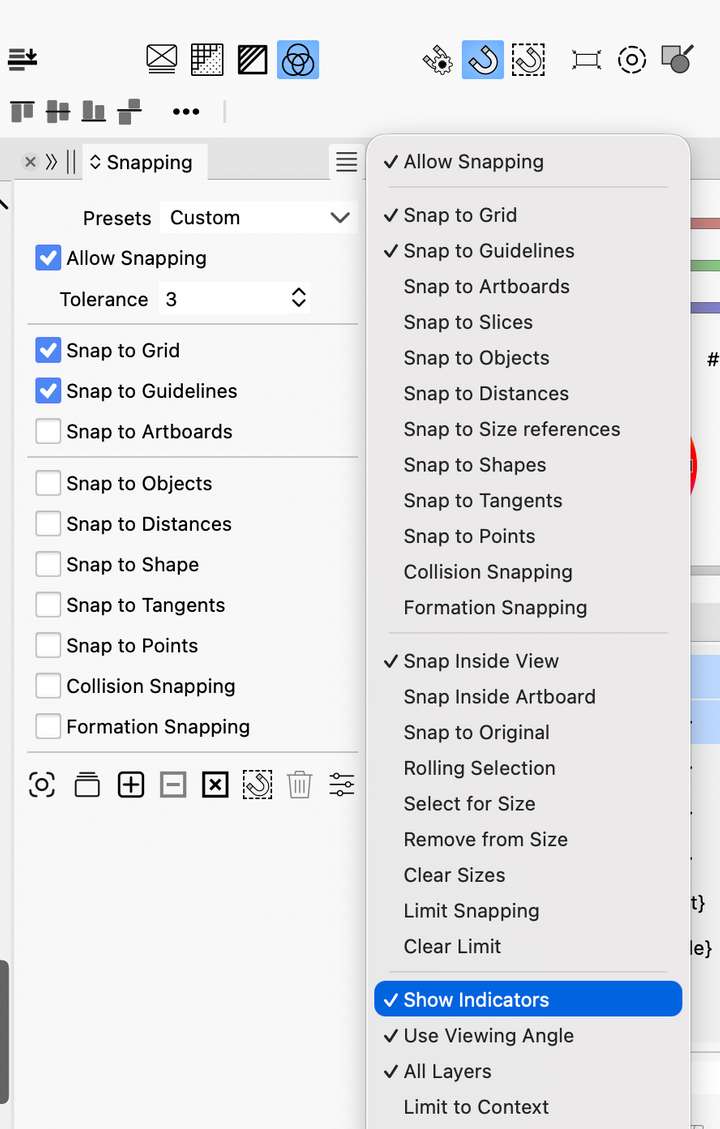
            @Fertuffo there is an option to disable snap overlays in the snapping option panel
            0_1764323322590_2e73a028-9aa9-45a0-bd8c-ae042e992860-image.png

            1 Reply Last reply Reply Quote 1
            • First post
              Last post
