Using Mouse to Delete Nodes
-
@Boldline That is what I usually do. I'll just keep doing that. I was just asking if there were a way that didn't involve the additional keypress and if could be done through the mouse-click itself.
-
@debraspicher check out the elgato foot pedal I mentioned in this thread - I use it all the time now for speed. It's not as direct as what you were requesting but it's the next best thing in my opinion!
-
@Boldline I have a macro keyboard set to f13-24 keys I use so if I need additional I can use that. I am on a drafting chair with a footring so I wouldn't be able to reach the floor anyway and barely can with even most office chairs, if I'm honest...
-
Thats a interesting and cool idea.
Did not know that something like this exist.But i know foot pedals for musicans.
-
This little 8BitDo Micro gadget was recommended to me by some creative young people who both play and create:
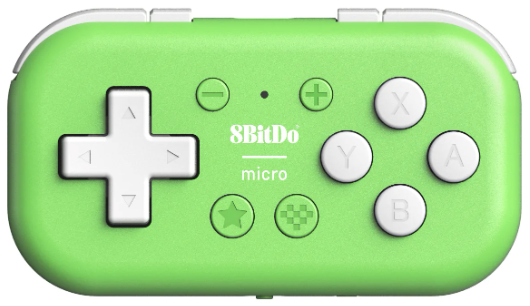
It costs next to nothing. It comes with a wrist strap and weighs absolutely nothing, making it superbly useful on the go with a laptop or iPad. However, I’ve also grown fond of using it in my office chair; I’ve never had the patience for a desk cluttered with all sorts of accessories, but with this little guy in my hand, I can simply sit with my legs resting on the desk and draw nonchalantly with my right hand, while I quickly and easily with my left hand, with a single press, activate delete, copy, paste, duplicate, undo in particular, and several other features. The floor is overrated, Debra.

It is so small that it fits perfectly in the palm of your hand, and once you have the placement and function of the buttons in your muscle memory, you are good to go. They make several models of that kind of controller, but this one in particular can at least fit in the palm of your hand without requiring more attention or space. I am not tempted by the larger models.
The config program is excellent, and it works by setting it to keyboard mode, so the computer or iPad thinks it’s an external keyboard.
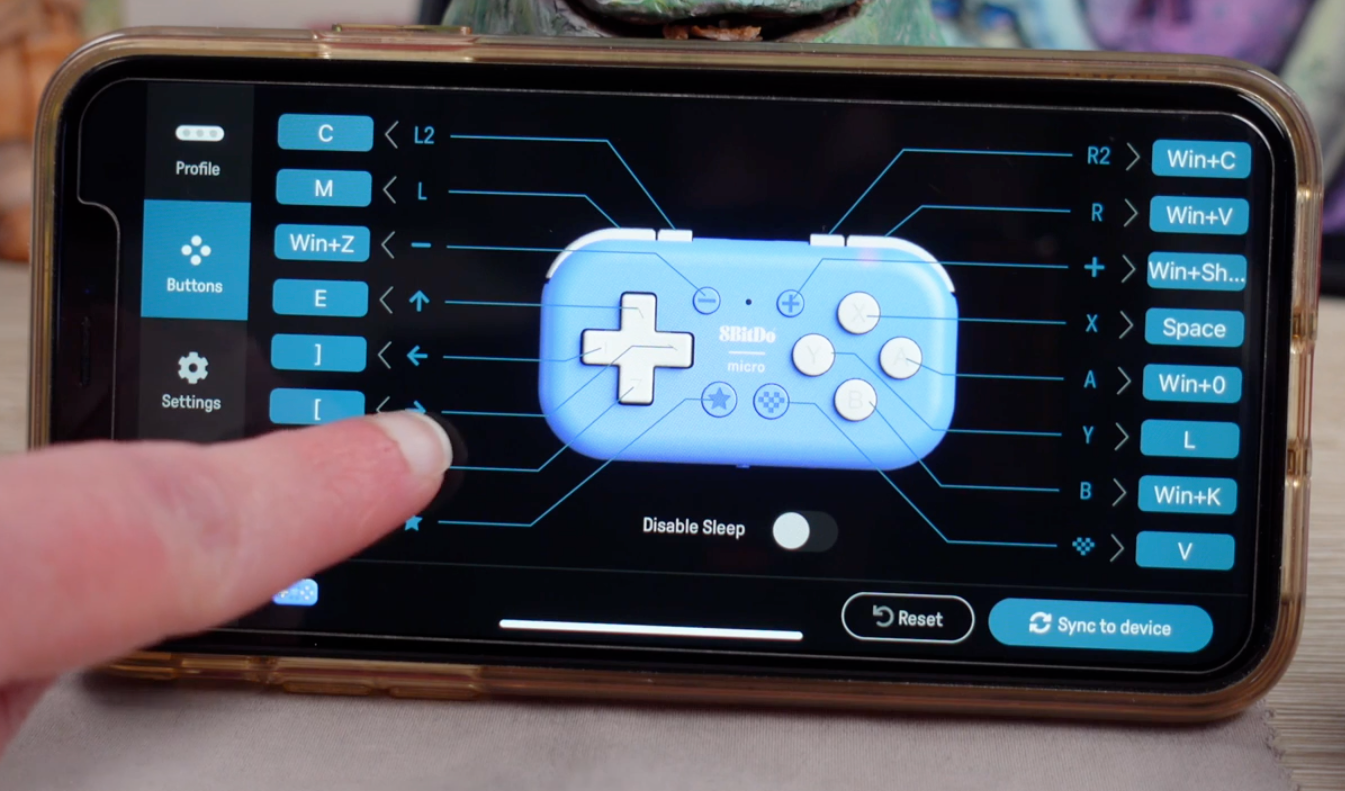
It is so light and just hangs from the wrist, so you can easily type a bit as well, or reach for a cup of coffee while wearing it.
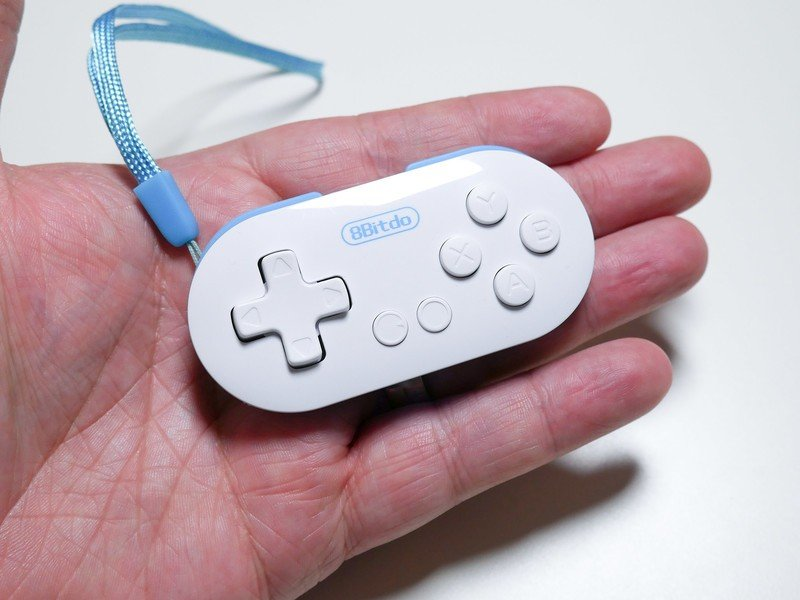
Different model – but here you see the wrist strap:
🍏 macOS Sequoia Apple Silicon
-
@Ingolf Yes, I had considered that as an option. There's a dedicated controller for Clip Studio that's pricey ($80~$100 US) that does pretty much the same thing, but it only works in CSP as far as I know.
I have the larger 8BitDo NES controller and so technically I could set it up with that. My macro keypad works well also and I have keep my hand hovering over it on the left side while working. I'm able to change switches and access different layers (assigned keys) via VIA also in the future.
This is what I use:
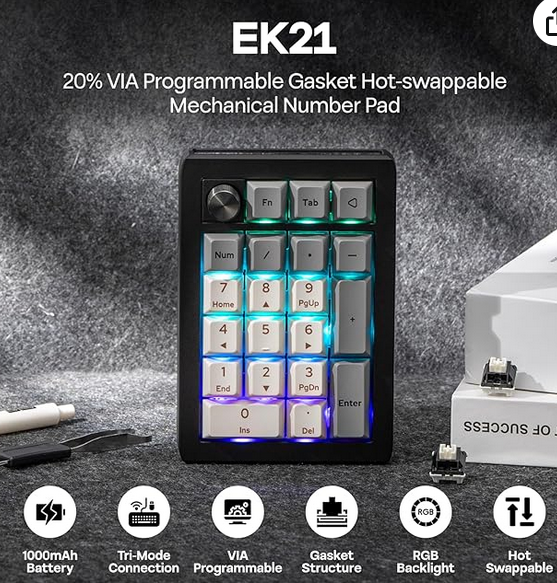
EPOMAKER EK21 ($36). It has surprisingly great build quality and the switches feel very solid...
I don't know about Mac, but in Windows we have mappable keys F13 ~ F24 that used to be on some keyboards back in the IBM days. They still exist within Windows and so anything can be mapped to them. It's helpful because this keyboard and even more expensive QMK firmware (VIA-supporting) keyboards have a limited amount of space in memory to store macros. So I don't need any software to use this and will work computer to computer without needing to install anything as long as I have the workspaces sync'ed
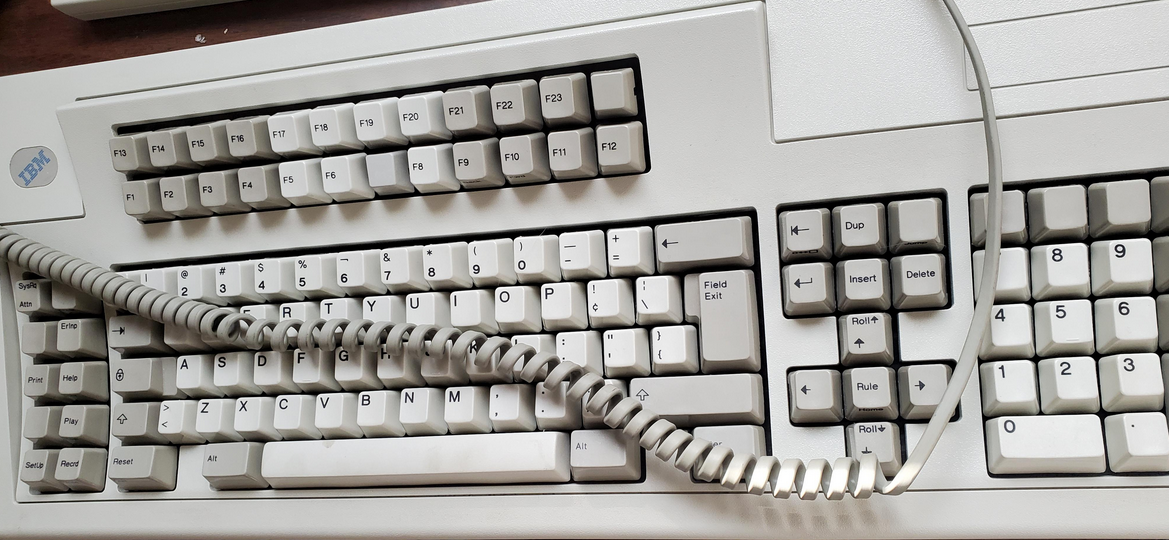
@vectorstyler Maybe these posts can be moved to a new thread referring to here so that we can talk about tools for customization elsewhere and it'll be easier to search for...
-
@debraspicher said in Using Mouse to Delete Nodes:
I don't know about Mac, but in Windows we have mappable keys F13 ~ F24
Apple has a fair amount of respect for our scenario, so there are F1 - F19 keys on Apple's desktop keyboards with a numeric keypad – in a single row, even (though that leaves no room for more than 19). They can be mapped to scripts and all sorts of things using utilities like BetterTouchTool, for instance, but I’ve never actually dived into that.
Splendid keyboard. It’s from back when Windows PCs were delivered with a quality keyboard with good tactile feedback (and a crisp sound) from the keys. I actually bought a Keychron keyboard to get that experience back, but flat keyboards are incredibly more ergonomic in use, so the nostalgia remains a memory now.
🍏 macOS Sequoia Apple Silicon
-
I saw this device a few days ago in a video by Brad Colbow.
It looks a bit small to me, but it could certainly be useful.He compared various external controllers for graphics tablets.
For any one who is interest.
Here's the video from Brad Colbow.
Ranking the best drawing remotesWin 11
CPU: AMD Ryzen 5 9600X, 6-core.
GPU: Nvidia Geforce RTX 5070. -
@Ingolf I'm using a Keychron Q6 Max with the official pad. It's more or less like a flat keyboard. I don't think I could ever go without a wrist pad. I have one for the mouse also.
Windows 11 Build 26200.7171 (25H2)
AMD Ryzen 7 9700X with Gigabyte X870E Aorus Pro Ice
32GB RAM @ 6000MHz
PNY NVIDIA RTX 5070 Ti 16GB; Display 1: 4K @150%; Display 2: 4K @150%
Wacom Intuos Pro L (2025); Wacom Intuos Pro M; Epson ET-8550; Siser Romeo -
@Subpath said in Using Mouse to Delete Nodes:
@Ingolf
I saw this device a few days ago in a video by Brad Colbow.
It looks a bit small to me, but it could certainly be useful.It is small, but that is its advantage. If you mostly hold it loosely with your fingers, it fits right into a closed hand.
It’s probably too small if you have hands significantly above average male size, but as mentioned, it’s so ridiculously cheap that you can live with a mispurchase and perhaps pass it on to the gaming youth.
-
@debraspicher said in Using Mouse to Delete Nodes:
@Ingolf I'm using a Keychron Q6 Max with the official pad. It's more or less like a flat keyboard. I don't think I could ever go without a wrist pad. I have one for the mouse also.
Over the past decade, I have only bought small mice that allow me to let my hand lie flat and relaxed, with essentially only my fingers on the tiny mouse. It has been quite difficult to find the right ones. Apple's own mice have been terrible.
That does not apply to their keyboards, though; Apple's Magic Keyboards are so flat (4.1mm!) that my palms always lie even flatter on the desk, and my fingers reach across the super-thin keyboard completely effortlessly. The keys themselves require no pressure, so it’s a bit like laying your hand flat on the table and drumming lightly with your fingers on it.
This meant that my Keychron was expensive nostalgia. I use it occasionally when I just want to relax and turn on the colourful rotating LED backlight. The quality of the hardware is excellent, world class.
-
@Ingolf No, I do get it. That feeling is hard to replace. I learned to type on a typewriter so that's probably why I'm adjusted to working with a lot of key travel. I've seen the "drummy" keyboards and they do sound so nice on a good surface and look fun to use. I need my wrists to be stay relatively mobile especially as a tablet user.
The Keychrons are not impervious to issues. I had a bit of key chatter on occasion with the Q6 Max when I first started with it probably because of the rubber gaskets, but I think the board broke in enough that it settled because I don't really have a problem now with it. (It did require a firmware update, though)


